
Start11

Universal apps

Hello.

I have several programs installed on my system, downloaded outside Microsoft Store (Start11 is one of them).

Start Menu is configured to Windows 7 Style.

Now, here's the problem:

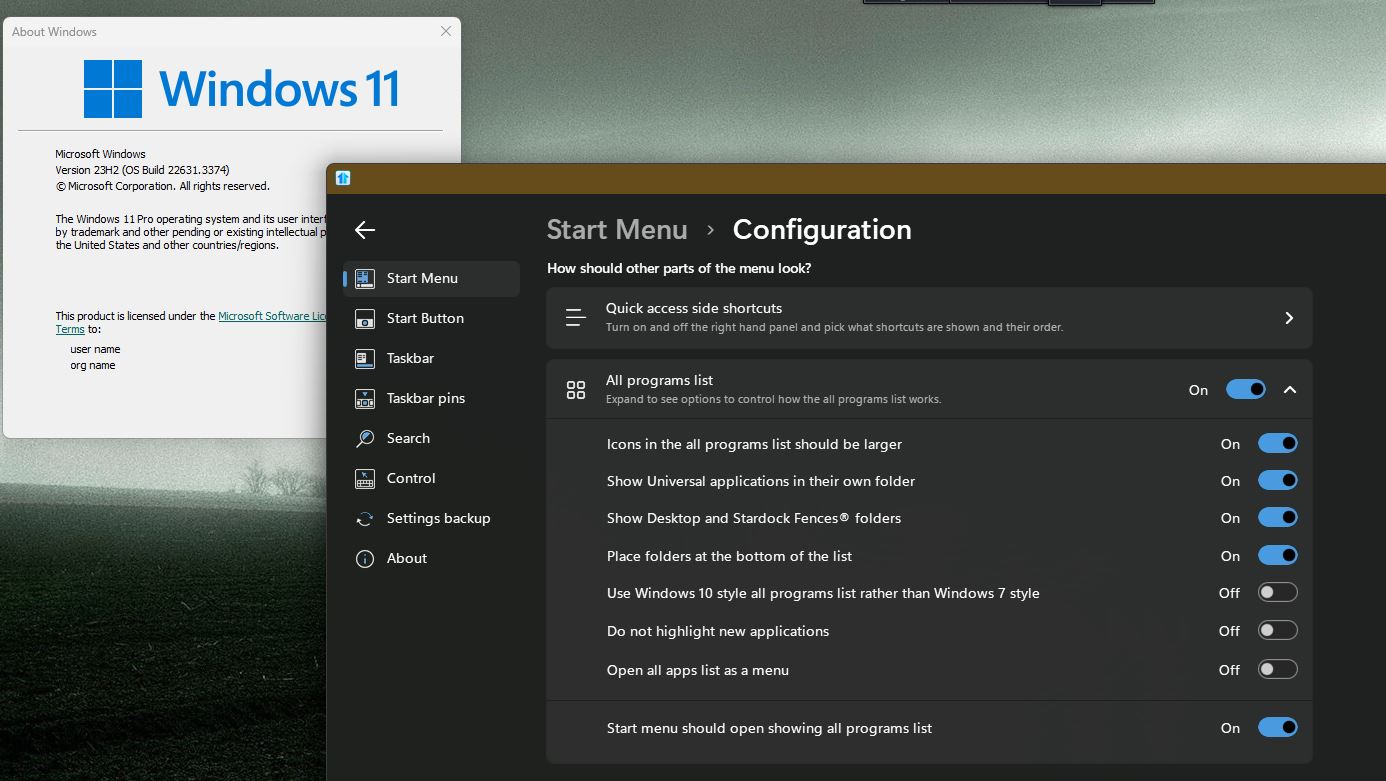
"Show Universal applications in their own folder" does nothing (on or off is the same).

Adding a shortcut to Universal applications to "shortcuts list" only creates a new folder containing those apps but doesn't hide them from "All programs" in Start Menu, which creates a long and confusing "mishmash" of shortcuts.


Why doesn't Stardock fix this bug?

Thanks!
 

1,749 views 6 replies
Reply #1 Top

Hello,
Sorry to hear you are having issues. Please post what is your setting look like on the "All programs list"?

Thank you.
Basj,
Stardock Community Assistant.

Reply #3 Top

I  believe the "Show Universal application in their own menu does not work when your use the "Open all apps list as a menu". To be sure, I have forwarded your problem/question to Stardock Support Team for their assistance. Please keep an eye on this thread for any updates. We appreciate your feedback and patience.

Basj,
Stardock Community Assistant

Reply #5 Top


Hello.

I have several programs installed on my system, downloaded outside Microsoft Store (Start11 is one of them).

Start Menu is configured to Windows 7 Style.

Now, here's the problem:

"Show Universal applications in their own folder" does nothing (on or off is the same).

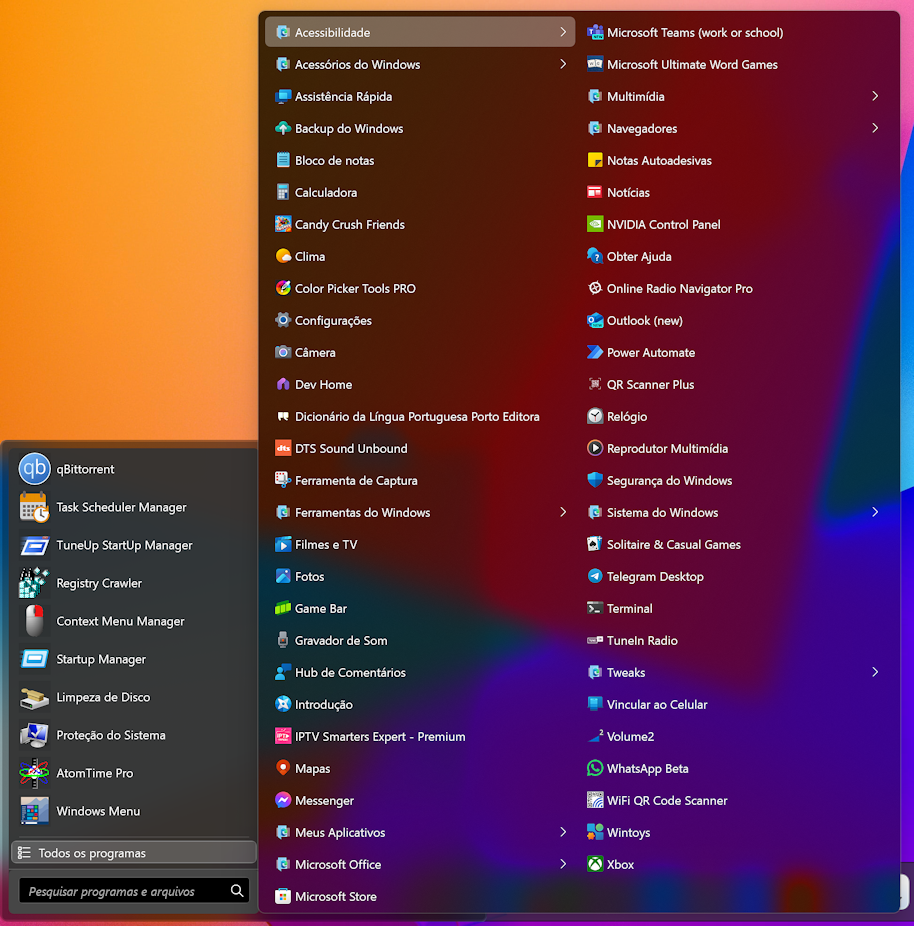
Adding a shortcut to Universal applications to "shortcuts list" only creates a new folder containing those apps but doesn't hide them from "All programs" in Start Menu, which creates a long and confusing "mishmash" of shortcuts. 

Why doesn't Stardock fix this bug?


Thanks! 
End of quote

Universal \ Modern apps (generally what is offered from the Windows Store) are a special breed of application.  

That said, this is how it (that feature) is seen when enabled.

https://cdn.stardock.us/support/uploads/2024-04-04_10-25-19.mp4

What about it is not working or what you would expect?

Sean Drohan
Stardock Product Lifecycle Manager

Reply #6 Top

Hi.

Since I configured Start Menu to Windows 7 style, I assumed the menu would slide to the right like Windows XP and Windows 7.

In fact, it works this way, but it shows my installed programs added to all Windows apps, creating a gigantic menu.

The solution I was suggested above was to disable "Open all apps list as a menu".

That's ok, it solved the issue, only now I don't have a sliding menu; on the contrary, opening "All programs" shows my programs to the left, where Quick Access apps stay.