Most Used Applications not working as expected
 Stardock Forums
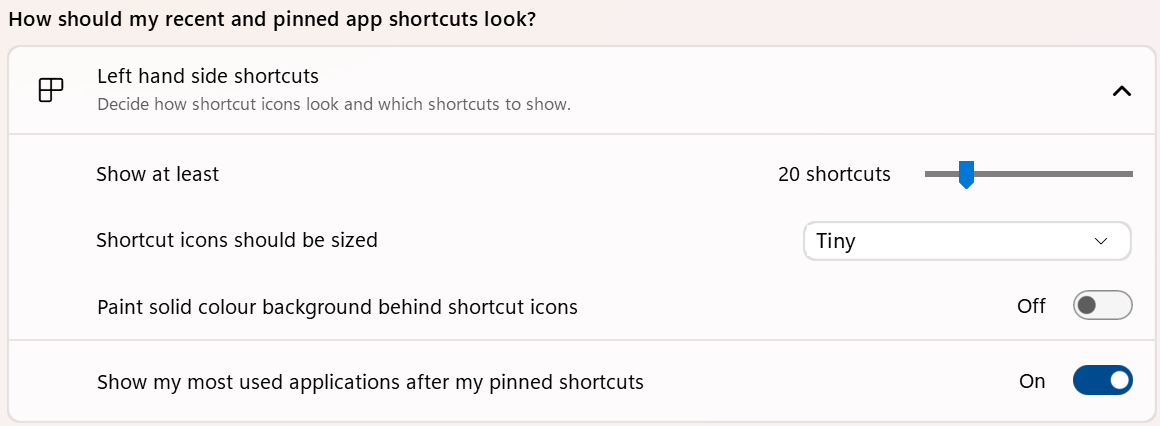
I'm using Start11v2 on Windows 11 22H2. I have Start11 configured to use Modern Style. In the Left hand shortcuts area, I have configured it to show 20 shortcuts in a Tiny size. I have turned on "Show my most used applications after my pinned shortcuts".
Currently only 8 items are showing in my "most used" list, even though there's space for 20.
The problem is that applications that I use on a daily (or hourly basis), such as Firefox and Excel, don't appear on the list. I start Firefox from a pinned icon on the Taskbar. I start Excel usually by double-clicking on an XLSX file. Some applications like Remote Desktop Connection I start by pressing the Windows key and typing in the application's name to find it in the search results - those don't appear in the list either.
As a test, I tried launching Firefox by opening the Start11 start menu, finding it in All Programs, and launching it that way. I tried launching it a few times, but even that didn't make Firefox appear in the list.
What triggers Start11 to consider applications as being "most used" and therefore show in this list? Does Windows maintain this list somewhere and Start11 just picks it up from there?
Thanks.
David.