Groupy V2 - Maximized window can no longer be dragged

Hi.


Maximized window can no longer be dragged, instead I now have to "demaximize" the window to be able to drag the window.

Also "demaximizing" a window with a simple drag is no longer possible, it automatically maximizes it again.

What I've seen are two types of this behaviour, a short flicker (< 100 ms), and a "remaximize" after a brief moment (<1 s).


Solution that worked for me:  "Personalize Tab" > "Always show tabs for this type of window


Best regards

JA


In this gif you should see a mouse just slightly outside the left border. The yellow circle indicates a click. While dragging the window it flickers once and stays maximized. The flickering is not visible in the gif (for a gif with flickering see the second gif in one of the replies below). Additionally, once the cursor is inside the capturing area the issue is no longer present.


- Groupy 2 Version 2 BETA 1

    - Tabs are integrated, but not shown for all applications (e.g. Vivaldi browser) shown in the gif

    - also inside the capturing area it works fine. Outside the capturing area the window flickers (gif does not show the flickering)

        - i did not exclude any application

     - However, I've noticed, when the TabBar is not shown for a window, I can activate "Always show tabs for this type of window" and the behaviour is then fixed and dragging works as expected. 

- Windows 10.0.19044


5,858 views 10 replies
Reply #1 Top

Hello,
Sorry to hear you are having issues. But, I can not reproduce your issue on my system. I can drag Maximize windows normally. Can you post a video of your issue so we can understand it and try to reproduce it on our system. Also include information on your system. Include below information.

  1. Windows 10 or 11? Full version build numbers. Use Winver.exe.
  2. Groupy 2?
  3. Tabs setting. place tabs above or Integrate the tabs. etc.


Basj,
Stardock Community Assistant.

Reply #2 Top

I've updated to original post to include the Information You've asked for

Reply #3 Top

Quoting ja828, reply 2

I've updated to original post to include the Information You've asked for
End of ja828's quote

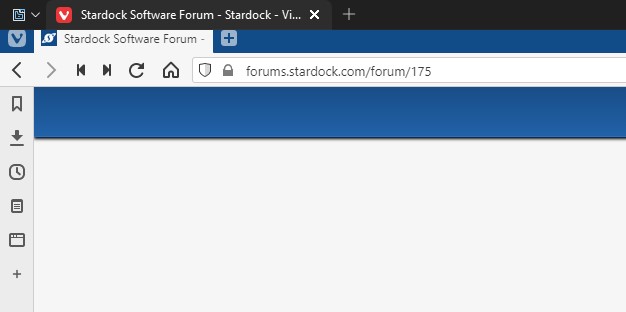
Thanks, but I can't really see what is going on from your video. And, I don't see a groupy tab appear where you mouse over, click and drag. Something like screenshot below. This tab show up when I move the mouse over the top left Vivaldi title bar.

Thank you,

Basj,
Stardock Community Assistant

Reply #4 Top

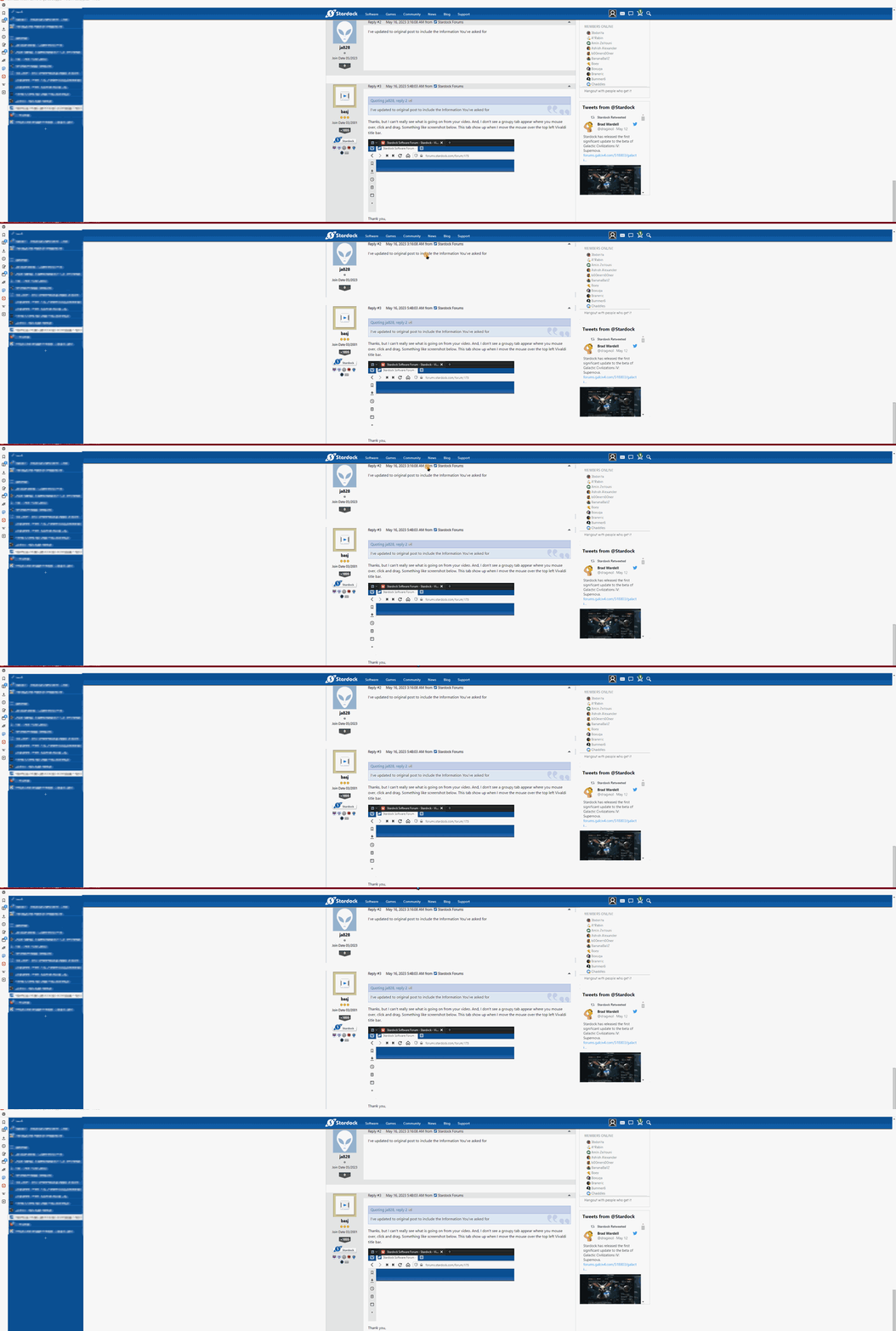
In the gif I've posted above (earlier) you should see a mouse just slightly outside the left border. The yellow circle indicates a click. While dragging the window it flickers once and stays maximized. The flickering is not visible in the gif.

I cannot take a video from the issue, once the cursor is inside the capturing area the issue is no longer present.

What i can do is just capture the screen without the entire title bar. just a few pixel short of the screenedge. As seen here:


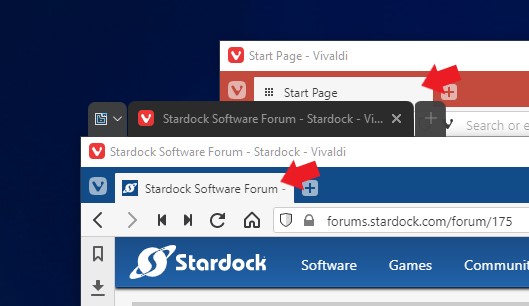
The Setting for the Tabs is to be integrated in the title bar, but Vivaldi for example does not show the bar on default. This can be fixed by setting activating "Always show tabs for this type of window" in the Personalize Tab setting. -> this also fixes the dragging issue.

This is my current setting, and the described issue is no longer present. (Issue fixed)


Changing the "Always show tabs for this type of window" value to default will make the issue resurface.


Both screenshots are taken on the Top-Left-Corner of the screen. The second one does not show any Tab-Bar

Reply #5 Top

I notice there is no Vivaldi tabs in your screenshot. Is you vivaldi tabs position is set to be at the bottom?

Thank you,

Basj,
Stardock Community Assistant

Reply #6 Top

The tabs are on the left and vertically stacked. I've censored them in the second gif.

Reply #7 Top

I still can not reproduce your issue on my system. Refer to video below.

Just to confirm, this issue only appear with Vivaldi browser? Not on other application like Windows File Explorer or MS office application?

Thank you,

Basj,
Stardock Community Assistant

Reply #8 Top

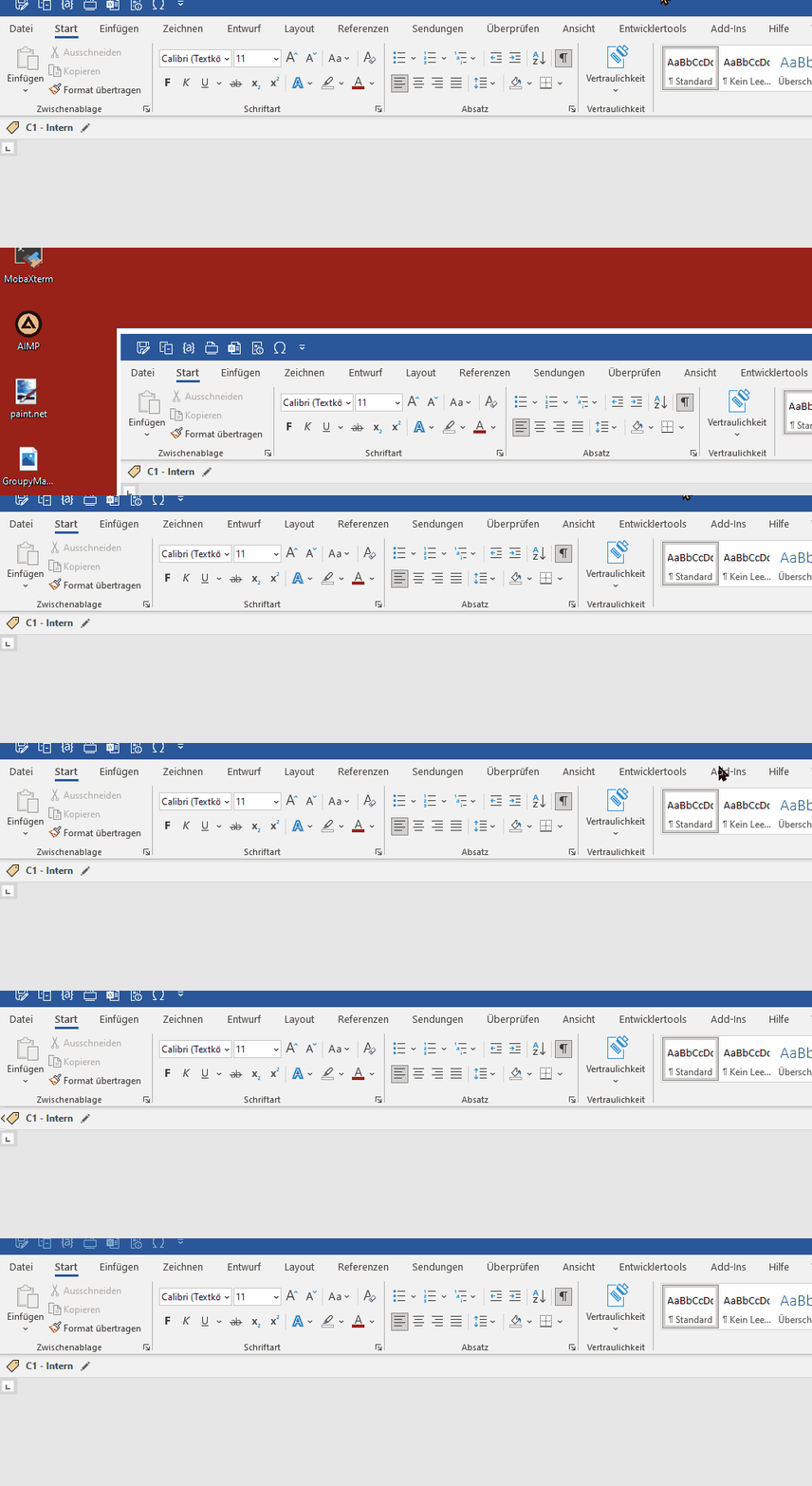
It also is present for MS-Word, slightly different though, it snaps back after a brief moment. But it can also be fixed by activating the "Always show tabs for this type of window".


Issue present: Vivaldi, MS-Word, MS-Excel, Google Chrome, MS-Edge

Issue not present: PDF-XChange Editor, Windows File-Explorer, KeePass

Reply #9 Top

Try this, uninstall Groupy 2. Reboot immediately, reinstall Groupy 2. Reboot again. Retest and report back.

Thank you,

Basj,
Stardock Community Assistant

Reply #10 Top

The Issue still persists after these steps you've provided.

But "Personalize Tab" > "Always show tabs for this type of window" as a workaround works and is fine by me.


Thank you for your time and patience.

Best regards,

JA