
Start 11 Taskbar Transparency Lost after Windows-style Search

Love the Start Menu products.  Using Start 11 since MS began changing things to make them LESS usable than before.  Thank you for helping keep Windows usable.


I have a minor nit that I'm wondering whether anyone else has, and whether it can be fixed.


With the Start11 taskbar set to use transparency and the Start11 search configured to use Windows Search instead of the Start11 Search, as soon as a Windows Search is activated (i.e., the Start Menu is replaced with the search box and results), the transparency of the taskbar goes away; that is, the taskbar no longer obeys the transparency settings specified in Start11.  If I go back to the Start11 settings and change the taskbar transparency settings or toggle the blur-background switch, the transparency on the taskbar returns until I search again.


Does anyone else have this behavior?  Can it be fixed?


I'll post some images below.


Thanks!


First, I set the taskbar transparency with Start11, and it works.
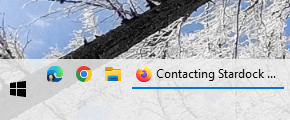
And when I pull up the Start11 menu, it's still fine.
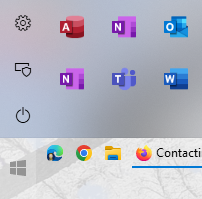
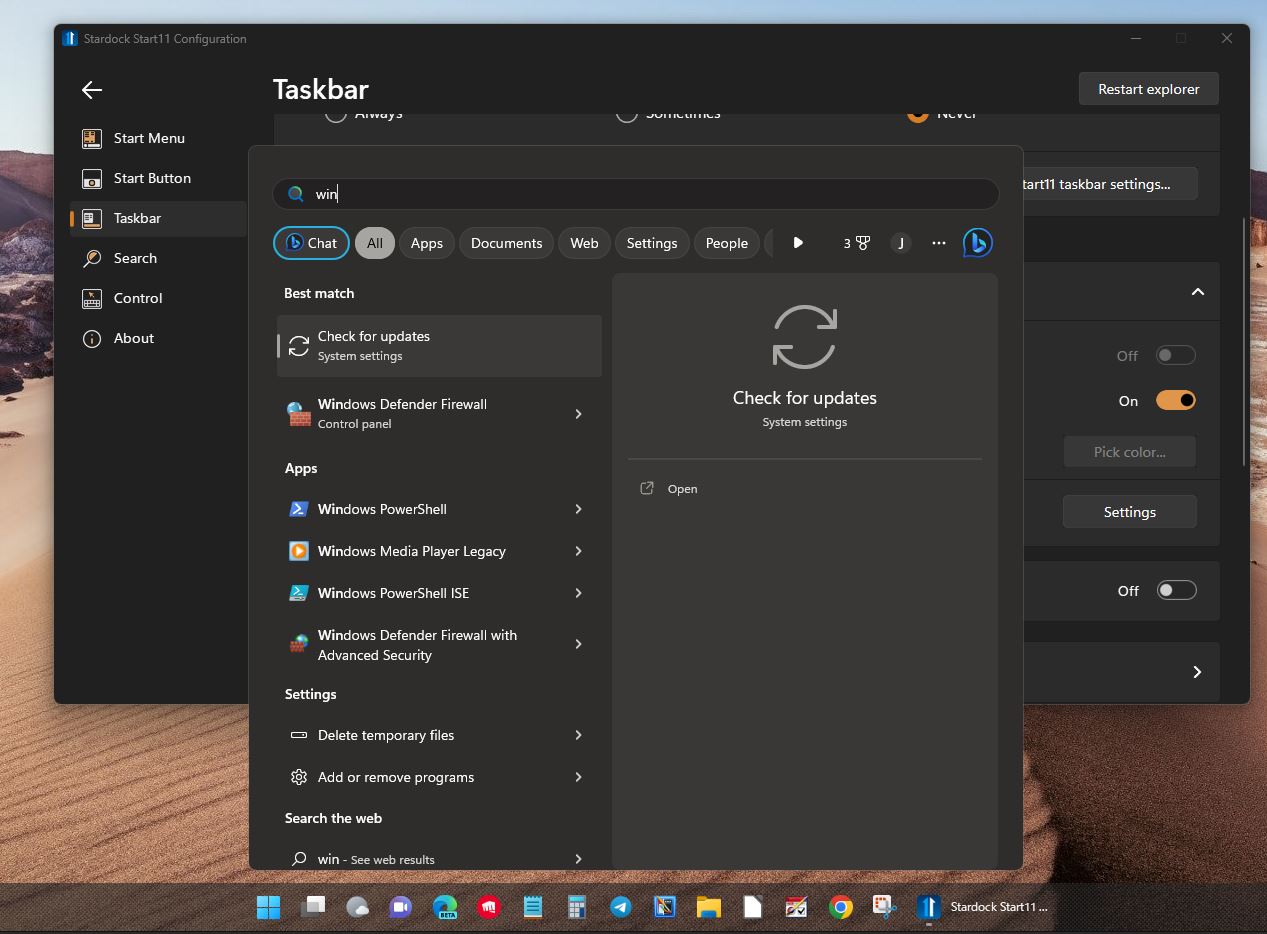
But when I start typing and the Start menu is replaced with the Windows Search box and results, the taskbar becomes opaque / loses its transparency.
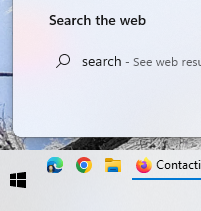
The taskbar will remain opaque until I go back into the Start11 settings and adjust the transparency or toggle the blur image behind taskbar setting.

I'm running the latest Start11 (Just updated... was hoping maybe this latest updated fixed it...)
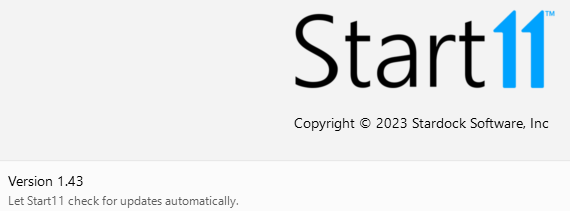
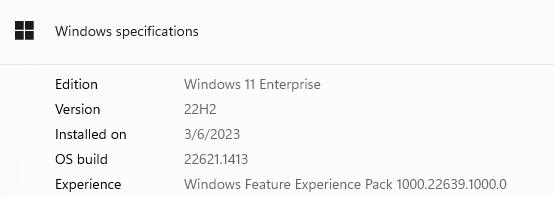
And this is the Windows version that I'm running:
 

Any thoughts?!?!


Obviously not urgent, but seems like it might be a simple fix if anyone else has the same issue.


Thanks again!
 

676 views 4 replies
Reply #1 Top

Hello,
Sorry to hear you are having issues. I can not reproduce the issue on my system. Any specific setting or steps to reproduce it?

Thanks
Basj,
Stardock Community Assistant.

Reply #2 Top

Your taskbar appears to have Windows 10 taskbar buttons but you said you are using Windows 11.

What other product are you using?

Reply #3 Top

Thanks for the replies, Basj and Neil.  

Basj said:

I can not reproduce the issue on my system. Any specific setting or steps to reproduce it?

And Neil said:

Your taskbar appears to have Windows 10 taskbar buttons but you said you are using Windows 11.  What other product are you using?


You are both correct!  I forgot I AM running another program that replaces the Windows 11 taskbar with the Windows 10 taskbar.

This program is called ExplorerPatcher.

I can confirm that if I turn off the Windows 10 taskbar replacement function of ExplorerPatcher and let Start11 manage the taskbar instead, the transparency goes away and the taskbar transparency works as expected.

So nothing for Stardock to fix.  That was my bad.

Thank you for reminding me to look... it had slipped my mind that I was even running this little utility.

Having said that, however, I must say that there are two things that I like about the Windows 10 taskbar:

  1. The Windows 10 System Tray will fill multiple lines, whereas the Windows 11 System Tray is only 1 line tall no matter how tall the Taskbar is.  I like to keep my Taskbar 2 lines high so I can see all of my important system tray icons and still have room for lots of window buttons.  The Windows 10 Taskbar allows the System Tray to take only half the width that it consumes in Windows 11 (or 1/3 with a 3-line Taskbar, etc.).  That leaves me with much more room for my Taskbar application buttons, which I like to have fully expanded with text all the time so I know exactly what to click instead of hovering and moving the mouse again to select the window I want.
  2. The "Drag-and-Drop" of the Windows 10 taskbar can be enhanced by yet another third-party utility called "7+ Taskbar Tweaker". What makes this combination nice is that I can move application windows independently, not as a group.  So, for instance, if I have one Firefox window that I'm using as a reference for an Excel worksheet that I'm building, and another Firefox window that has some graphics I'm pulling into PowerPoint, I can have the one Firefox button next to Excel and the other Firefox button next to PowerPoint.  Helps me switch faster and generally improves my workflows.

I would love it if you could somehow figure out how to hook transparency back into the Windows 10 taskbar, too, so that when ExplorerPatcher enables it, the transparency effects remain.  Not sure if that'd work or if it'd even be possible, but it would be cool if it could.

OR... (and even better!) if you could add those two capabilities above to Start11, I could get rid of two other pieces of software that I need to keep up-to-date all the time.  (Although I must say that ExplorerPatcher does some other things outside of the Start Menu and Taskbar that are super helpful, like restoring the old Windows 10 style File Explorer interface and Open/Save dialogs which were WAY easier to navigate with just a keyboard.  That's the reason I stumbled across it in the first place, but I found that it helped preserve some good things about the Windows 10 taskbar, too.

Anyway, thank you for a quick response and letting me know this was my problem, not Stardock's.

If you want any more info on what I'm doing and why, please feel free to reach out.

Thank you!!!

-- Curt


Moderation: Links to software and devs personal sites removed.

Reply #4 Top

Replying to myself here...


Found a little open-source utility for the Windows 10 taskbar that enables transparency when it's hooked by ExplorerPatcher.


This utility is called Taskbar Tool, and it can be found here: https://github.com/Elestriel/TaskbarTools


Also, I forgot to post the link to ExplorerPatcher, which can be found here: https://github.com/valinet/ExplorerPatcher.


Both are good additions to Start11 and address a few corner-cases that they do not.


Hope this helps someone.


-- Curt.
