Works on one PC, but not a second one.

I just upgraded from WindowBlinds 10 to 11. Did a complete uninstall of WB10 and installed WB11 on my desktop and laptop (both running Windows 11 22H2). Chose and applied the Lantana theme on both machines. Both seemed to apply it successfully, but while the theme looks great on my desktop, it doesn't appear at all on my laptop.


How do I troubleshoot this? I installed it the same on both machines, with the same version of W11, but the new theme doesn't take on my laptop. 

5,858 views 6 replies
Reply #1 Top

Hello,
Sorry to hear you are having issues. Is there any popup msg came up while installing, after rebooting etc on the system that don't work with Windowblinds?

Thanks
Basj,
Stardock Community Assistant.

Reply #2 Top

No, WindowBlinds doesn't give any errors. I choose Lantana 2, click "Apply style to desktop", it pops up a Tip (about Google Chrome), and after clearing that...nothing happens. 

Reply #3 Top

This is strange. I just had some time to play around with it and discovered I was able to successfully apply some of the other skins. It seems to just be Lantana that I can't apply...and it's kind of the reason I got the program. 

I then compared the Lantana folders on both the desktop and laptop. The desktop (where Lantana installed) has 273 files. The laptop has 276 files. So I deleted all of those and copied the desktop's 273 files over. Tried again to apply the Lantana style. It again failed...and increased the number of files in the Lantana folder to 278.

I'm lost. 

Reply #4 Top

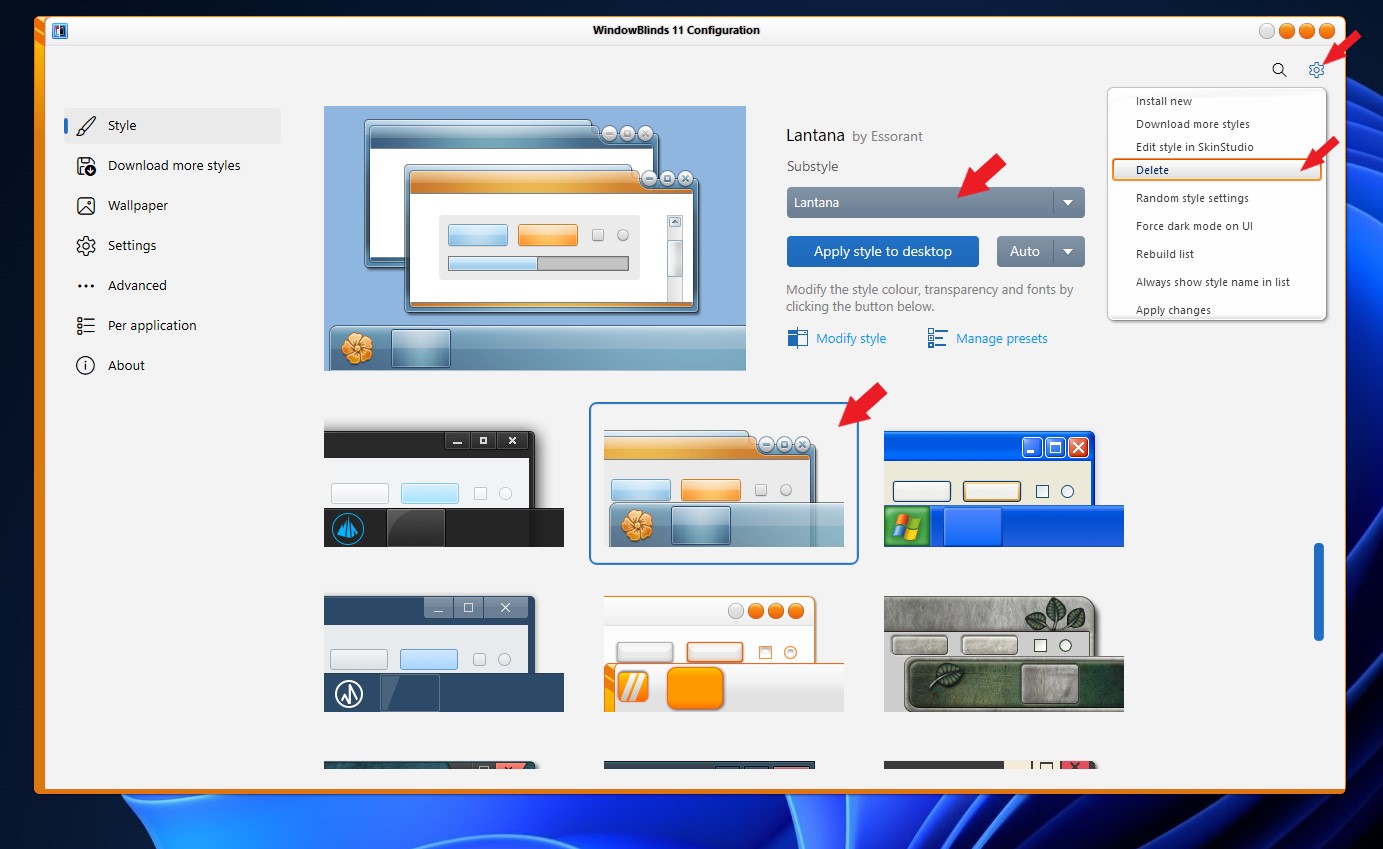
I believe there is a corrupted file somewhere in there. What you can do is. First, delete off "Lantana" from your computer. Refer screenshot below.

Then, try purge and reinstall Windowblinds using this guide: https://support.stardock.com/space/SHC/1349058584/WindowBlinds+purging+and+re-installing. Reboot again after the re-installation. Try those and report back. 

Thank you,

Basj,
Stardock Community Assistant

Reply #6 Top

Great, glad it worked.

Thank you,

Basj,
Stardock Community Assistant