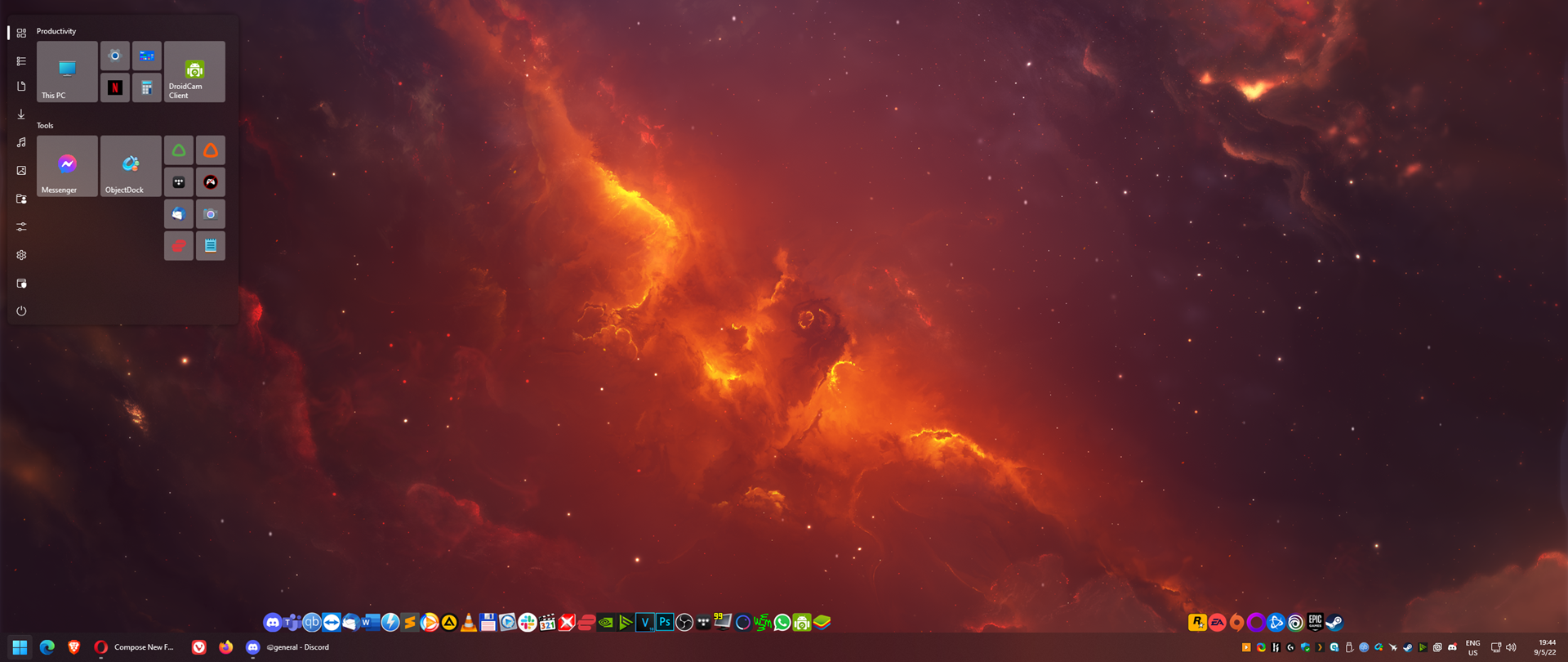
The Start11 changes position
Instead of being displayed on the bottom left corner, it's displayed on the top left corner
from  Stardock Forums
Stardock Forums
I don't know what's happening. I just switched to Windows 11 and installed Start 11 to get the tile buttons.
However, after a few minutes, the start menu started showing up on the top left corner, instead of its default position.
If I restart the Explorer process, the start menu goes back to its intended position, but the bug starts occurring again after some time.
From what I can see, it has something to do with me operating on my secondary monitor, which is on the right.
I'm not sure what behavior is responsible for this. Has anyone else encountered this bug?