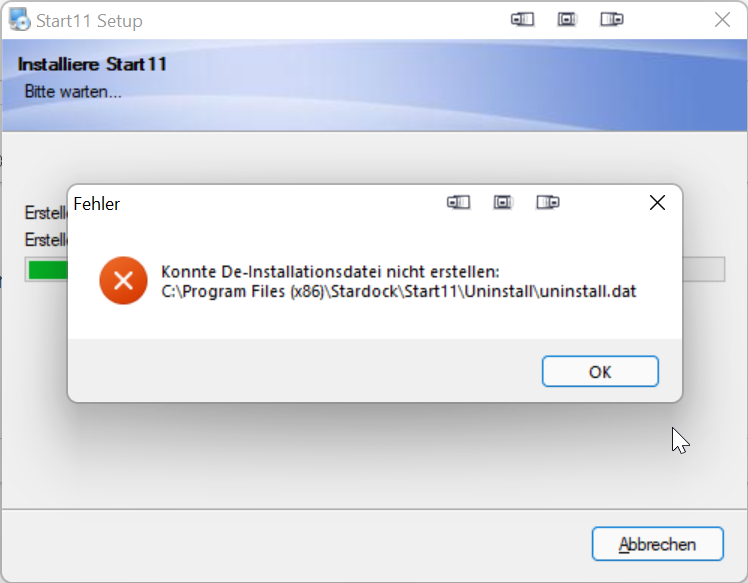
- I now had rebooted the PC after lunch and all settings and icons are gone.
- I purged start11 app from the pc and rebooted - run into blue screen during reboot
- After pc was up later on I tried to install v 1.11 - same result as in my first post
I have more than 50 different programs and apps on my machine and never experienced such problems
Can you please make the previous release 1.1. again available for download so that your paying customers can work and then rework and completely test the 1.11 version before letting it out again into the wild.
Regards
Albrecht
End of abackhaus's quote
A bluescreen cannot be caused by a user mode app like Start11 and especially one you don't have installed. Drivers, OS bugs and hardware faults (HD failing, bad memory even bad CPU) are the cause of those. What exactly did the bluescreen say (the information will be in the event log) as it will indicate the cause.
Settings should not be lost as there is no option in the software to delete everything. The only way to do so would be select the option during uninstall to delete your settings or to run the purge app support sometimes give out. A normal uninstall will not remove your settings.
Given the bluescreen and the loss of settings I would be concerned there is a possibility of a failing HDD so if you don't regularly backup your data I would recommend you do, but thats good practise anyway.
With regards to the issue with it still complaining, can you look at c:\program files(x86)\Stardock\Start11 and see if there are any files left after uninstalling and rebooting. If there are any then delete them as something is stopping them being removed by the uninstaller. Then there should be nothing to cause the new installer to have any issues unless you have some AV package interfering with the install.
We have not had other reports of similar so right now I am leaning towards something local to your machine causing these issues and I don't think rolling back to 1.1 would help. I would expect the very same issue with the uninstall file as the installer engine remains the same in all versions of Start11 (and 10 and 8 in fact - I think they all use the same installer product)


 Stardock Forums