Mouse lag with multiple network adapters

Ive got multiplicity set up to control my work laptop from my PC with the same mouse. Love it and it works great but I've been having some issues lately. The mouse on the secondary machine (laptop) will randomly freeze up for around 5-10 seconds at random intervals.


I'm not sure what is the exact cause of this, as in I cannot seem to predict when exactly it will happen, but my guess is that I have a couple extra network adapters on the laptop (various VPNs, but none of them are active), and Multiplicity is getting confused or cycling between them. 

What I've already done:

  • Opened all the ports and allowed everything via Windows Firewall
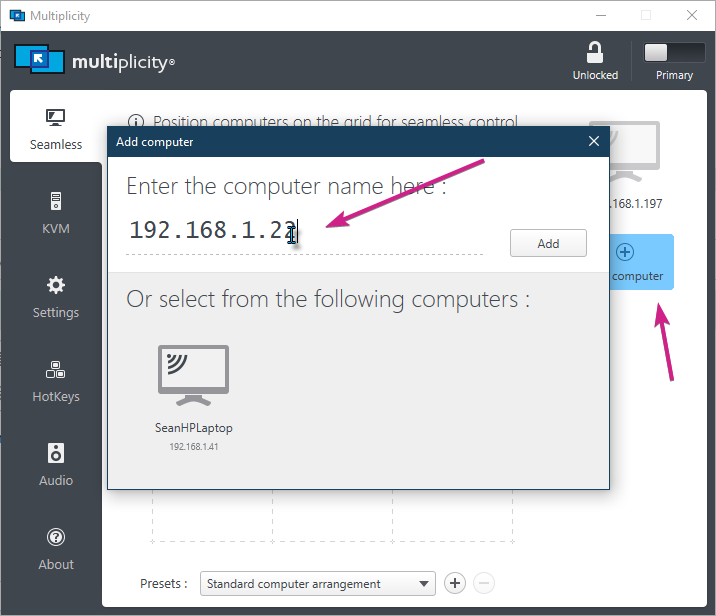
  • Set static IPs on both machines and configured these in Multiplicity
  • Verified it isn't a resources issue

Some interesting things to note:

  • Freeze ups seem to happen more often when more mouse activity is occurring
  • Rarely happens when typing
  • I used to use an ethernet cable in the past, but this is no longer possible for my current set up.
    • Would connecting my Primary and Secondary machines via ethernet (both on Wifi) help at all?

The interesting thing here is on the secondary machine, Multiplicity lists about 4 IPs, the last of which is the actual local static IP it should be using (these also show up in ipconfig)


Is there anything I can do to help this issue? Or is this just a limitation of Multiplicity (the multiple adapters)?


Love the product, but I can't get any work done with all these freeze ups.

Thanks


5,752 views 10 replies
Reply #1 Top

Hello,

I have forwarded your report to the Stardock support team for their review and recommendations.

Please keep an eye on this thread for any updates.

We really do appreciate your feedback, thanks.

Reply #2 Top

Ive got multiplicity set up to control my work laptop from my PC with the same mouse.
End of quote

So this is an issue with only Seamless connections, not KVM, correct?

I used to use an ethernet cable in the past, but this is no longer possible for my current set up.
Would connecting my Primary and Secondary machines via ethernet (both on Wifi) help at all?
End of quote

Did it happen then as well... or no... once you included wireless, that is when it started happening?

Does it ever happen when the VPN is not connected?

When it happens, can you ping the PC in question?


Sean Drohan
Stardock Support Manager

Reply #3 Top

I don't think it ever happened on ethernet, but that was a bit ago.

The VPN is never active when I am experiencing the issues, I only mentioned it to possibly explain why I had multiple network adapters, but this could not be the case... 

I can always ping the PC in question, I believe.

A couple other interesting things to note:

  • I was previously using the Secondary machine as the Primary and never experienced these issues. It has only been since using my PC as the primary and laptop as secondary that I started seeing this issue.
  • This could be completely anecdotal, but it seems to have less lag issues during a video call, as in when I have a steady active connection. Still happens from time to time, but does sure feel like less while on a call.
  • The other IPs that show up on the secondary machine under the display name are those of 'vEthernet - Hyper-V Virtual Ethernet Adapter', and I assume have to do with docker that I have installed. Could this be causing issues?


Thanks for your help and response.

Reply #4 Top

but I've been having some issues lately. The mouse on the secondary machine (laptop) will randomly freeze up for around 5-10 seconds at random intervals.
End of quote

How often is this happening? If its happening a lot (daily), have you tried the clean boot (on each PC) to see if it can still be seen:

https://forums.stardock.com/486104/multiplicity-support-faq#cleanboot

Perhaps a purge \ reinstall (again, on each PC) might prove the path of least resistance:

https://forums.stardock.com/486104/multiplicity-support-faq#reinstalling

Sean Drohan
Stardock Support Manager


Reply #5 Top

I did a full reinstall on both PCs yesterday to no avail.


My actual internet never blips, just the Multiplicity connection.

Right now my best "solution" is to have a live stream on mute playing in the background, so that there is a constant active connection on my wifi network adapter (playing music or just a long video doesn't seem to do the trick as I assume they do some buffering and it isn't a constant connection).


Because of this, I truly believe the issue has to do with Multiplicity cycling through the network adapters sporadically or something similar. 


Not sure how to fix this underlying issue, but at least the temporary fix I mentioned above lets me consistently use the mouse without lag.

Reply #6 Top

Quoting JogiPie, reply 5

Right now my best "solution" is to have a live stream on mute playing in the background,
End of JogiPie's quote

Quoting JogiPie, reply 5

Because of this, I truly believe the issue has to do with Multiplicity cycling through the network adapters sporadically or something similar. 
End of JogiPie's quote

From that, it sounds more like the Wifi adaptor is in a sleep-ish state - especially since you have indicated this did not happen via Ethernet.

While I don't like this any end-around solution at all, a constant ping to the PC in question would be less bandwidth intensive:

example: ping 10.1.1.1 -t

Sean Drohan
Stardock Support Manager

Reply #7 Top

Hi there,

I have exactly the same problem. whenever the is an vpn connection set up on my (work) laptop multiplicity will lag a lot, disconnect and reconnect every few seconds... very anoying and making mutiplicity pretty useless to me. 

Since I just bought it, I'm concidering asking for a refund... is there any short term solution in the pipeline for this problem? The livestream / ping solution does not work for me.

regards,

Karel

Reply #8 Top

Please make certain that you are connecting to the Secondary via its shared local subnet IP (not any the VPN issues) and not the hostname:

Sean Drohan
Stardock Support Manager

Reply #9 Top

Thank you for the tip, but that is exactly what I did. I also tried swapping the primary / secondary setting on the computers, allowed all relevant ports in- and outbound on both computer firewalls, made sure dhcp issues a static IP for both machines. It all works flawless if VPN is turned off...

Reply #10 Top

Quoting Crybaby84, reply 9

It all works flawless if VPN is turned off...
End of Crybaby84's quote

You need to test with 'Split-tunneling' on (if off) \ off (if on).  

https://windowsreport.com/vpn-split-tunneling-windows-10/#:~:text=%20Use%20PowerShell%20%201%20Right-click%20Start%20and,To%20disable%20VPN%20split%20tunneling%2C%20paste%3A...%20More%20

Sean Drohan
Stardock Support Manager