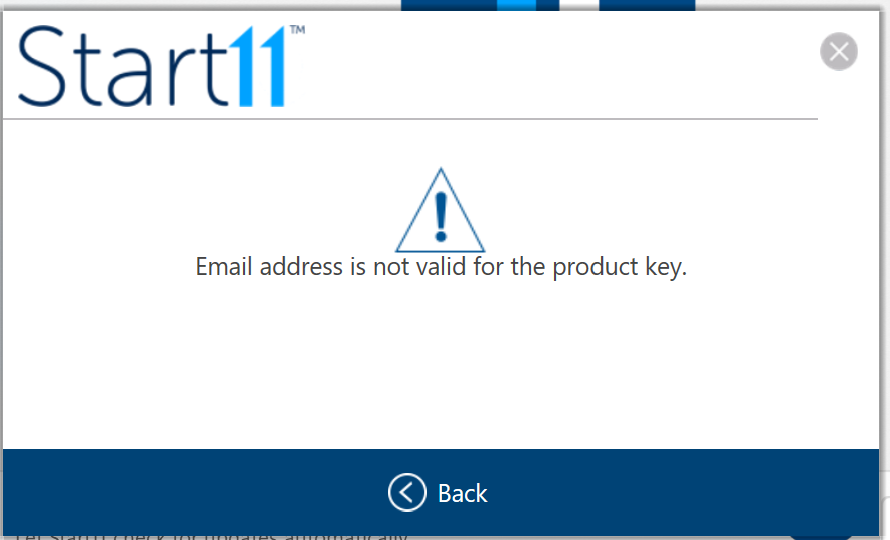
Registration error after reinstalling Start11

Email address is not valid for the product key

After upgrading to a newer Windows 11 Insider build I did a reinstall of Start11.  At the activation dialog I entered my product key and email used for the purchase of Start11.  When I click the activate button it puts up an error message with the text "Email address is not valid for the product key"  I've tried pasting in the email address and typing it in manually without any success.


5,139 views 5 replies
Reply #1 Top

Hello,
Sorry to hear you are having issues. You might need to deactivate your old activation before activate it again. Try this guide to deactivate old activation. https://forums.stardock.com/486311/accounts-and-activation-support-faq#deactivateproduct

Thanks
Basj,
Stardock Community Assistant.

Reply #2 Top

Hi Basj,

thanks for your suggestions.  I've looked at the alternatives offered from your link to deactivate a previous activation, and can't find anything that works for me.

I purchased Start11 through Fastspring and did not create an account with Stardock at the time.  If I click the "find your product key" button on the registration dialog and then enter my email address as per the screen shot above I get this response.

Account Lookup Failure


We could not locate any keys associated with the email address you provided. Please try any other addresses you may have used; perhaps an email address you use for payments (PayPal).

If there is anyone at your end who has access to the registration database and can reset it from there it would be appreciated.  Or if there is any other alternative fix please let me know.

Thanks,

Frank


Reply #3 Top

Not sure how Fastspring work. But sometimes the registered email to that license key is different. A lot of time it was tied to your paypal email account or simply typo were put in while purchasing. What you can do is to try looking back you official receipt and see if there is email mention there. If all fail. You can raise a support ticket, using the link below. Include all your purchase details in there and Support will help your from there.

https://stardock.atlassian.net/servicedesk/customer/portal/4

Thank you,

Basj,
Stardock Community Assistant

Reply #5 Top

Quoting RJD6, reply 4

start 11 I did not have a key can someone give me a key
End of RJD6's quote

Hello,
Sorry to hear you are having issues. Did you purchased Start11 and have you looked for it in your product account page? https://store.stardock.com/myaccount/products. If your answer is yes for both of those questions. Please raise support ticket using the link below, use the product not receive option. Include all information details. Remember to record down the ticket number for future reference if needed. Do not raise multiple ticket, that will make your ticket back to the end of the line. Send once and wait. Ticket will be answer by the order they send in.

https://stardock.atlassian.net/servicedesk/customer/portal/4/group/13

Thanks
Basj,
Stardock Community Assistant