
Awkward keyboard and focus changing

I have Multiplicity 3.57 (Windows).  In seamless mode, the program is great for me except for one annoyance.  I very often could accidentally send my keystrokes to the secondary PC, believing they are being sent to the primary.  This usually happens because the mouse was over the boundary to the second PC, whether it was accidentally nudged, or forgotten that this is where it was last positioned.  It would be great if Multiplicity could be a bit more intuitive in this area.  I think that if Multiplicity could pay attention to window focus something could be done with this.

Example solution use case:  2 PCs, PCPRIMARY and PCSECONDARY.  I have Chrome in focus on PCPRIMARY.  I move my mouse over to PCSECONDARY.  Chrome in PCPRIMARY still receives my keyboard input until I interact with PCSECONDARY in such a way that it puts a window (or the desktop) into focus.  Only at this point does keyboard input begin to be redirected to PCSECONDARY.  Also, at this point, Chrome on PCPRIMARY is unfocused, so that when the user brings their mouse back to click on it, new focus can be detected and keyboard input returned back to PCPRIMARY.

Possible caveat: In case unfocus just changes focus to other windows (i.e. must have something in focus at all times - iirc this might be the case) - perhaps put focus on a dummy off-screen special window that Multiplicity can hold focus.

I think that such a solution would make seamless mode feel so much more seamless - and less prone to situations such as accidentally typing things into a chat window, clobbering text in a word document, accidentally toggling a button via spacebar, etc.   I have 6 monitors - paying attention to where the mouse is at every moment isn't on the table - if I see a blinking cursor, the mindset is that this is where my text is going to go.
5,183 views 4 replies
Reply #1 Top

Hello,
I have forward your problem/question to Stardock Support Team for their assistance. Please keep an eye on this thread for any updates. We appreciate your feedback and patience.

Basj,
Stardock Community Assistant

Reply #2 Top

Example solution use case:  2 PCs, PCPRIMARY and PCSECONDARY.  I have Chrome in focus on PCPRIMARY.  I move my mouse over to PCSECONDARY.  Chrome in PCPRIMARY still receives my keyboard input until I interact with PCSECONDARY in such a way that it puts a window (or the desktop) into focus.  Only at this point does keyboard input begin to be redirected to PCSECONDARY. 
End of quote

Under no circumstances should that happen - if the cursor is FULLY on the Secondary, the only input that should ever register on the Primary is a Ctrl + Alt + Del.  What has 'Focus' (app wise) is irrelevant.

It would be great if Multiplicity could be a bit more intuitive in this area.  I think that if Multiplicity could pay attention to window focus something could be done with this.
End of quote

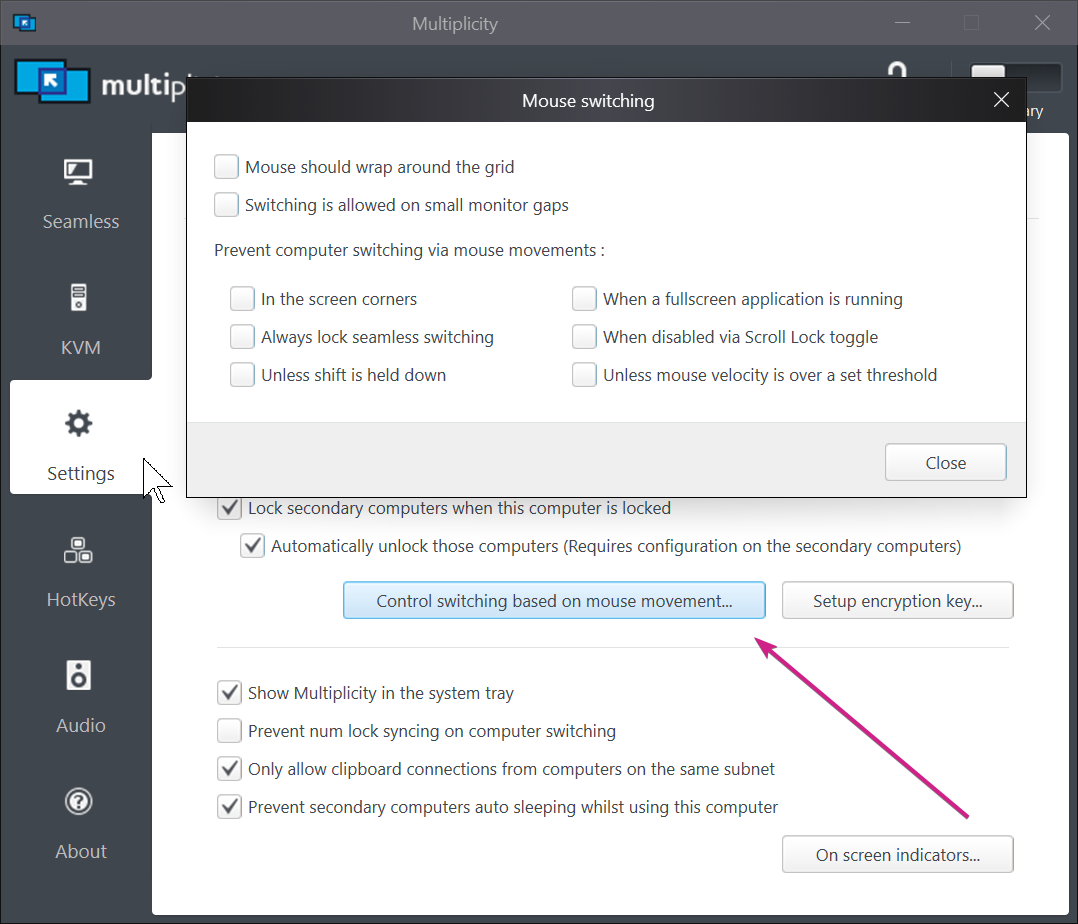
If that is the case, that the cursor is actually getting nudged back to the Primary, try:

Sean Drohan
Stardock Support Manager


Reply #3 Top

Quoting sdRohan, reply 2


Example solution use case:  2 PCs, PCPRIMARY and PCSECONDARY.  I have Chrome in focus on PCPRIMARY.  I move my mouse over to PCSECONDARY.  Chrome in PCPRIMARY still receives my keyboard input until I interact with PCSECONDARY in such a way that it puts a window (or the desktop) into focus.  Only at this point does keyboard input begin to be redirected to PCSECONDARY. 


Under no circumstances should that happen - if the cursor is FULLY on the Secondary, the only input that should ever register on the Primary is a Ctrl + Alt + Del.  What has 'Focus' (app wise) is irrelevant.

End of sdRohan's quote

Hi.  I believe we have a small misunderstanding.  I provided an example SOLUTION use case.  This is a proposal/feature request to overcome the awkwardness (problem) I've described in the first part of my post.  I too am a software engineer so I wrote this as a use case.  I would like the use case to be possible as if Multiplicity is aiming to create a seamless transition between workspaces, it could be considered that the mouse movement from one PC to the other would best be facilitated if it behaved no differently than the mouse movement between 2 monitors on the same PC.  i.e. if I move my mouse from monitor 1 to monitor 2, the window in focus on monitor1 doesn't go out of focus nor does my keyboard input suddenly transfer to whatever is going on on monitor 2... unless I actually do something to put a window on monitor2 into focus.   I would like the possibility for this same behavior to happen across the PCs for a truly seamless experience.  I hope that your team can see the value in this proposal.

Thank you.


Reply #4 Top

I will indeed pass this along.

Thank you for your feedback, TomCatsGaming

Sean Drohan
Stardock Support Manager