
Icons not showing up

I have been using Fences a couple of  years at least.  Suddenly, the entire screen is black, except for the fences labels and the sandwich and X next to them.  Of out probably 50 or more icons, suddenly one or two show up randomly.  No new software installs.  Already tried rebooting - no change.

Note: I am using it on a desktop to which I am connecting via RDP, but that has been that way for a year or more. 
6,959 views 6 replies
Reply #1 Top

Hello,

Sorry to hear you are having issues.

Of course if double click doesn't work

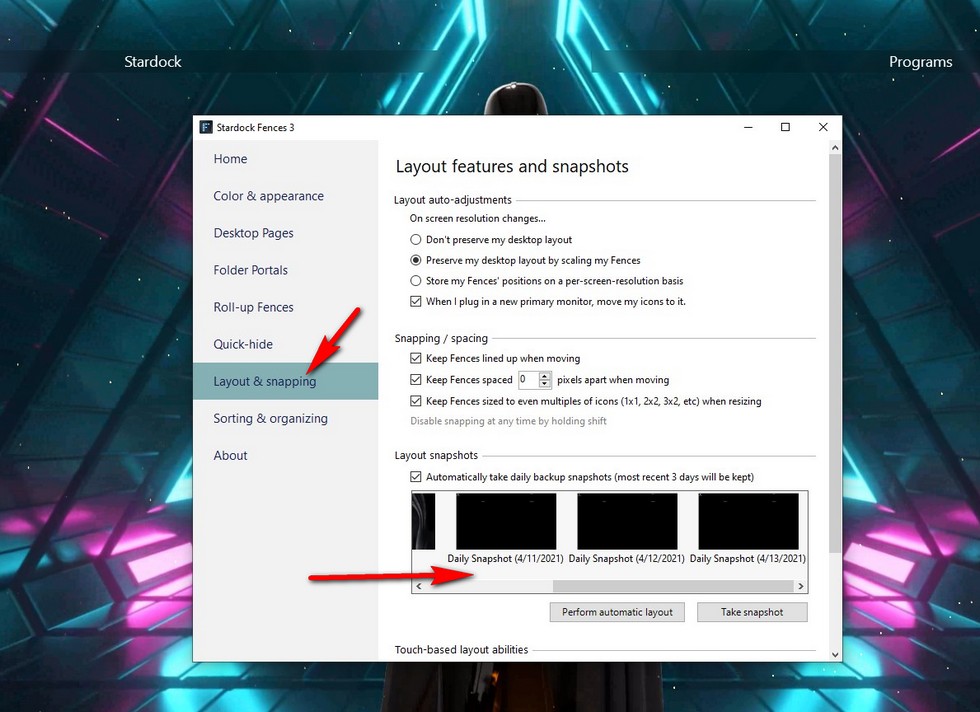
then try restoring a Snapshot from your Fences app ( see below ) 

see if that works for you and report back , please .


AzDude
Stardock Community Assistant

Reply #2 Top

Thanks - already tried that.  Even see the icons in the "backup" window, but after restore I still don't see anything.  And, yes, double click doesn't help.  Sometimes the double click opens 1 icon in the group, most of the time nothing.

Reply #3 Top

Hello,

Sorry to hear you are having issues.

What version of Windows ( use winver.exe )

What version of Fences are you running ?

Report back please , for next step .


AzDude
Stardock Community Assistant

Reply #5 Top

Hello,

2004 is outdated any reason not to update your Windows ?

Would you do this PURGE: https://forums.stardock.com/486084/fences-support-faq#reinstalling

Reboot and ReInstall the latest version from your account https://store.stardock.com/myaccount/products/

Reboot , test and check and report back please .


AzDude
Stardock Community Assistant

Reply #6 Top

Thanks for suggestions.  I checked, I have 319 icons on desktop.  I will have to lines them all up again -  but that may be only option.

Why would  Windows version be an issue?  Worked fine up to 2 days ago.