Desktop Icons

Reformatted with brand new install of fences.

I have always had them working before to hide desktop icons, disable double click hiding (Quick hide) and have a 2nd fence portal on my right monitor holding all the desktop icons nicely. This doesn't seem to work now. If I disable double click hiding the icons show up and cannot be hidden from right clicking desktop to hide icons under view. fences seems to have bugged the hide desktop icons. I have tried uninstall and reinstall fences.

Windows 10 all current update fresh install as of a couple days ago.

10,514 views 10 replies
Reply #1 Top

Hello,
Sorry to hear you are having issues. Need to know:-

  1. Windows version , please use Winver.exe for full Windows version.
  2. Fences version.
  3. Have you tried purge and reinstall steps as mentioned here?: https://forums.stardock.com/486084/fences-support-faq#reinstalling  Just make sure to re-download the latest version from your account. Reboot after the purged. Reinstall, and Reboot again after the installation. Retest it. Report back here.

Thank you,

Basj,
Stardock Community Assistant


Reply #2 Top

WINDOWS VERSION 20h2 (OS BUILD 19042.867)

FENCES VERSION 3.0.9.11

Tried step 3 it did not work. When quick hide is enabled I cannot hide the desktop icons by right clicking the box is checked but it does nothing

Reply #4 Top

This does the same thing with a new admin account.

I just want desktop icons on its own fence so I can place them on my 2nd monitor with the middle monitor being blank and the icons hidden. No double click to hide, no recycle bin shown, just a blank desktop I hope I am being clear. This worked fine before I reformatted the hard drive for a new windows install to a bigger hard drive.

Reply #5 Top

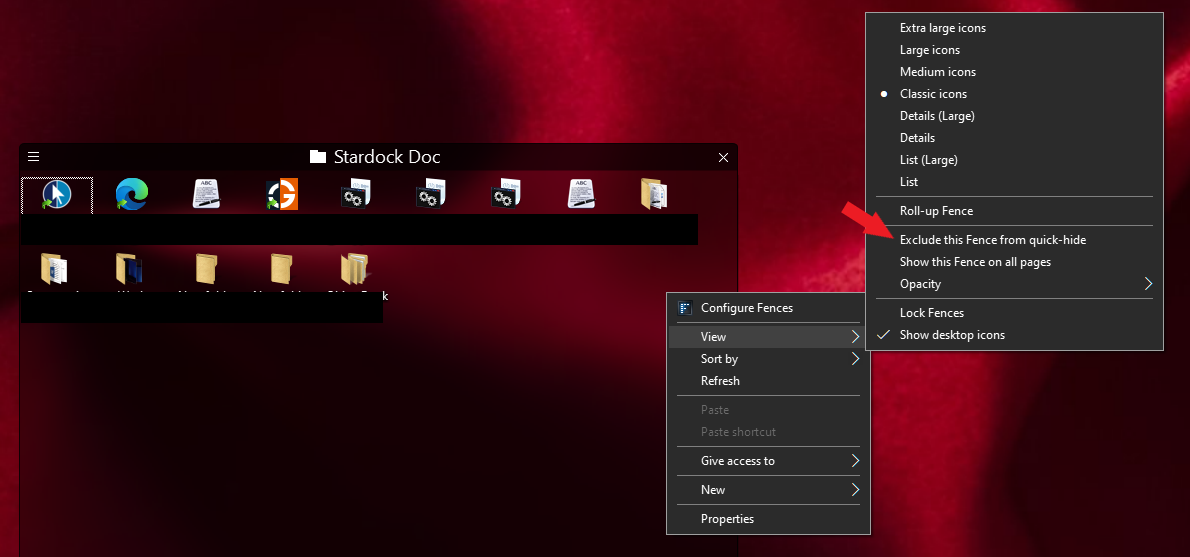
Have you tried the "Exclude this fence from quick-hide" ?

Thank you,

Basj,
Stardock Community Assistant

Reply #7 Top

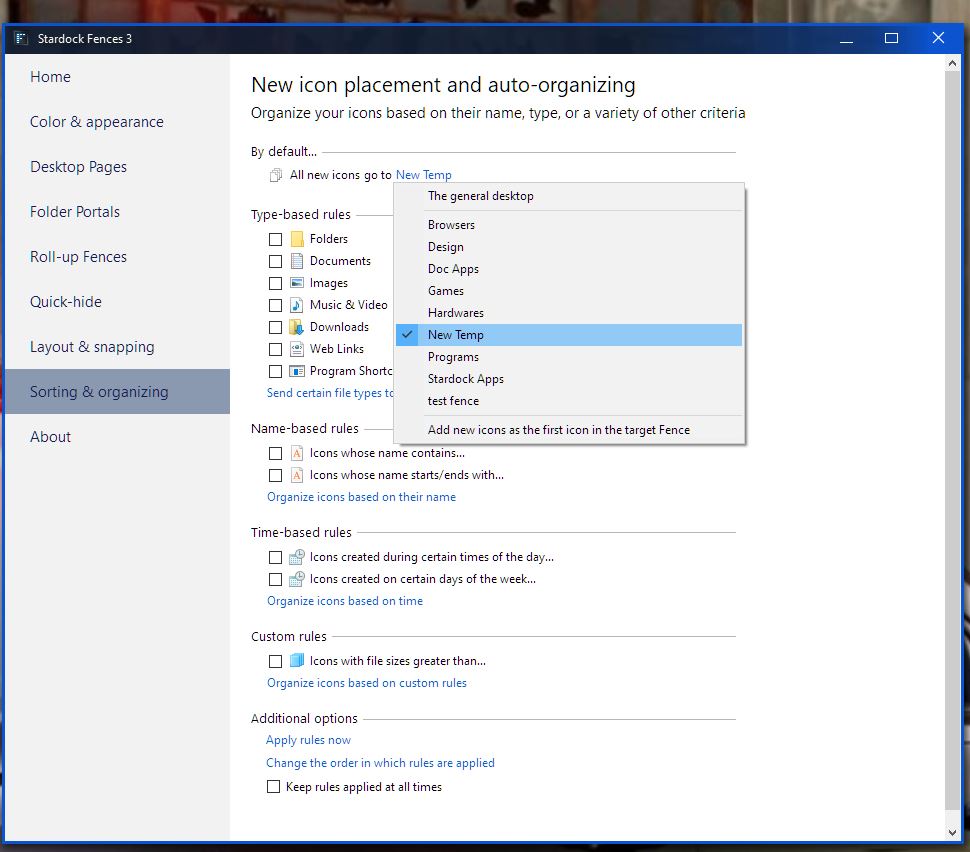
Well, yes, from what I observed, Fences will take over Desktop icons when active. So if you need your Desktop icons Not to be on your left monitor. Create a Fence and put all you desktop icons, all of it, into that fence, move it to your right monitor. And set Fences rule all new icons on desktop move to that Fence. From there it should work.

Note : Using Portal Fences on Desktop folder will not work for your requirement.

Thank you,

Basj,
Stardock Community Assistant

Reply #9 Top

You will need to create a new Fence first to have those Fences name appear there. Not a portal Fence, just a normal Fence.

Thank you,

Basj,
Stardock Community Assistant