

Icons are changing their position within a fence
 Stardock Forums
Hello,
lately I have installed Fences on a new Windows 10 installation and I have problem with it after years of seamless usage on Windows 7.
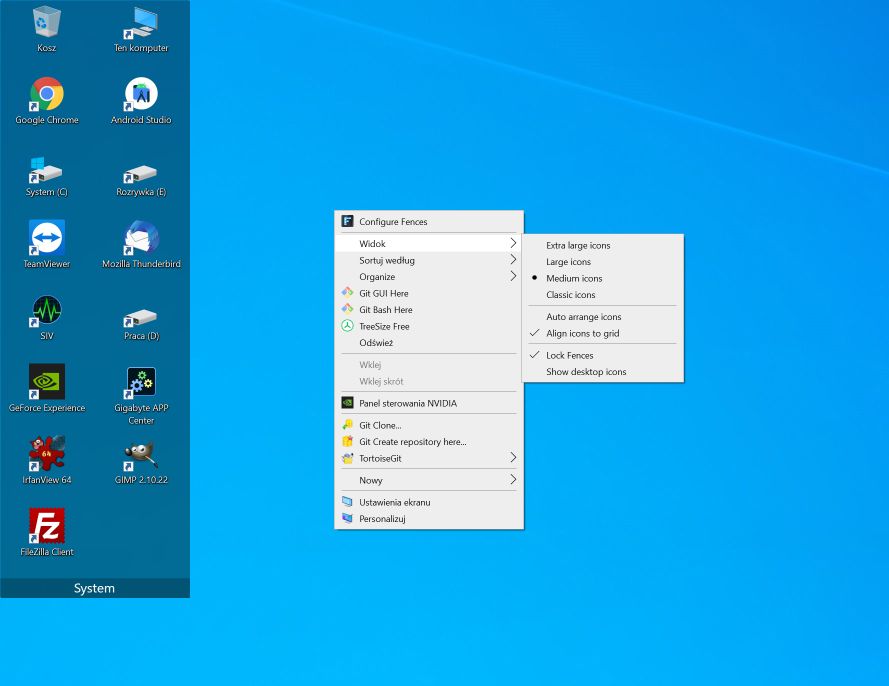
Generally icons within a fence change their position uncontrollably in unknown situations - I am using the PC for couple hours or days and then notice icons are in the wrong order. Often even without using those icons (to exclude me dragging them out of order by mistake). That's obviously a big issue 
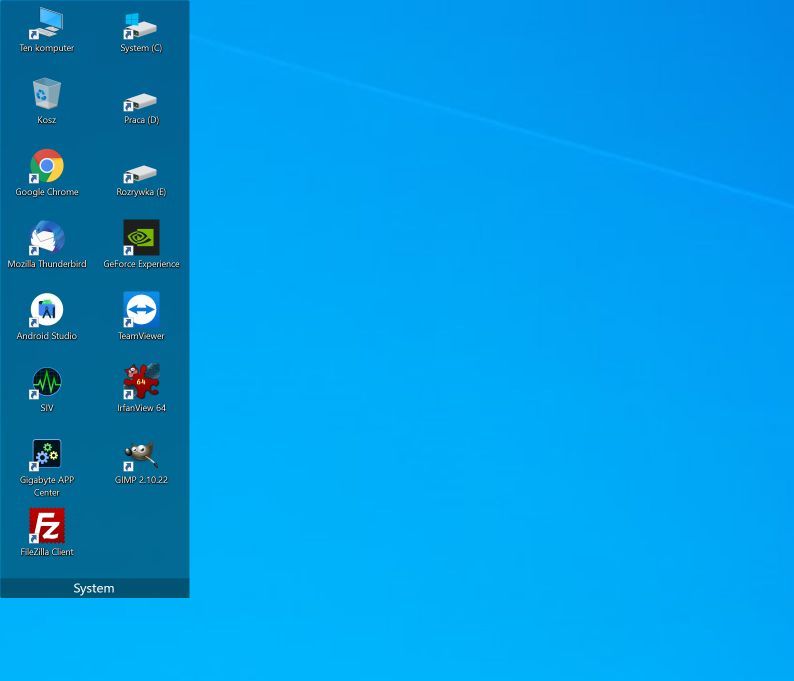
Below I am attaching screens of the fence before and after the mix-up. The resulting order can be different from attached, but usually those are the tops icons that get mixed the most. I have couple other fences hidden when screenshots were taken and they also get mixed up from time to time.
Problem exists on 4k screen with a 150% scaling. Similar settings were used on Windows 7 without issues.
Excluding suggestions I read on the forum:
- I tried locking fences and it didn't make a difference.
- I am not using OneDrive or any other syncing app.
- I am using a single monitor.
Original:
Mixed:
Any suggestions on how to solve this?
