"Create new Fence" not available

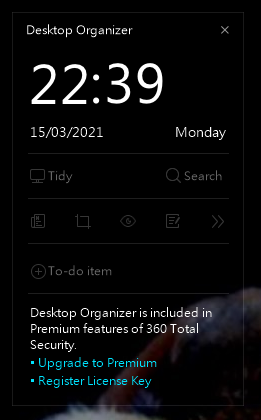
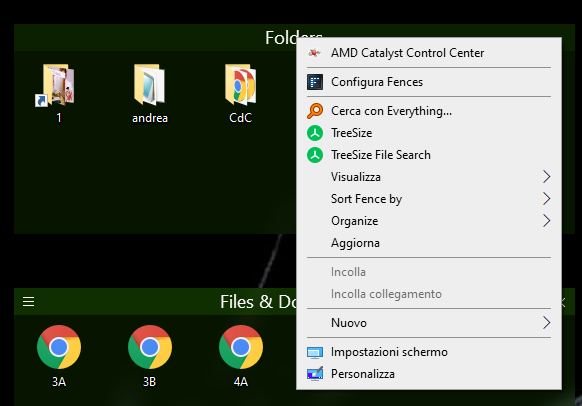
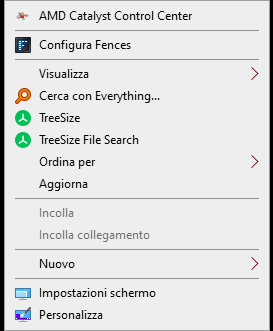
I was trying Fences before buying it, but I cannot find any "create fence" option in the dialog box clicking on the desktop. I've already tried to purge install, no result. I have 360 total security antivirus, but "desktop organizer" feature is not loaded (read in this forum). 

Also "lock fences" option is not checked.

Any suggest?

Regards.
10,119 views 11 replies
Reply #1 Top

Hello,

Sorry to hear you are having issues. Need to know more on your system.

  1. Windows version, please use Winver.exe to get full Windows version numbers.
  2. Fences version installed.
  3. Does Fences listed to startup on boot? Use Taskmanager to check it. It should listed to startup twice on Taskmanager Startup Tab.
  4. Did you install Fences in its default directory.

Thanks

Basj,

Stardock Community Assistant.

Reply #2 Top

thanks for you reply.

I have installed Microsoft Windows [Versione 10.0.19041.867]

Fences 3.0.9.11 is installed in default folder.

2 entries on startup for fences.

360 total security 10.8.0.1170 antivirus installed (please don't ask me to uninstall it!)

Regards,

Reply #3 Top

Hello,

I understand you mentioned that you've set your Desktop 360 Desktop Organizer not loaded. While on another thread with the same issue as yours https://forums.stardock.com/494957/get;3749819

Quoting mks_68, reply 6

Hello everyone

I have finally managed to solve the problem

It was the internet security suite "360 Total Security" that silently installed its own desktop organizer utility conflicting with "Fences".

After removing that overlay I could make "Fences" work again.

Thank you all for your help
End of mks_68's quote

So, may I know why it work on his/her system, but not on yours. Maybe because you'll need to totally remove the desktop organizer part. Try to see if there possibility to disable for it to be loaded on startup in your taskbar startup tab. Reboot and retest.

Thank you.

Basj,

Stardock Community Assistant.


Reply #4 Top

I had read that post, but there's no way to remove that component in 360, in any menu, nor in startup

Reply #5 Top

Hello,

I have forwarded your report to the Stardock support team for their review and recommendations.

Please keep an eye on this thread for any updates.

We really do appreciate your feedback, thanks.

Reply #6 Top

Quoting maverich2, reply 4

I had read that post, but there's no way to remove that component in 360, in any menu, nor in startup
End of maverich2's quote

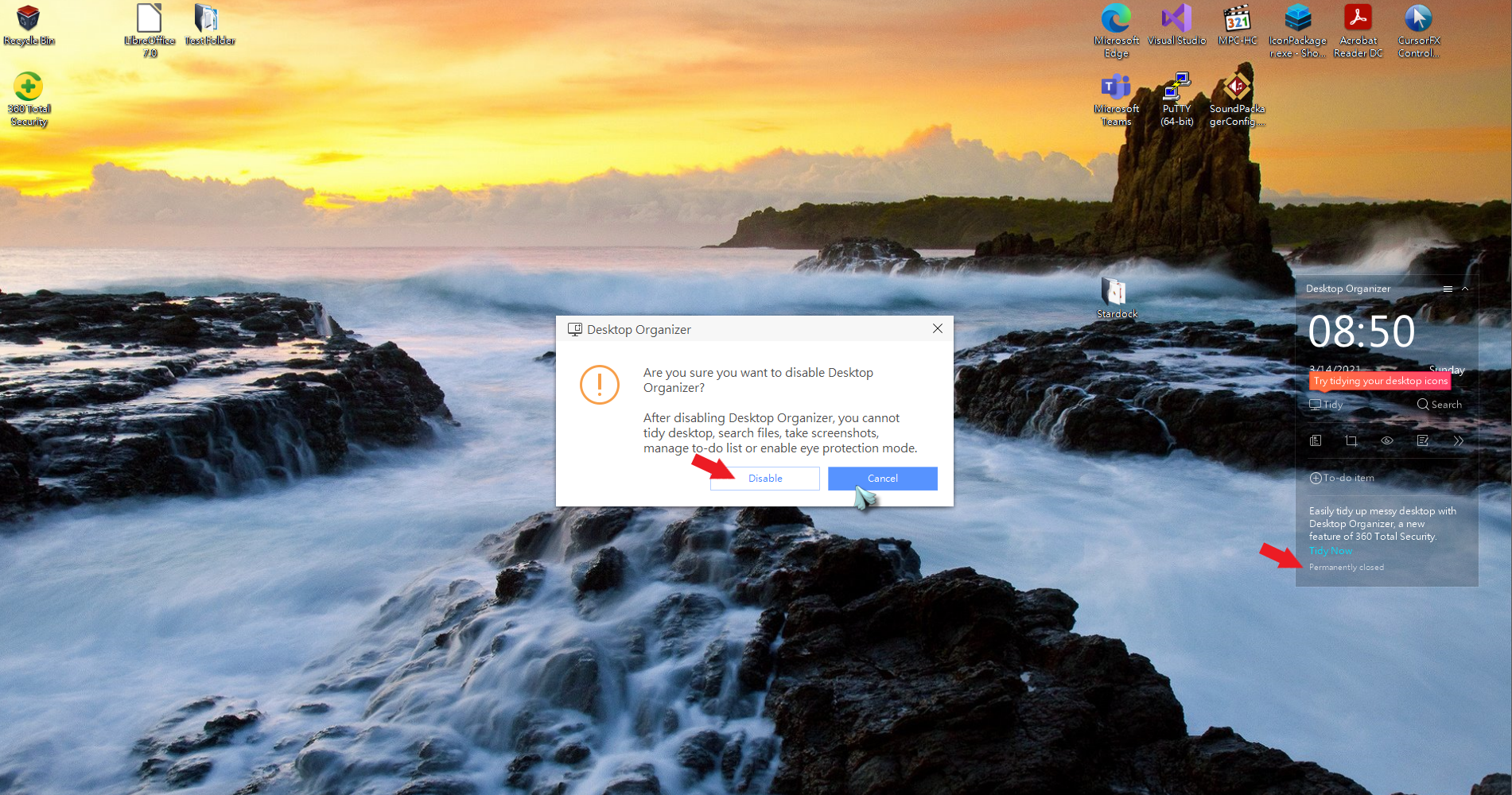
Sorry about that, not everybody have 360, but it quite obvious for me. I just installed it on my system, for test, and I can easily disable it on my system.

As soon as I click disable button, all Fences function returned.

Thank you,

Basj,
Stardock Community Assistant

Reply #7 Top

I'm sorry but my 360 is different: 

only quit clicking on "x", but no option to remove that overlay (even if permanently disabled).

After launching purge.bat and restart windows, the situation is the same:

No option to create new fences, and the fences created by default cannot be moved or modified

Regards,

Reply #9 Top

Than, I can't help you. 360 desktop organizer need to be totally disable for Fences to work. Maybe you can reach out to 360 support to learn how to turn off 360 desktop organizer. Do note that I and the TS from that other thread can turn it off so there is an option to do it on 360. Just need to find it. 360 Support should be able to do it.

Thank you,

Basj,
Stardock Community Assistant

Reply #10 Top

I'm not as sure as you that 360 is the problem, but I'll try to contact 360's support.

regards,

Reply #11 Top

No possibility to unload desktop organizer, it's built-in the antivirus. I've had to uninstall it and change antivirus, please take note of this limitation.

Regards.