Unable to run Fences
Fences crashes upon starting
 Stardock Forums
Fences v 3.0.9.11
Windows 10 Enterprise x64 v 1909
I've been using Fences for almost a year on this PC without any issues. Last week i received a bunch of Windows updates and since then I receive the following error upon start of Fences:
"Fences has detected that Explorer was not closed properly. As a precaution, Fences has been temporarily disabled. To re-enable Fences, right click your desktop and choose 'Enable Fences'."
When I try this proposed workaround, the same error occurs.
Sometimes this error is preceded by a popup from Bugsplat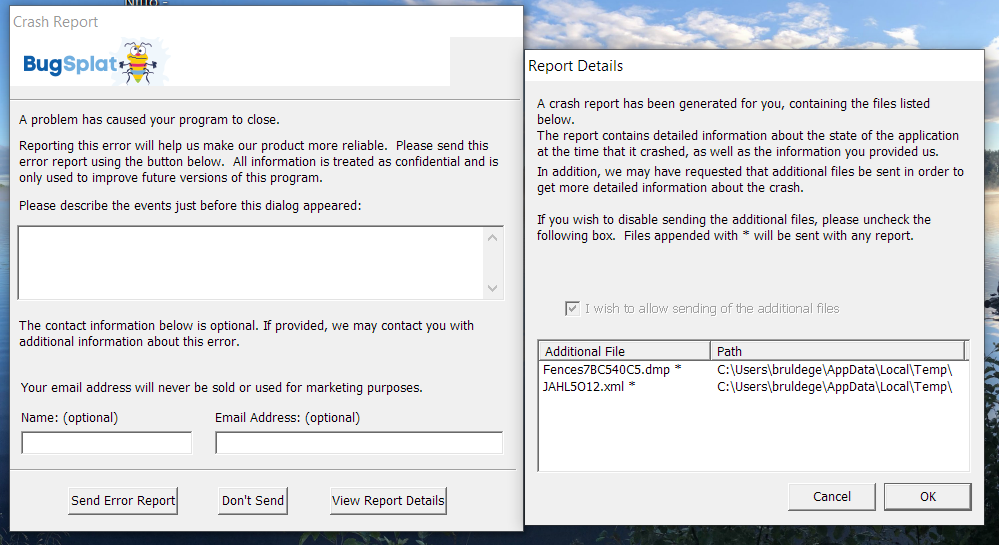
I uninstalled and reinstalled Fences but the issue persists.
This is a corporate managed PC so I cannot control the Windows Updates.
Corporate IT claims that no software was installed that would block Fences from running.
Is this a known problem? Is there a workaround available?
TIA