Applying any WindowBlinds skin crashes Windows

Hello, so the problem I have is that whenever I try to apply a style that isn't the "Default Theme", my Windows immediately becomes unusable, doesn't apply the skin correctly just kinda get black bars everywhere, black screen flashes, logs out of the user profile and gets stuck in a messy looking loop on logging in and logging out. Restarting the computer does not help, have to boot into Safe Mode and apply the Default Theme again before Windows boots normally. Had this a couple of years ago, gave up on the issue, thought I'd see if the problem had fixed itself with updates but alas no. Running up to date Window 10 and latest WindowBlinds version. Uninstalled and reinstalled several times, tried "purging" the install with the file from Stardock's FAQ. Any ideas out there?

6,324 views 7 replies
Reply #1 Top

Hello,
Sorry to hear you are having issues. Need more information on your system

  1. Windows version, please Winver.exe to get Windows full version numbers.
  2. Windowblinds version you trying to use.
  3. Antivirus / Security software you have running in the background.
  4. CPU in your system. Intel, AMD and ARM (Snapdragon) and any other information.

Thanks
Basj,
Stardock Community Assistant.

Reply #2 Top

Hi Basj, thanks for the quick reply.

Winver.exe  says I'm running Windows 10 Pro Version 20H2 (OS Build 19042.804); WindowBlinds reports Windows 10 Enterprise (19041.vb_release.191206-1406), WindowBlinds 10.84 (059 - Windows 10 Edition) - 64 bit OS.

I'm using the default Windows Security.

Processor is an Intel i5 8400, GPU is a RTX3070, had the issue on my previous GTX 960 too.

Hope that helps!

All the best, Adam

Reply #4 Top

Thank you for the quick reply again. I created a new admin user, tried to apply a style and it gave me a black screen with a curser, no right click menu, no response to Ctrl, Alt + Del, Esc, or Windows Key. After resetting PC, Windows tries to log back in to new Admin account but all I get is the black screen. Performed the steps to run a clean boot but this made no difference.

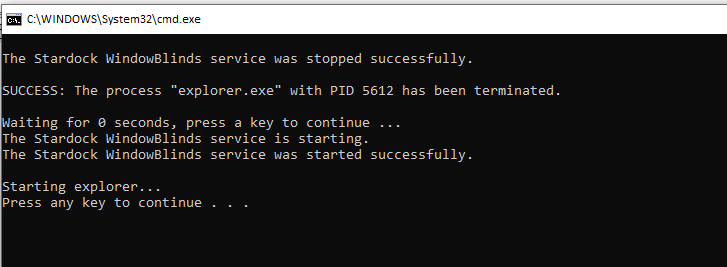
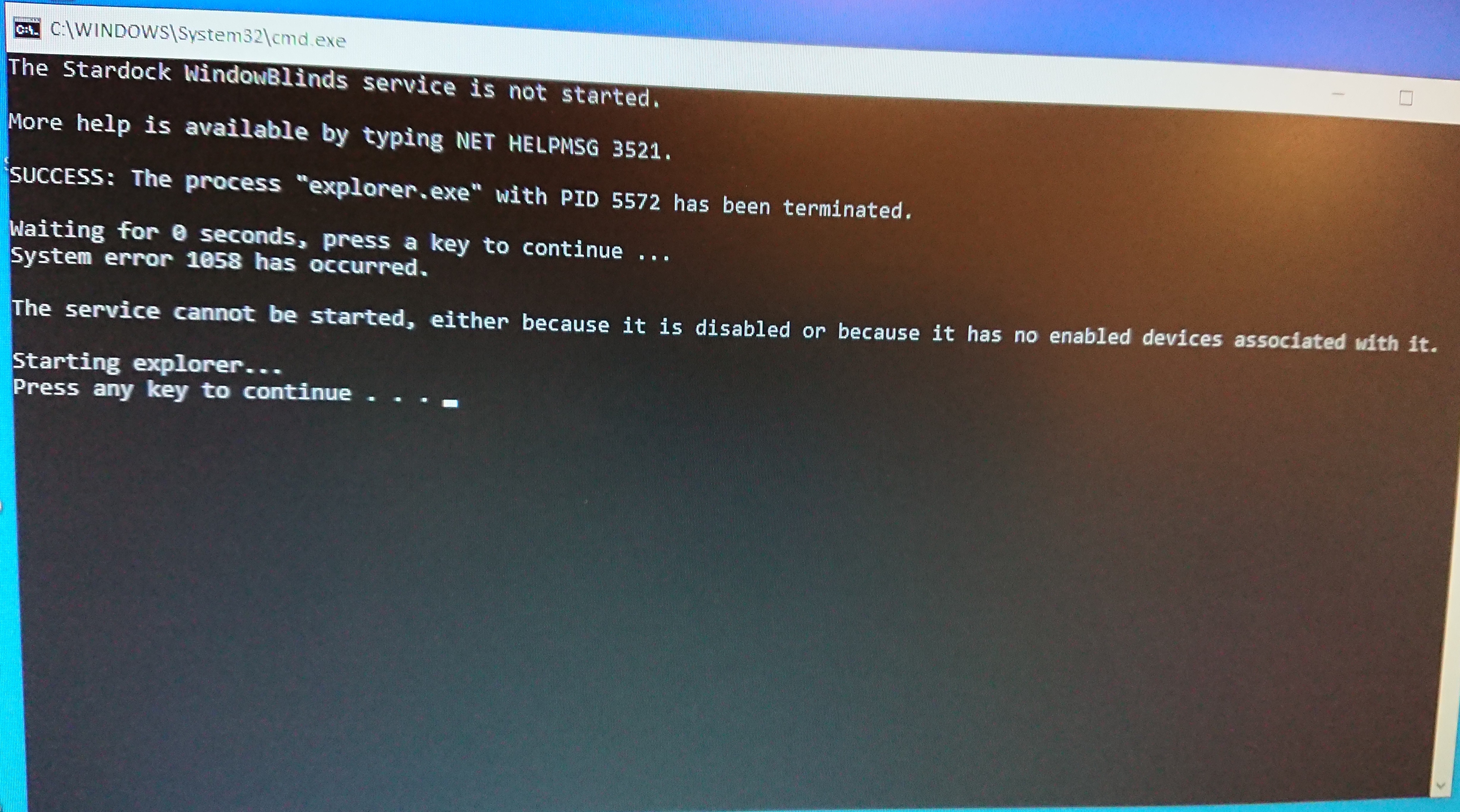
The StartWB.bat file opened a Command Prompt window and gave the response in the attached image.

After another Safe Mode reboot, I ran this again and it gave a more promising message, but still the same issue when trying to load any style. 

Still at square 1 I'm afraid.

All the best, Adam


Reply #5 Top

Hello,

I have forwarded your report to the Stardock support team for their review and recommendations.

Please keep an eye on this thread for any updates.

We really do appreciate your feedback, thanks.


AzDude
Stardock Community Assistant

Reply #6 Top

Please try the following:

  1. For Win8/10 Users: Open the Start Screen, and type 'cmd'. Right-click on the search result and select 'Run as administrator' from below.
  2. Type: sfc /scannow
  3. Wait for the scan to complete (this can take several minutes)

Some help on how this looks should you need it:

https://support.microsoft.com/en-us/help/929833/use-the-system-file-checker-tool-to-repair-missing-or-corrupted-system


If the SFC finds errors, but cannot fix them, please also run the following command in the same command prompt window:

  • dism.exe /online /Cleanup-Image /RestoreHealth

Some help on how this looks should you need it:

https://www.windowscentral.com/how-use-dism-command-line-utility-repair-windows-10-image


The above command should assist with replacing any damaged or problematic system files. Please note, however, since it may require restoring certain files, this process can take some time and you will need to be patient until it has completed.

Please let me know whether this resolves your problem or if you have any additional questions.


Also, need to know if have make sure you've installed Windowblinds in its default directory in your system drive, usually C: Drive. (C:\Program Files (x86)\Stardock\WindowBlinds)

Thank you,

Basj,
Stardock Community Assistant

Reply #7 Top

Hi Basj, thank you for your reply, WindowBlinds is now working fine although I can't say I fixed it. Command Prompt would close as soon as it opened but I managed to fix this by using RegEdit to delete an AUTORUN key in HKEY_CURRENT_USER\Software\Microsoft\Command Processor\. I then ran the sfc/ scannow now from the Command Prompt and it gave no errors. I tried applying a style again but had me the same black screen with cursor but nothing else. Windows then failed to boot into Safe Mode, giving me just a black screen with a Command Prompt. I ultimately had to Reset Windows and am now re-installing everything on my machine but WindowsBlinds is working. Thank you for your help anyway, seems like it must've been something with my Windows installation. All the best, Adam