
Admin PowerShell cannot move mouse to second PC

Ok this one you can probably replicate. If I have a PowerShell window open as Administrator the mouse won't move to the other screen. Minimized it, mouse works. Non-admin PowerShell open mouse moves over fine. Not a big issue, just odd.

3,994 views 7 replies
Reply #1 Top

Hello,
I have forward your problem/question to Stardock Support Team for their assistance. Please keep an eye on this thread for any updates. We appreciate your feedback and patience.

Basj,
Stardock Community Assistant

Reply #2 Top

Hello,

Sorry to hear you are having trouble.

I dont show that you have Multiplicity on your account - are you using the trial?

I could not reproduce what you are reporting.  This is my Secondary with a admin PS window open:

https://cdn.stardock.us/support/uploads/2021-02-02_09-25-18.mp4

Sean Drohan
Stardock Support Manager

Reply #3 Top

I got it through Steam.  Reverse from secondary to primary I have no issues. It's going right from primary to secondary where the mouse won't move.

Reply #4 Top

Quoting svphunter9641, reply 3

I got it through Steam.  Reverse from secondary to primary I have no issues. It's going right from primary to secondary where the mouse won't move.
End of svphunter9641's quote

Again, I cant reproduce what you are seeing.

If you disable the Steam overlay, does that work:

https://steamcommunity.com/sharedfiles/filedetails/?id=1351919667

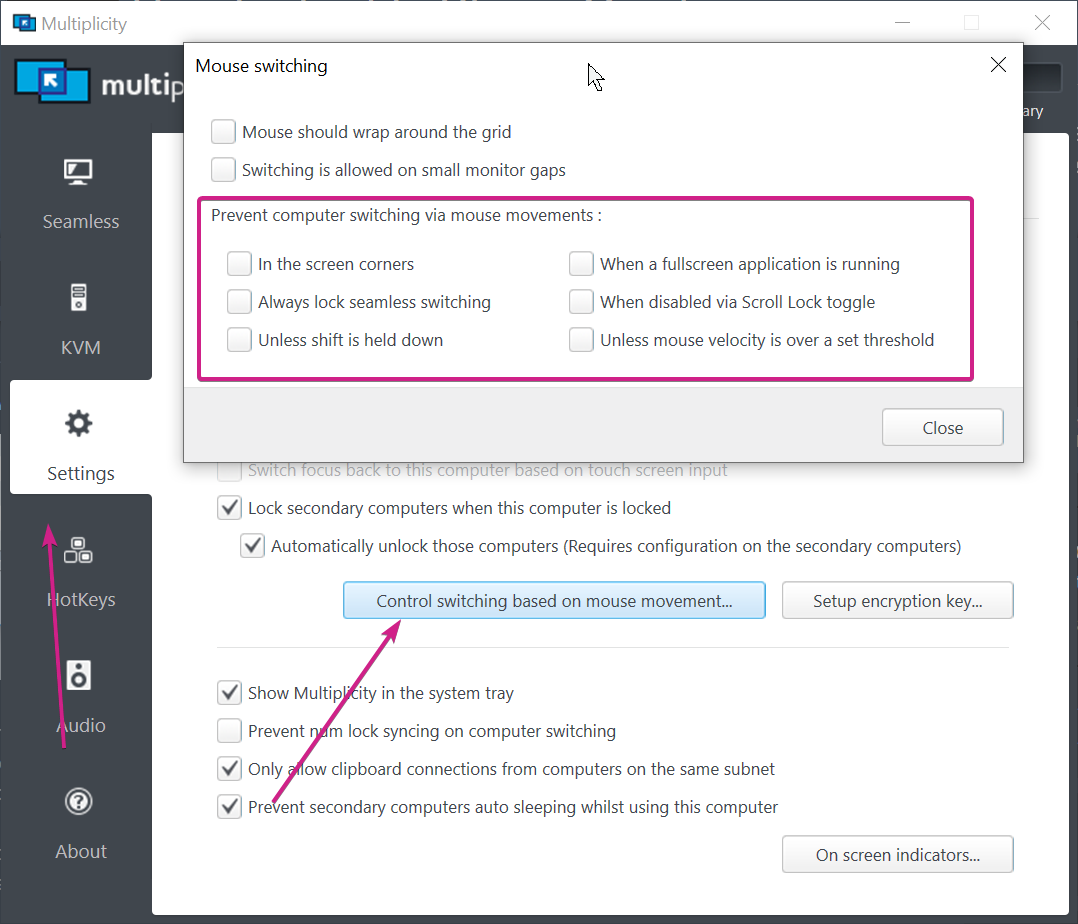
Do you have anything in MP restricting a transition?

Lastly, and most critical for MP, it MUST be installed in C:\Program Files (x86)\Stardock\Multiplicity.

Also need to know if the user account is an admin or a separate user for admin rights.

Sean Drohan
Stardock Support Manager

Reply #5 Top

Steam overlay is off. MP settings match yours. Steam puts everything in C:\Program Files (x86)\Steam\steamapps\common\Multiplicity, User is regular user and PS launched via run as administrator.

Reply #6 Top

Quoting svphunter9641, reply 5

Steam puts everything in C:\Program Files (x86)\Steam\steamapps\common\Multiplicity
End of svphunter9641's quote

That it is in Progam files is what is vital so that is fine.

Quoting svphunter9641, reply 5

User is regular user and PS launched via run as administrator
End of svphunter9641's quote

Does 'regular user' mean not an admin and when you call for admin rights, it is with different credentials that do have admin rights?

Does the user on the PC that did work have admin rights?

Sean Drohan
Stardock Support Manager

Reply #7 Top

Fixed it. Uninstalled from D: where all my Steam games are. Added a steam library location on c: and reinstalled. PS problem went away as did issue with VmWare Workstation.