one fence is not showing on either monitor

I have gotten a new computer and I am setting up my fences but now while moving one of the fences between monitors it is gone...it does not show on any monitor or any page... if I turn off fences the items show up but I cannot get to that fence.  Any idea of how to find this missing fence.  I have even unplugged the second monitor and it does not show up...
7,680 views 12 replies
Reply #1 Top

Hello,
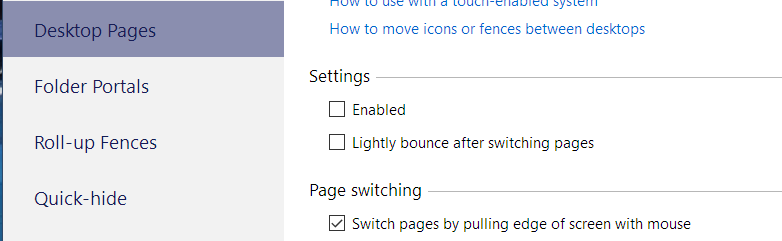
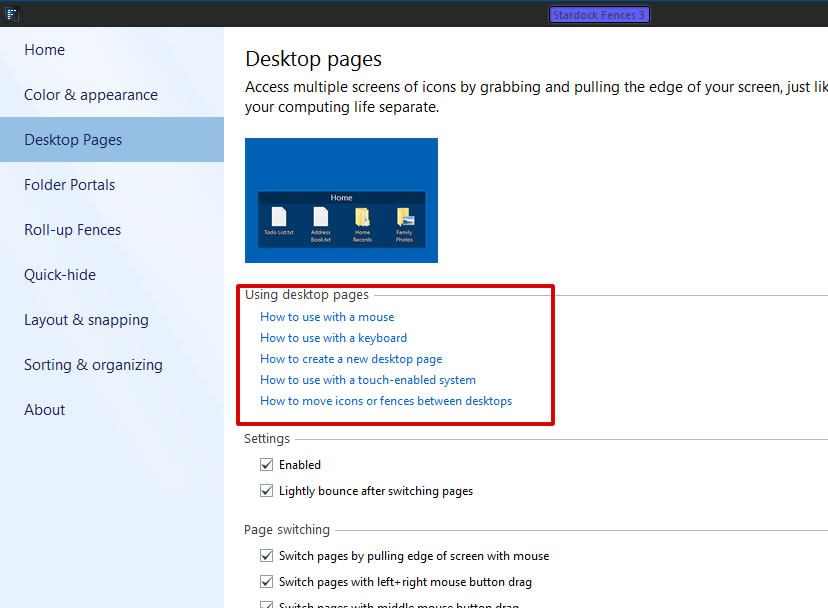
Sorry to hear you are having issues. You most probably have send your fences into another Fences Desktop Page. You can learn how to use Fences Desktop Pages or totally disable it to bring it back.

Thanks
Basj,
Stardock Community Assistant.

Reply #2 Top

Thank you for the response...but as I said in the initial comment.... I have looked on additional pages... it is not there


Reply #3 Top

I have deleted all the fences and the only one showing is the one that I cannot find.... It is showing in the configuration pages but not on screen

Reply #4 Top

The desktop pages are disabled.  Still not seeing the fence that is missing.... the icons disappear when I enable fences so they are being moved somewhere

Reply #5 Top

thank you for the info I was able to  find the fence by going single display and then moving the other fences around until it showed up

Reply #6 Top

Great, glad you solved it, sorry, can't be much help, since I was off.

Have a nice New Year.

Thank you,

Basj,
Stardock Community Assistant

Reply #7 Top

well I was able to find that lost fence.... but now when I try to have the fence roll up on the edge it does not go to the edge and then I cannot move icons that are not in fences.  I have been able to do this on my other computer.  I will keep working on it....

Thanks

Reply #9 Top

Thank you for the info.... that did not work...as it is not letting me create another user on this laptop.... not sure why but I will work with it.


Reply #10 Top

Hello,

What antivirus and security software install in your system?

Thank you,

Basj,
Stardock Community Assistant

Reply #12 Top

I not really sure if this would help, but, from few reports, your issue sound like something on Antivirus/Security software. Here a few links on such issues for reference, please try to apply which ever that is relevant to your system.

https://forums.stardock.com/494957/get;3749819

https://forums.stardock.com/494392/get;3780664

Thank you,

Basj,
Stardock Community Assistant