Locked up during presentation...
Long time user, first time crash
 Stardock Forums
I have used multiplicity for years, generally works well, but configuration can be glitchy. I am an engineer and developer/architect...
I recently added a new top spec HP Spectre laptop to my setup and replaced my Dell Precision Workstation. I run a Dell Optiplex 7010 i5 with 24GB RAM and a PNY Quadro for office graphics (no 3d design, video edit, gaming) across 3 28" UHD monitors. Desktop on LAN, laptop on Wifi (Gigabit in the office, and ISP Gigabit service).
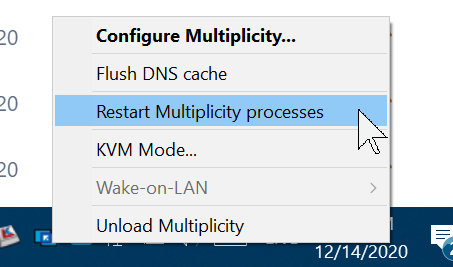
Earlier in the day, the secondary would not respond, after a few restarts back to working.
Then, an hour later while I was running a Zoom meeting presenting away (on Desktop - Primary), about 55 minutes in, the mouse disappeared, couldn't do anything on the Primary, but the keyboard and mouse still worked on the secondary (laptop). Was recording on Primary (Zoom), and needed that recording, so just muddled through and let people close the meeting. I shut down my laptop and eventually I got screen control back.
Machine lockup during presentations is a show stopper for me.
Hopefully there is a resolution to this, likely hard to reproduce, problem. If it happens again, I think I will have to abandon Multiplicity and will try the new Logitech Flow as I don't need KVM really, just mouse flow across units with copy and paste. Just need a Logitech keyboard to go with my Logitech MX Vertical mouse.
Any ideas on what to inspect for issues?
Or any ideas on other tools that might give me a more robust shared mouse and copy/paste functions I am looking for, in the event that the issue is not resolvable?
Thanks:)