
Disconnecting from icons, jumbling up

Hi folks. 

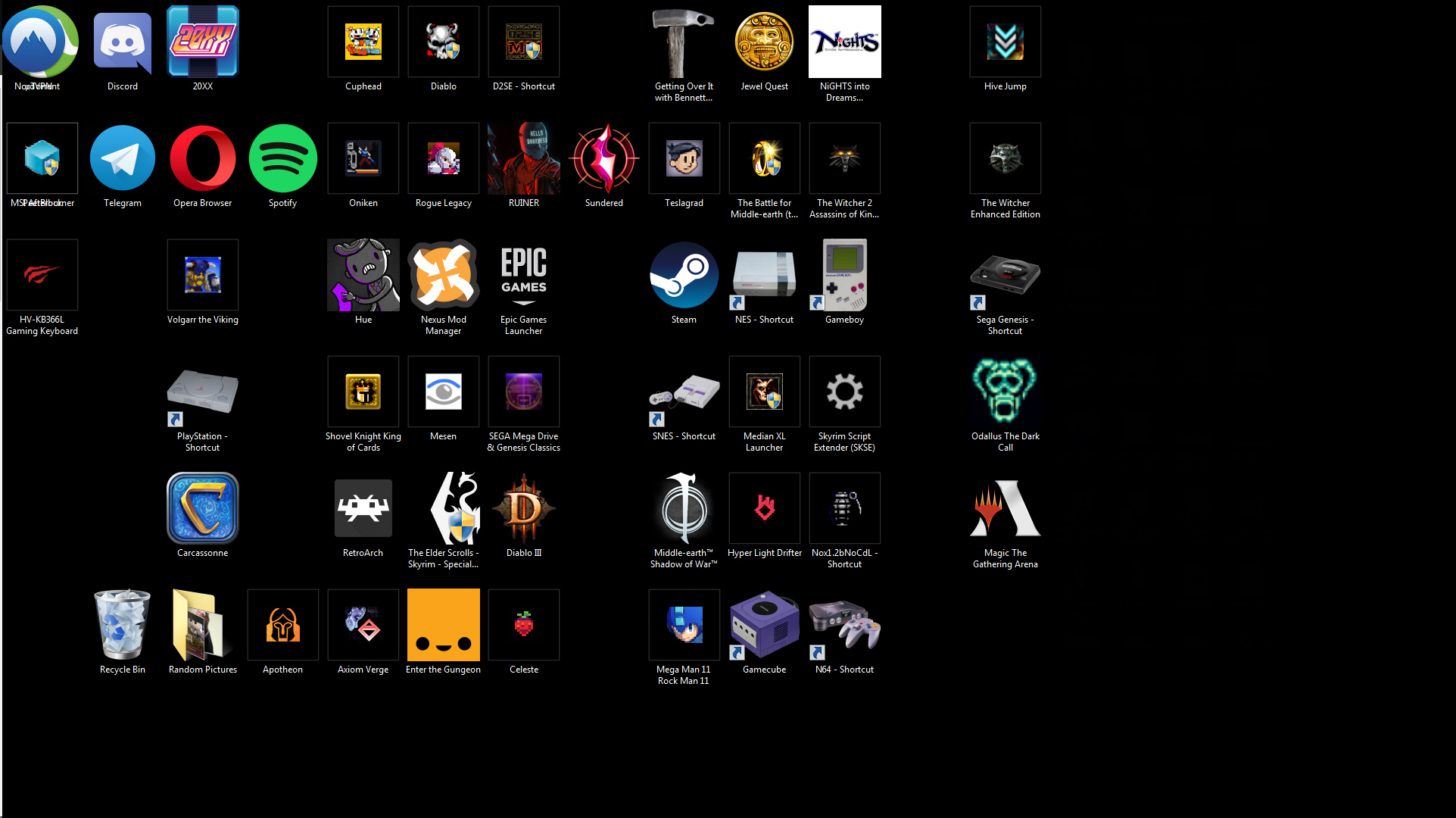
So I've noticed my fences get goofed up periodically and the fence will move independently of the icons, and sometimes black out the icons as the border of the fence moves over them. So usually I have to delete the fence and restart my computer. This time it was just my "games" fence. When I restarted my computer, all of my fences were a big jumbled mess, and icons from fences that I hadn't deleted prior to restarting are on my 2nd monitor, even though their proper fence is on the 1st monitor. As I started typing this post out, even more icons began moving on their own to the 2nd monitor almost like that old Centipede game for Atari, pushing the icons behind it down the line and further into my 2nd monitor. 
3,086 views 3 replies
Reply #1 Top

Hello,
Sorry to hear you are having issues. There are few reports, might be similar to yours. It is due to OneDrive Desktop Sync. Please disable OneDrive Desktop sync. OneDrive Sync will change something on your desktop folder which won't work with Fences. You can refer to this post by Support on it : https://forums.stardock.com/501085/get;3785366

Thanks
Basj,
Stardock Community Assistant.

Reply #2 Top

I've never used or enabled OneDrive. Is it something that is turned on automatically in Windows 7? If so, how do I turn it off?

Reply #3 Top

Hello,

You can try look into your system and if you see there is OneDrive, sometimes it come with MS Office, you can try this solution : https://support.microsoft.com/en-us/office/turn-off-disable-or-uninstall-onedrive-f32a17ce-3336-40fe-9c38-6efb09f944b0

Thank you,

Basj,
Stardock Community Assistant