Hiding ObjectDock from Taskbar

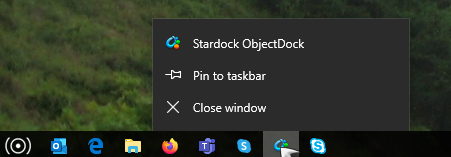
Removing the running icon from the taskbar (not the system tray)

HI I just got my machine re-rolled.

And now, whilst Object run fine, I cannot get it off the taskbar. I would like to hide it from the taskbar, but don't mind if it is in the system tray.

Thanks,

V.
4,346 views 8 replies
Reply #1 Top

Hello,
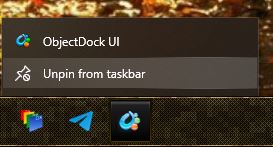
Sorry to hear you are having issues. Please try to right click on that icon and select "Unpin from taskbar".


Basj,
Stardock Community Assistant.

Reply #2 Top

Hi Basj,


Thank you for the reply.


However it is not pinned to the taskbar.

Thanks,

Vincent.

Reply #3 Top

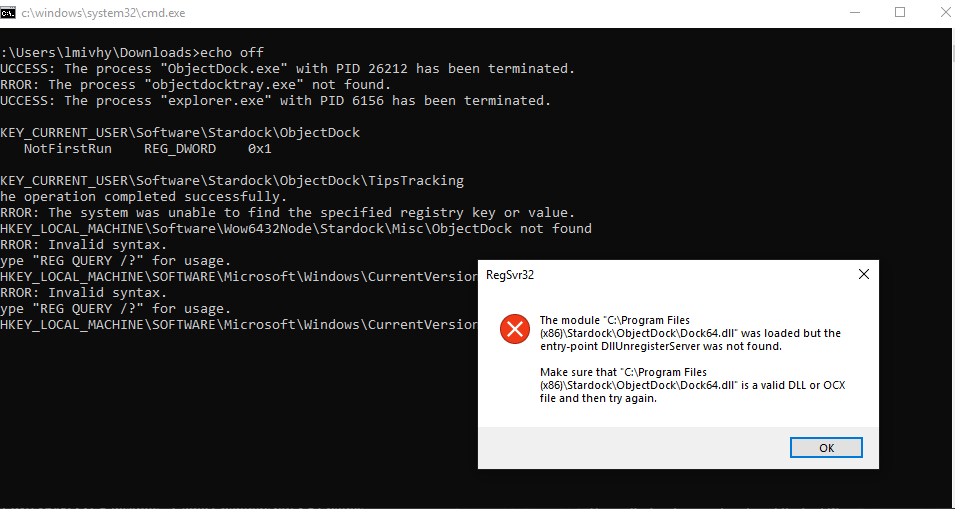
Try the purge and reinstall steps as mentioned here. https://forums.stardock.com/485816/objectdock-support-faq#reinstalling Just make sure to re-download the latest version from your account. Reboot after the purge. Reinstall using the latest version you just download and make sure to install into its default directory. Reboot and retest.

Thank you,

Basj,
Stardock Community Assistant

Reply #4 Top

Hi Basj,


The purge did not go as planned.

Thanks,

Vincent

Reply #5 Top

Hello,

After the purge, did you try reinstall? And is the issue still there?

On an important note : Do know that ObjectDock is not fully compatible with Windows 10,

Thank you,

Basj,
Stardock Community Assistant

Reply #6 Top

Hi Basj,

Yes I tried a re-install (version 2.20.0.862) and it works fine, but still visible on the taskbar.

Not sure if it makes a difference but I also have Start10 installed (version 1.95)


Thanks,

V.

Reply #7 Top

Hello,

I am lucky to have it running on my Windows 10 v2004 without such issue. I am running Start10 too. So I can say this is confirm incompatibility issue on your Windows 10 system.

Thank you,

Basj,
Stardock Community Assistant

Reply #8 Top

Thanks Basj,

I am only running Windows10 v1809 (corporate machine and cannot change).

Perhaps this is the difference, I didn't have the issue pre-reroll. But they may have changed something else.


I suppose I'll just have to live with it, (could be worse).


Thanks for the advice.

V,