Portal
from  Stardock Forums
Stardock Forums
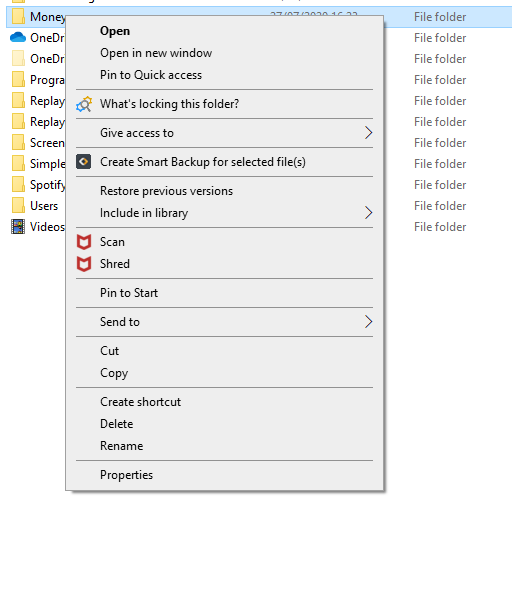
The option to right click to create a portal on the desk top is not shown in the Windows context menu

 Stardock Forums
The option to right click to create a portal on the desk top is not shown in the Windows context menu
Hello,
Would you do this PURGE:https://forums.stardock.com/486084/fences-support-faq#reinstalling
Reboot and ReInstall the latest version from your account https://store.stardock.com/myaccount/products/
Reboot and test .
AzDude
Stardock Community Assistant
I have followed that process and I still do not have the right click option.

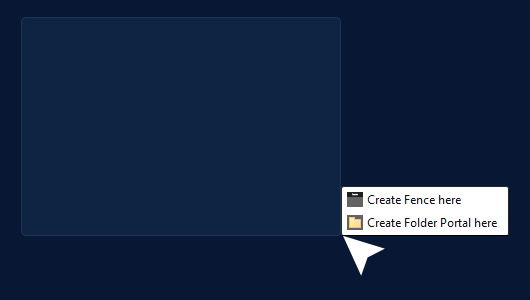
Hello,
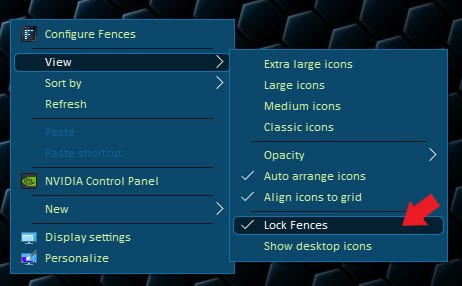
Yes, what JanOscar said above and make sure your Fences is not locked. If it is locked. Please unlocked it. Else, those that Jan mentioned above will not appeared.
Thank you,
Basj,
Stardock Community Assistant
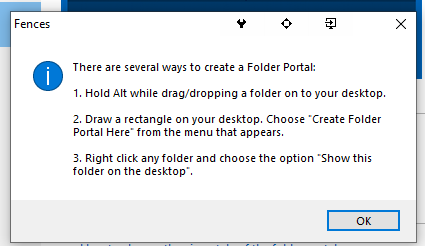
Yes, I can do it that way, thank you. The help box implies that there are 3 ways to create a folder. However, it seems that 3 is following on from 2.
Yes the 3rd option should also be available, as shown below. If it is not, please post a screenshot on your right click menu when you right click on a folder inside you Windows Explorer.
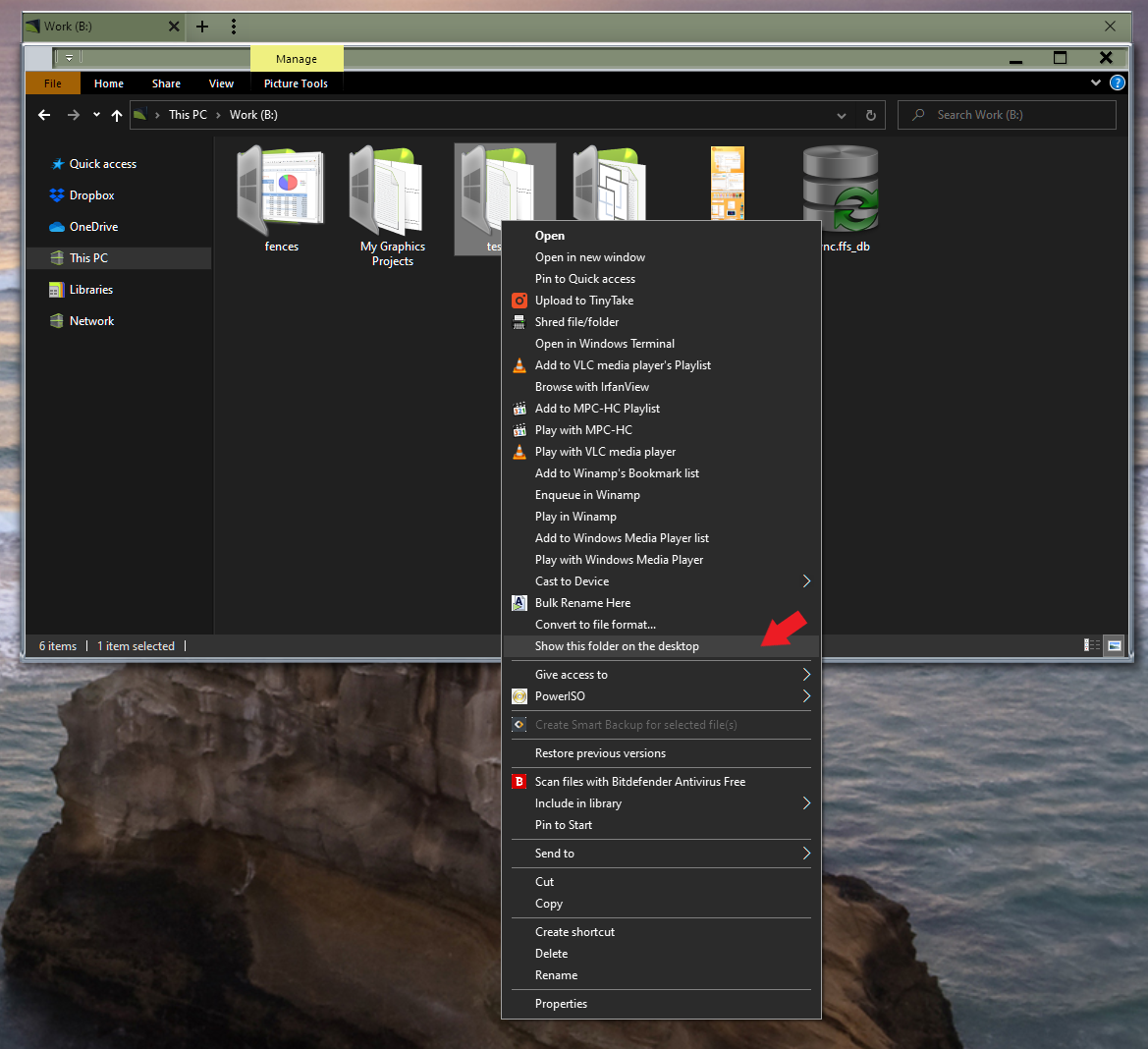
Thank you,
Basj,
Stardock Community Assistant
Try the cleanboot to see if there is blocking Fences. https://forums.stardock.com/486084/fences-support-faq#cleanboot
Try that and report back.
Thank you,
Basj,
Stardock Community Assistant
Welcome Guest! Please take the time to register with us.
Select a reason for giving karma:
You're about to visit an external site:
Sign up here to get the latest news, updates, and special offers delivered directly to your inbox.
 WinCustomize Forums