Issue with Fences loading

Fences issue

Hi guys,

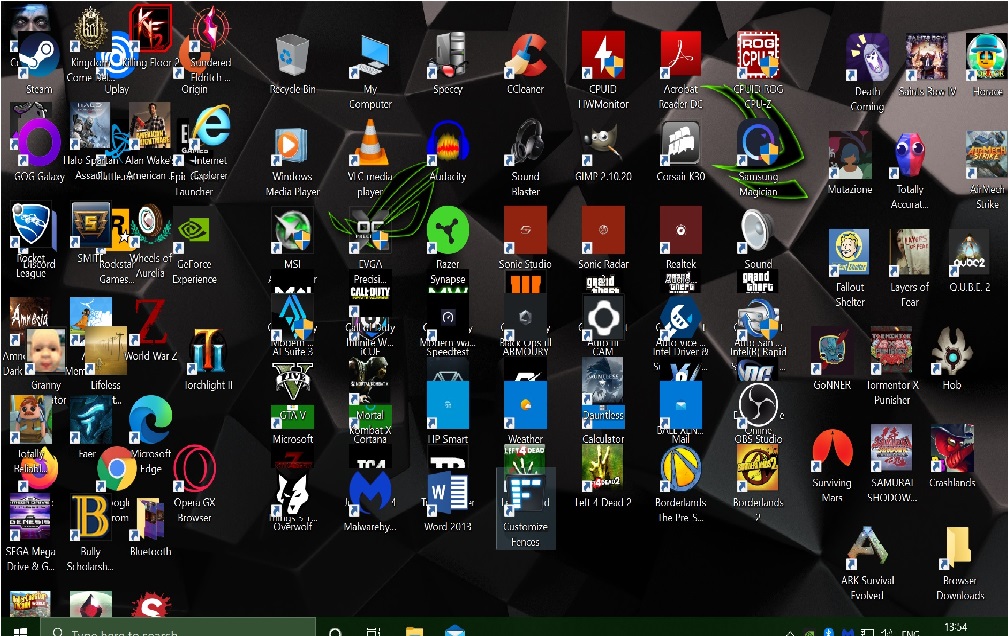
I purchased fences to sort my desktop shortcuts out as I had way to many, love the software but the issue is when i boot the pc and login fences takes a few seconds (around 10 seconds and more) to load everything. And in the meantime while the icons load they are scattered everywhere and just a mess to look at until everything is loaded. Why does this happen and how can i stop this? Is there no cpu high priority option i can select that enables fences to load everything soon as i log in.

PC Specs:
i5 9600k
32gb ram

gtx 1070 ftw

z390 mobo

OS on a samsung evo 860 ssd

I have uninstalled and removed the software and used the purged .bat file and re installed and its still the same. I had the same issue with wall paper engine until i selected CPU high priority in the settings and since then wall paper engine has always loaded soon as i logged into desktop without a issue, I believe if u can impliment this in fences it will do the same and just load everything soon as someone logs in rather then waiting.


Thank u

3,917 views 4 replies
Reply #1 Top

Hello,
Sorry to hear you are having issues. Need to know more on your system.

1) Windows version. Please use Winver.exe for full Windows version numbers.

2) Fences version.

Thanks
Basj,
Stardock Community Assistant.

Reply #3 Top

Hello,

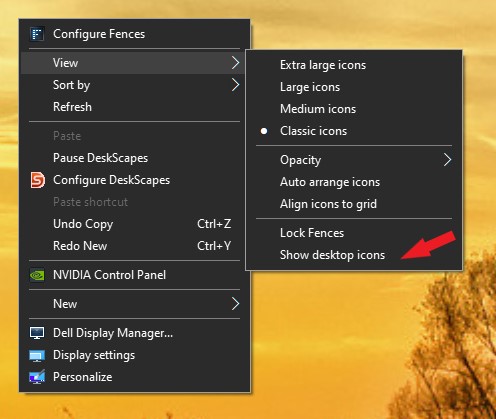
1. You can turn off "Show desktop icons" to ensure all the icons stay hidden while Windows is loading.

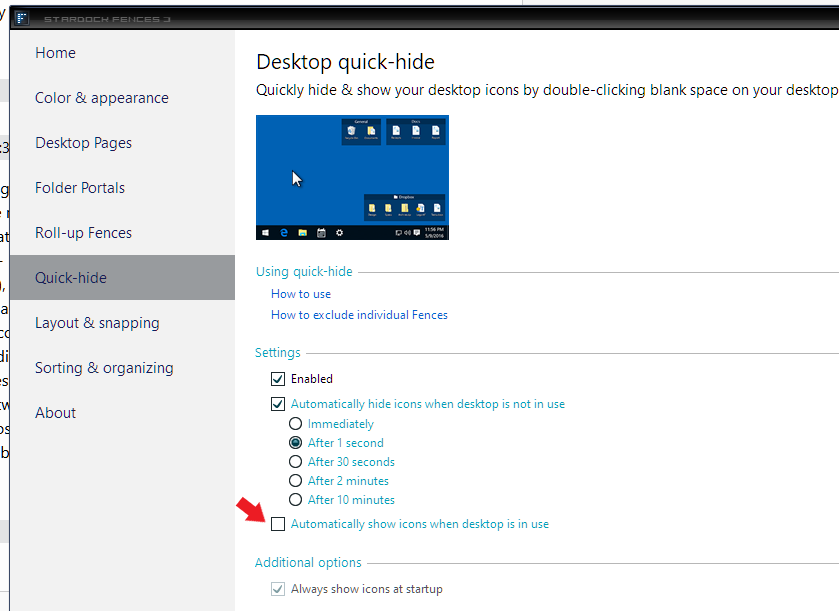
2. Pick Fences keep hidden until desktop is in use.

3. It is known that Windows 10 purposely delay 3rd party software loading. You can turn it off using below guide and Fences load faster.

https://www.howtogeek.com/403162/how-to-disable-the-windows-10-startup-delay/

Thank you,

Basj,
Stardock Community Assistant

Reply #4 Top

I have tried all the options given here and i have removed and purged and reinstalled and its still doing the same thing, when i turn the pc on and log in i am welcomed with this screen please look at the image i have attached, thank u. I have to wait over 10 seconds before everything is loaded correctly. I believe the only way to solve this is if u implement a feature like wall paper engine that the user can select high priority so fences has a higher priority when it loads. I have come across another thread which is pretty recent and there are a few users with this exact issue and u replied u can not replicate the issue. I dont understand how u cant replicate the issue when i can on 3 machines. Thank u for ur replies.


I dont have a weak machine, its a 6 core 6 thread cpu at 4.8ghzt and 32gb 3200mhzt ram and a samsung evo 860 ssd, so performance on this machine is really fast. Its defo a fences issue as i have a faster machine with i9 9900k, 64gb ram same speed, nvme 500gb ssd from samsung a rtx 2080 ti and the issue is still the same. Tried all ur troubleshooting methods on both machines. Infact these machines are brand new, I believe the issue is there is no higher priority option for start up on fences, it just takes its time to load as there are other background processes at hand. Like I have stated one way to fix this is to implement a high priority feature for start up which many people have been requesting since 2017. I have come across many threads since that era with this very issue and i dont understand why it hasnt been addressed. If u can look at wall paper engine, if u have the time please look at wallpaper engine, if u dont use the option high priority selected on wallpaper engine, it loads just like fences, takes around 15 seconds for everything to load but with that option selected soon as i log in everything is loaded instantly, this is because the priority for wall paper engine is selected as load first before anything else. You really need this feature for people who use ur software because the image i provided this looks like a right mess, at times i want to uninstall ur software and get a refund and just use desktop icons as they were before. This is how Fences load