Start pb with Fence 3

I have crash on Windows 10 since a couple of week

Hello,

 My problem start with Fence 2. One day after years of use Fence 2 freeze desktop on start. All the dessktop became white, and crash. After crash widows became only a black desktop without the task bar and only with one window for file. No more !... Then logout with Ctrl + Alt + Suppr..

 I have an update of AVG when start this problem. I uninstall Fence, AVG (now I have only defender) and do this :

 PURGE: https://forums.stardock.com/486084/fences-support-faq#reinstalling

Reboot and ReInstall the latest version from your account https://store.stardock.com/myaccount/products/


The same result.

I redo this and buy Fence 3 for a new install. Now the problem not exactly the same. Fence 3 start 3min after windows start ! My computer is a HP ZBook 17" with 32Go RAM, SSD drive and i7... And if I click on desktop in this 3min desktop become white, and crash, but restart with fence.

Windows 10 Pro version 1909 - 18363.900


16,178 views 18 replies
Reply #2 Top

Hello,

 With another Windows Administrator it's work. But now, after this account creation, with my standard user (administrator too) Fence3 crash windows (like with fence2). And after a new clean uninstall, and new install, I can't start. White screen, and windows crash each time (like what I have with fence2).


 I see : https://support.microsoft.com/en-us/help/929135/how-to-perform-a-clean-boot-in-windows

 But all service is on the new Windows Administrator.. I can't find differences..

 Have you idea ?


Reply #3 Top

Please try the following:

-For Win8/10 Users: Open the Start Screen, and type 'cmd'. Right-click on the search result and select 'Run as administrator' from below.

-Type: sfc /scannow

-Wait for the scan to complete (this can take several minutes)

Some help on how this looks should you need it:

https://support.microsoft.com/en-us/help/929833/use-the-system-file-checker-tool-to-repair-missing-or-corrupted-system

If the SFC finds errors, but cannot fix them, please also run the following command in the same command prompt window:

dism.exe /online /Cleanup-Image /RestoreHealth

Some help on how this looks should you need it:

https://www.windowscentral.com/how-use-dism-command-line-utility-repair-windows-10-image

The above command should assist with replacing any damaged or problematic system files. Please note, however, since it may require restoring certain files, this process can take some time and you will need to be patient until it has completed.

Please let me know whether this resolves your problem or if you have any additional questions.


Thank you,

Basj,
Stardock Community Assistant

Reply #4 Top

Thank, but this command find nothink. I'm french, then Windows speak in french, I use Translate for this message :

C:\windows\system32>sfc /scannow

Beginning of system analysis. This may take some time.

Start of the verification phase of the system analysis.
The verification is 100% complete.

The Windows resource protection program found no integrity violations.

Reply #5 Top

Hello,
I have forward your problem/question to Stardock Support Team for their assistance. But, since Stardock is on Summer vacations, respond from them will be slow. Please keep an eye on this thread for any updates. We appreciate your feedback and patience.

Basj,
Stardock Community Assistant

Reply #7 Top

Hello,

Sorry to hear you are having trouble.

I am afraid this will be a process of elimination for you to see why it is working under the new account but not the old.  The other option is to migrate to the new Windows account.

Sean Drohan
Stardock Support Manager

Reply #8 Top

Lot of difference between the 2 account... I can't change my account !.. Lot of work on params..

But I check (without stop all) all start services and application on the two account. And It's exactly the same.

Problem can be from params ?

But I have a realy big differnce, I mount a 2Go SSD drive direct on : C:\Users\Me\Desktop\

And since I add the new account I can't start Fences on my firs account, it's now worst , before I do that Fences start in 3min, but start..

Stardock can help me ?

For information I have Groupy and it have no pb :)

Reply #10 Top

The options right now are:

  1. The aforementioned process of elimination
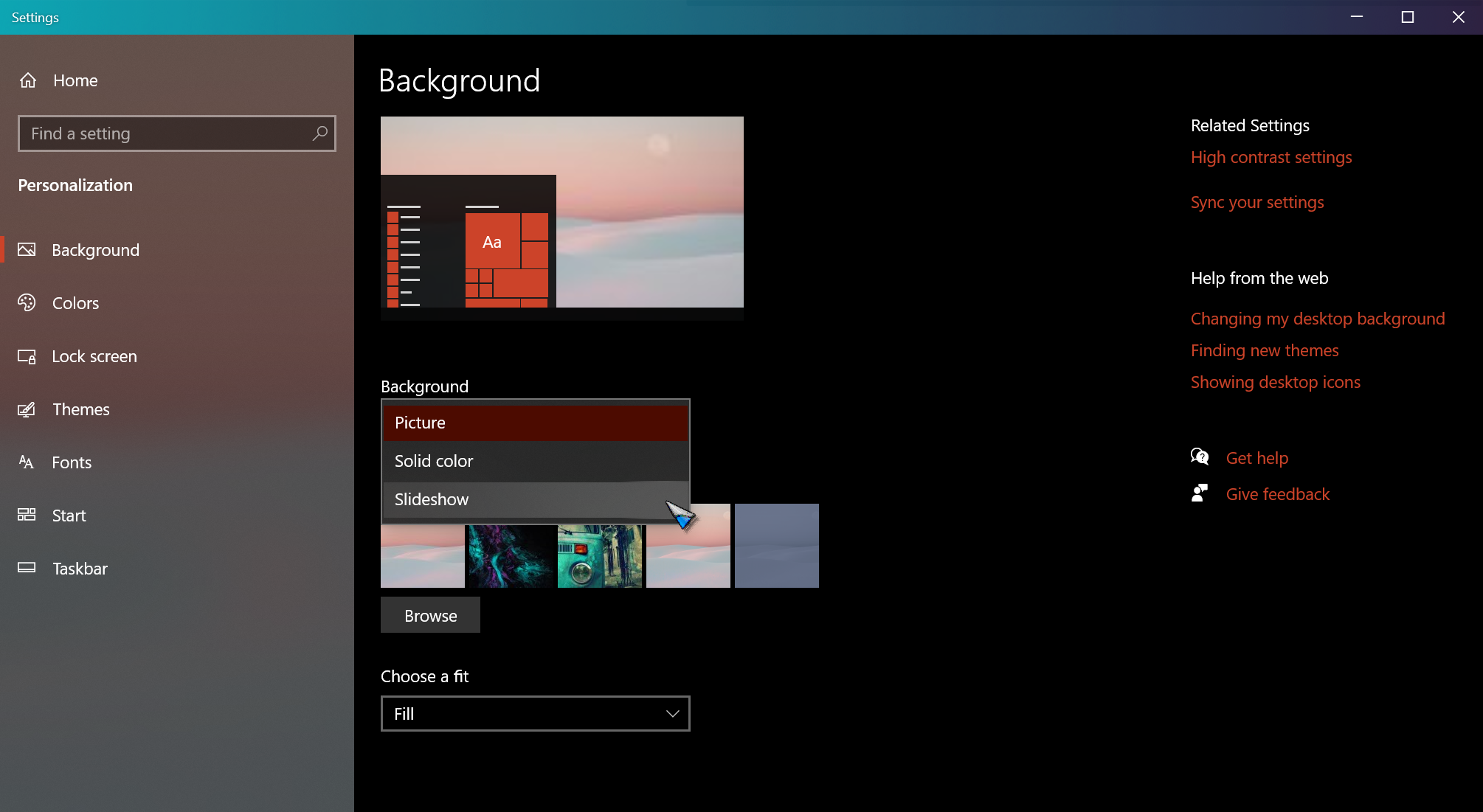
  2. If you have Windows Slideshow enabled for your desktop, turn it off and try again. 
  3. Restoring your PC to a point prior to when it did work under your main profile. 

Sean Drohan
Stardock Support Manager

Reply #11 Top

Hello,

  • 1/ The aforementioned process of elimination

I do it, the only think I can't change is : a 2Go SSD drive direct mount on : C:\Users\Me\Desktop\ (then like a directory : C:\Users\Me\Desktop\SSD)

For memory when I have a second admin profile, with Fense3 desktop became white, and crash windows. I erase this second profile and now Fense3 start 3min after windows start (if in this time i click on desktop he became white, but windows don't crash) !

  • 2/ If you have Windows Slideshow enabled for your desktop, turn it off and try again. 

I think I don't have it on Windows 10. How I can be sure ?

  • Restoring your PC to a point prior to when it did work under your main profile.

I have one, but I can't use it.... It's a long history but my problem start in same time. Then this history can help...

On my PC, HP put HP Sure Sense Service. And this stupid tool put 50Go files in System32 (more then 50k files)... The 18 june I see in system32 lot of PDF / Jpg / Png / Mp3 / Directory of personal file... I made a restore point befaure clean it. After 4h work for clean System32 I restart my computer the problem with Fense 2 start.

My first idea is : "I erase one wrong file and Windows was broken". After 1h I sure I not dell a bad file. When I clean System32 AVG made update. I uninstall AVG, but it's not AVG. I desable fense 2, and after windows was ok. 

After I try to find who put files in system32... I find all files in System32 came when I download ".rar" file. All file was "unrar" of rar I download. I try change FireFox by Chrome, but it's not FireFox, with Chrome file was put in System32 too.  And after lot of try i find the guilty : HP Sure Sense Service. I desable HP Sure Sense Service.

Then if I use my save I have 4 hours for clean system32, and I'm not sure for Fenses3..

You not have any log / tool, I can send for know why Fenses have conflict ? I buy Fenses 2 / 3 and Groupy, I love your tool, help :)

Reply #12 Top

3 different start, with 3 different problem.  3 next case if I point a lot or not :

1/ Start with Windows desable Fenses if I click too mush on desktop when he try start : https://streamable.com/iowgbw

2/ Start with total desktop crash .. sometimes when I click too mush too  : https://streamable.com/m9erfw

3/ Long start, but after Fenses3 run well : https://streamable.com/i83y9j

Reply #14 Top

Quoting CardinalDeRichelieu, reply 11

I think I don't have it on Windows 10. How I can be sure ?
End of CardinalDeRichelieu's quote

Sean Drohan
Stardock Support Manager

Reply #15 Top

Quoting CardinalDeRichelieu, reply 11


        2/ If you have Windows Slideshow enabled for your desktop, turn it off and try again.

End of CardinalDeRichelieu's quote


Ok it's active. I change this by only one image, or one color. And I have the same problem.

I think, after user log Fences3, fences not load (or realy realy long.. I wait more then 3min) until I need file explorer, or I click on desktop. Then sometimes It's long but Fences run well (if I not click too mush i think), sometimes windows find a pb with explorer and kill him (this arrive only one time), and majority desktop crash and became black without task bar.

I can send Stardock Fences Debug Information Log if you want.

I use Fences since it first version. Then I try Fences Free and desktop not crash. But when Fences 1 is enable I can't move icons on desktop... Then I can't use it... <X3  

 Fences 2, crash 100% the desktop, <X3

and Fences 3, crash 60% the desktop <X3  

Reply #16 Top

I buy Fences3, if I buy "Fences For Business" you can help me more ? If yes can I upgrade Fences3 to "Fences For Business" ?

Please I don't want use my system save made before the pb. See Reply #11.

Reply #17 Top

Quoting CardinalDeRichelieu, reply 16

I buy Fences3, if I buy "Fences For Business" you can help me more ? If yes can I upgrade Fences3 to "Fences For Business"
End of CardinalDeRichelieu's quote

The best place to help you is here, where all can weigh in on the issue.

It seems you have made some system-level changes to your PC (at the very least)

Quoting CardinalDeRichelieu, reply 11

My first idea is : "I erase one wrong file and Windows was broken". After 1h I sure I not dell a bad file. When I clean System32 AVG made update. I uninstall AVG, but it's not AVG. I desable fense 2, and after windows was ok. 

After I try to find who put files in system32... I find all files in System32 came when I download ".rar" file. All file was "unrar" of rar I download. I try change FireFox by Chrome, but it's not FireFox, with Chrome file was put in System32 too.  And after lot of try i find the guilty : HP Sure Sense Service. I desable HP Sure Sense Service.
End of CardinalDeRichelieu's quote

We just cant account for that type of system editing.

If a restore point is not an option for you, and you have had no luck with a new Windows Admin account with only Windows services and Fences enabled, have you consider a reformat of your system?

Sean Drohan
Stardock Support Manager


Reply #18 Top

If you have nothink for find a problem (log.. or somethink like that), if your enterprise support can't help me, I stop my questions here.

I made software since 20 years, and since 20 years I never reformat or reinstall my windows. I always find the problem and correct it.

I'll try find myself and if I find i'll share the solution here.