
Fences will not appear loaded

Hello, I purchased Steam Fences today, but I have a problem with it as in the title. I tried to reinstall but nothing worked. Does anyone know how to fix it?

6,099 views 9 replies
Reply #1 Top

Hello,
Sorry to hear you are having issues. Need to know more on your issue.

1) Windows version, please use winver.exe for full Windows version numbers.

2) Fences version.

3) What error you saw while installing. or any other details.

Thanks

Basj,
Stardock Community Assistant.

Reply #2 Top

Quoting basj, reply 1

Hello,
Sorry to hear you are having issues. Need to know more on your issue.

1) Windows version, please use winver.exe for full Windows version numbers.

2) Fences version.

3) What error you saw while installing. or any other details.

Thanks

Basj,
Stardock Community Assistant.
End of basj's quote

1) Windows version 1909 (compilation of the operating system: 18363.836)
2) Fence version: 3.0.9.11

3) There was no error during installation and I didn't see anything special

Reply #3 Top

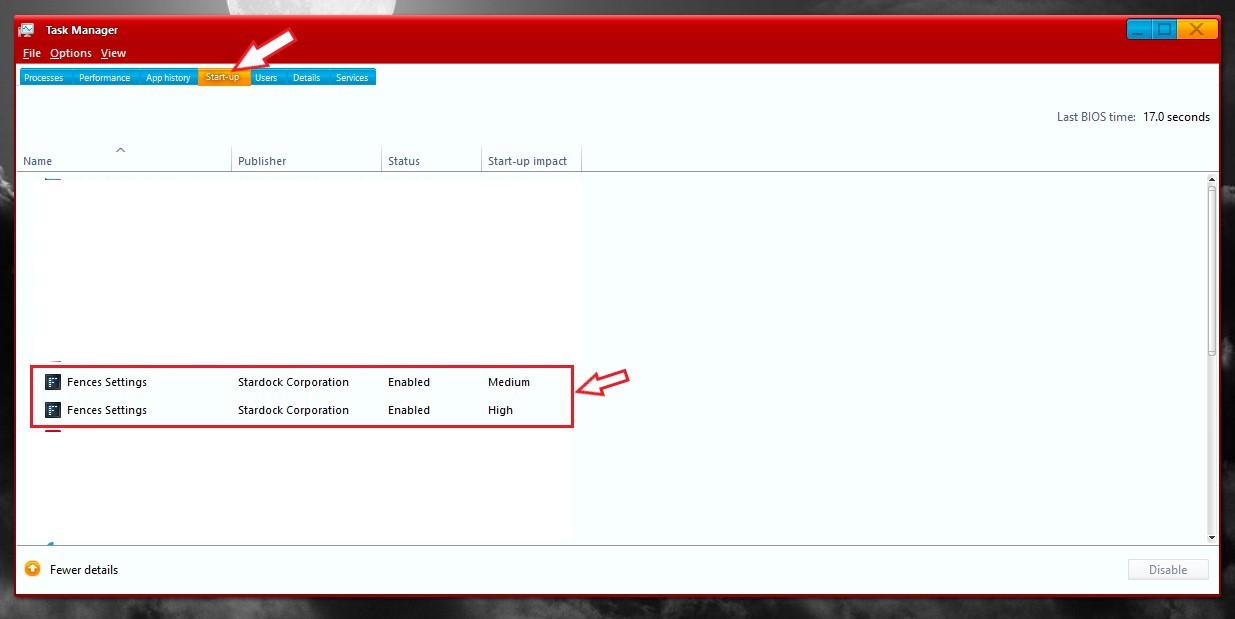
Did you try rebooting? and see if your Taskmanager listed Fences for startup.

Thank you,

Basj
Stardock Community Assistant.

Reply #5 Top

Please try the purge and reinstall steps as mentioned here : https://forums.stardock.com/486084/fences-support-faq#reinstalling.

Just make sure to re-download the latest version from your account. Reboot after the purge, reinstall using the latest version you just downloaded. Reboot again after the installation. Retest it and report back.

Note : Also, it is best to install Fences in its default directory.

Thank you,

Basj,
Stardock Community Assistant.

Reply #7 Top

Hello,

Would like to know more about your Antivirus/Security application installed in your system.

Thank you,

Basj
Stardock Community Assistant.

Reply #9 Top

There are few cases where Wallpaper Engine has compatible issue with Fences. Maybe you can try uninstall Wallpaper Engine and try installing Fences again.

Thank you,

Basj
Stardock Community Assistant.