New desktop icons in weird spots

I like stardock fences but the new icons go into weird spots, say if I download something or move a picture from browser to desktop or use something to make a new icon on the desktop, it keeps getting put into the corner next to top which is almost overlapping the recycle bin, in between monitors half way split, or can't even find it on the desktop until I click refresh.
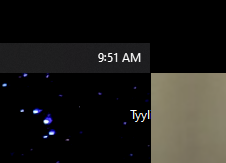
This is 3 monitors and the icon goes between the bottom two.

Anyway to make it the normal way before I installed fences?
6,903 views 6 replies
Reply #1 Top

Hello,
Sorry to hear you are having issues. Need to know more information.

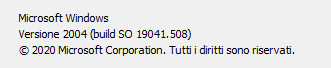
1) Windows version, please use Winver.exe for full Windows version numbers.

2) Fences version.

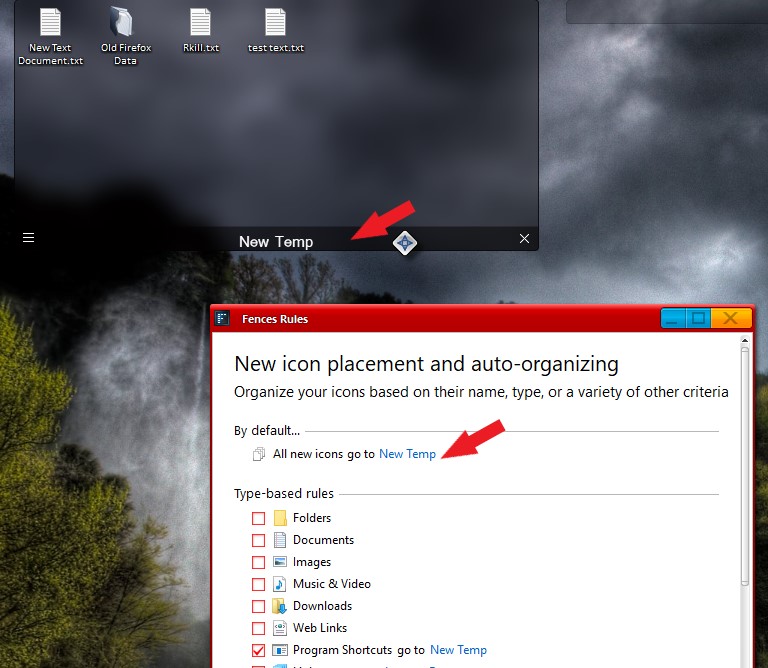
3) You could create a temporary Fence and set a rule for it so that all new icons/programs automatically move to that Fence. You can put that Fence where ever you like and move the content to any other fence you like later.

Basj,
Stardock Community Assistant.

Reply #3 Top

Hello,

I have the exact same issue. Win10 - 1909 ; Stardock fences 3.0.9.11

Here's what I've found. The shortcut is usually on the wrong screen, at the right Y position but shifted to the left (towards negative X)

If I make multiple shortcuts without clicking on the desktop in the process, they eventually get on the correct screen and at the right place. But if I click on the desktop, then make another, it restarts this strange behaviour

I'm available in case you need more informations or testing 


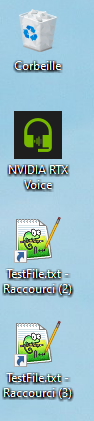
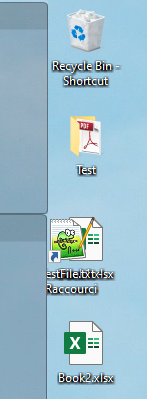
Left is the primary monitor (primary desktop), where the icons should go. Right one is the 2nd, the icon overlap but is at the correct Y level (height), so the 3rd icon


Reply #4 Top

Quoting Kartzul, reply 3

I have the exact same issue. Win10 - 1909 ; Stardock fences 3.0.9.11

Here's what I've found. The shortcut is usually on the wrong screen, at the right Y position but shifted to the left (towards negative X)

If I make multiple shortcuts without clicking on the desktop in the process, they eventually get on the correct screen and at the right place. But if I click on the desktop, then make another, it restarts this strange behaviour

I'm available in case you need more informations or testing

Left is the primary monitor (primary desktop), where the icons should go. Right one is the 2nd, the icon overlap but is at the correct Y level (height), so the 3rd icon
End of Kartzul's quote

Hello,
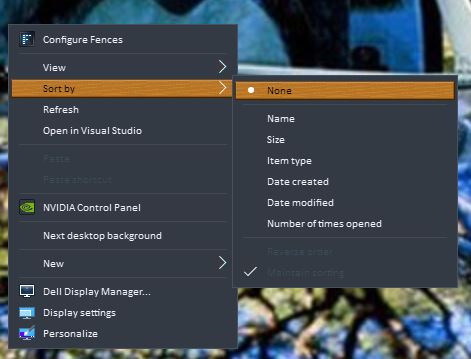
Sorry to hear you are having issues. This is known issue and I believe it has been logged internally. For temporary solution. Please set desktop icons sorting to none

or send all new icons into temporary Fences by using Fences auto rules. Follow below steps :

1) Create a new Fence. Give it a name.

2) Set that new fence rule so that all new files go to that Fence.


From now on all the new icons/files/program move to your desktop Area will be automatically move to that New fence.

Basj,
Stardock Community Assistant.

Reply #5 Top

Hello Basj,

sorry to reopen this discussion but what about the duplicate link Icon if you have the Desktop Fence?

I mean, I have some Fences and the Desktop Fence. Even if I set the rule all new icons must go to one specific Fence, when I drag and drop the new icon to the desktop (at any point), the icon goes to the specified Fence but also to the Desktop Fence. This should be avoided I think.

Thanks

Francesco


PS: 

Reply #6 Top

Quoting francesco_red, reply 5

Hello Basj,

sorry to reopen this discussion but what about the duplicate link Icon if you have the Desktop Fence?

I mean, I have some Fences and the Desktop Fence. Even if I set the rule all new icons must go to one specific Fence, when I drag and drop the new icon to the desktop (at any point), the icon goes to the specified Fence but also to the Desktop Fence. This should be avoided I think.

Thanks

Francesco
End of francesco_red's quote

Hello,

Unless I misunderstand the whole thing. Is the "Desktop Fence" is a Portal Fences to the Actual Desktop? If yes, than it will have it on both fences. Need to understand is that Portal Fences is just like a portal to the Actual Desktop folder on you system drive. So whenever you move something into the desktop it will listed in that portal Fences and to what ever fences you assigned the icons to move to. And that can't not be avoided. Why do you need a portal fences to desktop is beyond me.

Thank you,

Basj,
Stardock Community Assistant