desktop pages

I have a 2 screen set up. I had fences on two pages on the 2 screens. I accidentally created more desktop pages and I can't get rid of them. I cannot move things back to only the first two pages. Please help.

Ken

10,857 views 19 replies
Reply #1 Top

Hello,

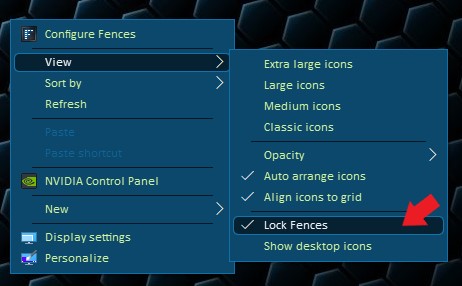
Sorry to hear you having issues. Please check if you have not locked your fences. If you do please unlock it. Than you should be able to move your fences to its original page. 

Thanks

Basj.

Stardock Community Assistant.

Reply #3 Top

You just need to right click anywhere on desktop. View-> untick "Lock Fences" to unlock.

Thank you,

Basj
Stardock Community Assistant.

Reply #5 Top

Hello Basj

Any idea how to get rid of these extra desktop pages? Fences was not locked.

If I uninstall Fences will I lose files on the desktop pages?

Ken


Reply #6 Top

Hello,

Sorry to hear you are having issues.

If your Fences are unlocked just go to the top right hand corner

of a Fence and click on the " X " the will delete that Fence . 


AzDude
Stardock Community Assistant

Reply #7 Top

Hello AzDude

You don't understand the problem. I have too many desktop pages I accidentally created. I need to get rid of some. I think I have 4 now. I want to get back to 2 corresponding to my two screens.

Fences is unlocked. The individual fences are gone.

I still need help to eliminate desktop pages without losing the files.

Ken


Reply #8 Top

Hello,

I have forwarded your report to the Stardock support team for their review and recommendations.

Please keep an eye on this thread for any updates.

We really do appreciate your feedback, thanks.


AzDude
Stardock Community Assistant

Reply #9 Top

Make sure if you have files or Fences on those other pages you

delete or move them to the pages you want them . So there's 

nothing on the pages you want gone .

Reply #10 Top

Quoting AzDude, reply 9

Make sure if you have files or Fences on those other pages you

delete or move them to the pages you want them . So there's 

nothing on the pages you want gone .
End of AzDude's quote

That is the way - once there is nothing on a page, that page will no longer exist. 

Sean Drohan
Stardock Support Manager

Reply #12 Top

Quoting cp535i, reply 11

is a subscription good forever
End of cp535i's quote

Please create a new thread for other topics.

That said:

https://forums.stardock.com/486310/object-desktop-support-faq#objectdesktop

Sean Drohan
Stardock Support Manager

Reply #13 Top

Sean

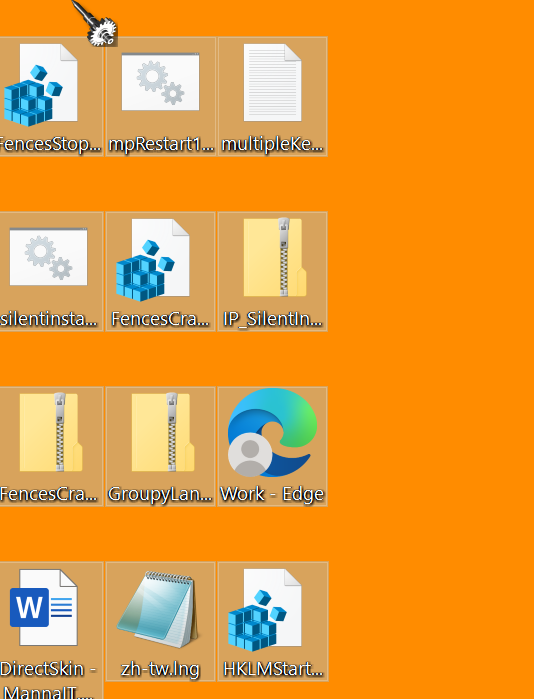
Pages which have nothing on them are between pages which do have something on them. I cannot transfer files between the pages which do have something on them. Still stuck with blank pages which seem to block moving files. Please help.

Ken


Reply #14 Top

Quoting kwarsh, reply 13

Sean

Pages which have nothing on them are between pages which do have something on them. I cannot transfer files between the pages which do have something on them. Still stuck with blank pages which seem to block moving files. Please help.

Ken
 
End of kwarsh's quote

Moving Fences / Files from one page to another can be tricky with multiple monitors (you need to move all the way to the far side of the last one).

Another method:

A multi-select, cut

From the page you want to depopulate and paste to the one you do.

Sean Drohan
Stardock Support Manager

Reply #15 Top

Sean

Dragging a multi-select  does not work. Pops back.

Cutting and pasting does not work either.

Dragging one file at a time does. VERY TEDIOUS but it works.


NOW how do I prevent making accidental desktop pages again, please?

Thanks

Ken


Reply #16 Top

Quoting kwarsh, reply 15

NOW how do I prevent making accidental desktop pages again, please?
End of kwarsh's quote

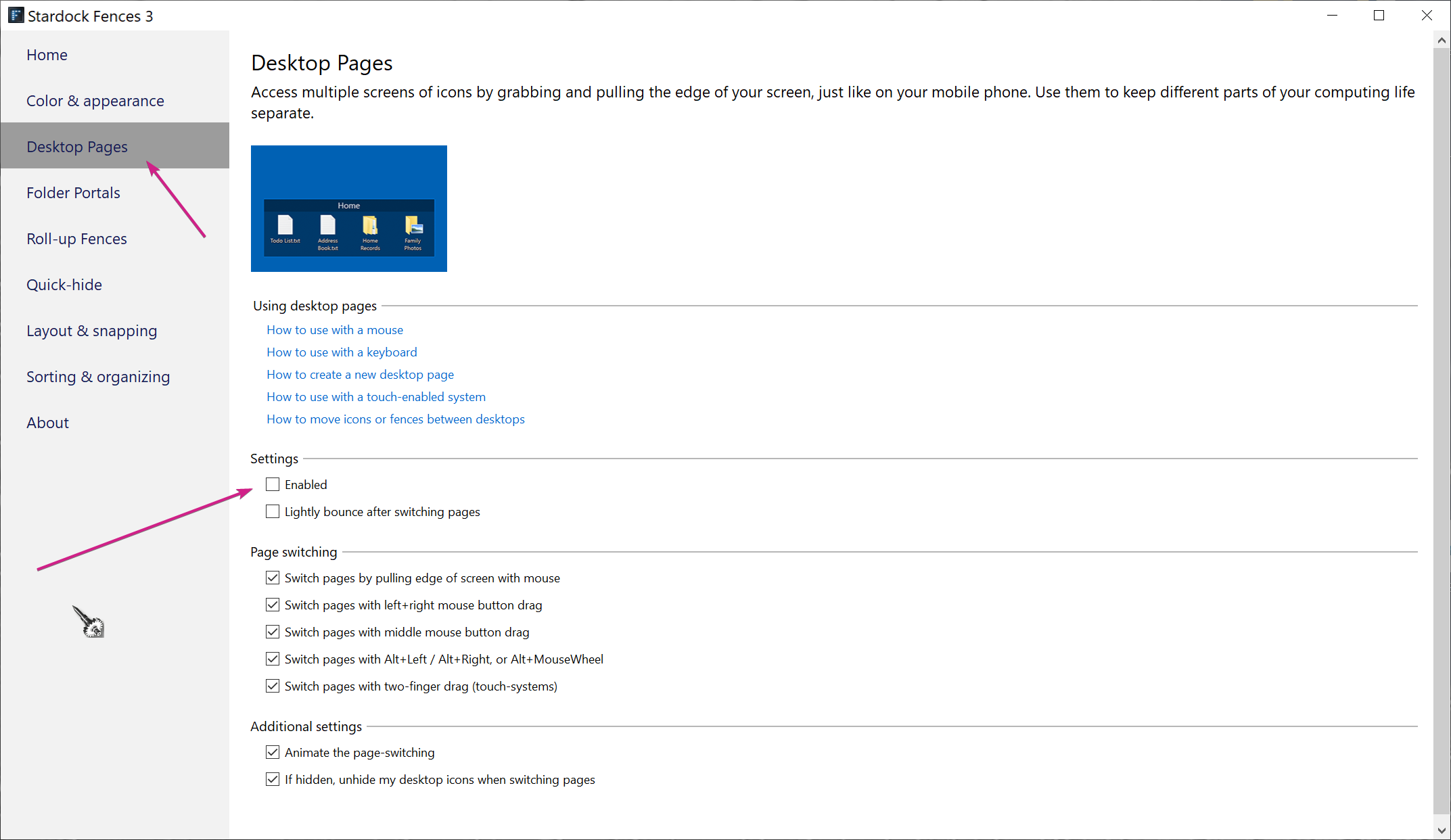
That would also solve your issue, it would kill all the pages (not something I knew you wanted) and place everything on the primary page.

Sean Drohan
Stardock Support Manager

Reply #17 Top

Sean

You are correct that I would not want everything on one page. I want everything to stay on the two pages where I placed it.

Concerning the five ways of "Page Switching" shown. Since I don't want to use any of these wouldn't it reduce the chances of accidental switching if I turned all these off? Or would that move everything to one page?

Thanks

Ken

Reply #18 Top

Quoting kwarsh, reply 17

Concerning the five ways of "Page Switching" shown. Since I don't want to use any of these wouldn't it reduce the chances of accidental switching if I turned all these off?
End of kwarsh's quote

No as those options are for getting to other pages, not adding to them / creating them. 

Sean Drohan
Stardock Support Manager