
Lost some fences

This just happened to me.   I was in the middle of moving a fence around when windows poped up and said there was a new java update.  I clicked no on that and all of my fences disappeared except for the one I was moving. 

Nothing I did brought them back.  So I decided to reboot.   Well, then all of the missing ones appeared but the one that I was in the process of moving was gone.

All of the icons are gone.  I think I am missing a couple of the fences. 

Is there a way I can get this back?  Or do I have to go and figure out what all was there before and re-create them.

This is the first time I have had a glitch with this program.  So I am a little surprised and disappointed.

So How can I get my missing fences back?

I am on windows 10.

Thanks.
9,183 views 8 replies
Reply #1 Top

Hello,
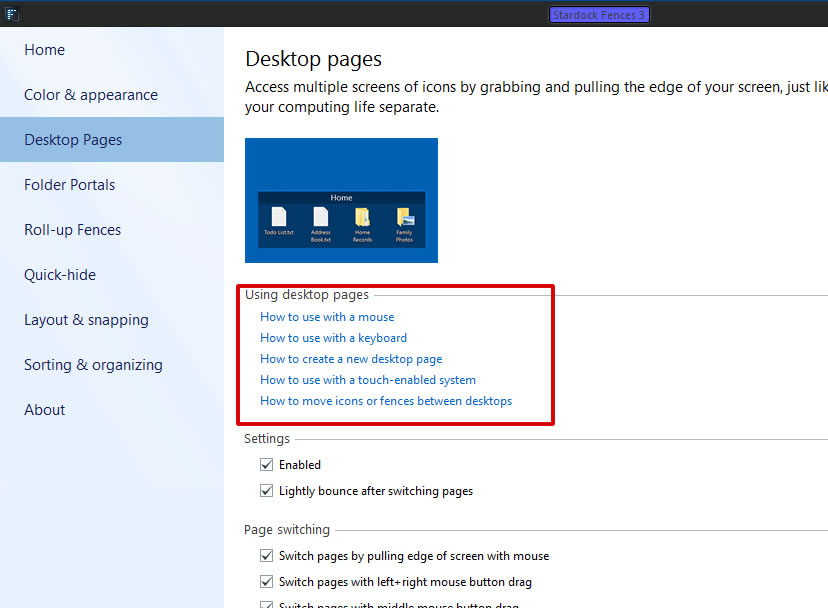
Sorry to hear you are having issues. I think those missing fences just went to your other Desktop page. You can navigate those pages to get them back or you can disable desktop pages. That will then move all those missing pages back to main page.

Let us know if you still need our assistance.

Thanks

Basj,
Stardock Community Assistant.

Reply #2 Top

You were correct!   I disabled the desktop pages and they appeared.

Thanks for your help!

Reply #3 Top

Great, glad you solved it.

Thank you,

Basj
Stardock Community Assistant.

Reply #4 Top

Had the same problem but not only did the fences go away some of the shortcuts I had in a fence disappeared too.  Any way I can add them back from a backup or other option?

Reply #5 Top

Quoting johnbogs, reply 4

Had the same problem but not only did the fences go away some of the shortcuts I had in a fence disappeared too.  Any way I can add them back from a backup or other option?
End of johnbogs's quote

Hello,
Sorry to hear you are having issues. But, have you tried my suggestion in reply#1?

Thanks

Basj,
Stardock Community Assistant.

Reply #7 Top

I opened fences from the folder ti was in. When I right click on the desk top the fences option does not appear in the menu

Reply #8 Top

Quoting johnbogs, reply 7

I opened fences from the folder ti was in. When I right click on the desk top the fences option does not appear in the menu
End of johnbogs's quote

Please try the purge and reinstall steps : https://forums.stardock.com/486084/fences-support-faq#reinstalling

Just to be sure, re-download the latest version from your account. Reboot after the purge. Reinstall it, reboot again. Retest and report back.

Thanks

Basj,
Stardock Community Assistant.
