
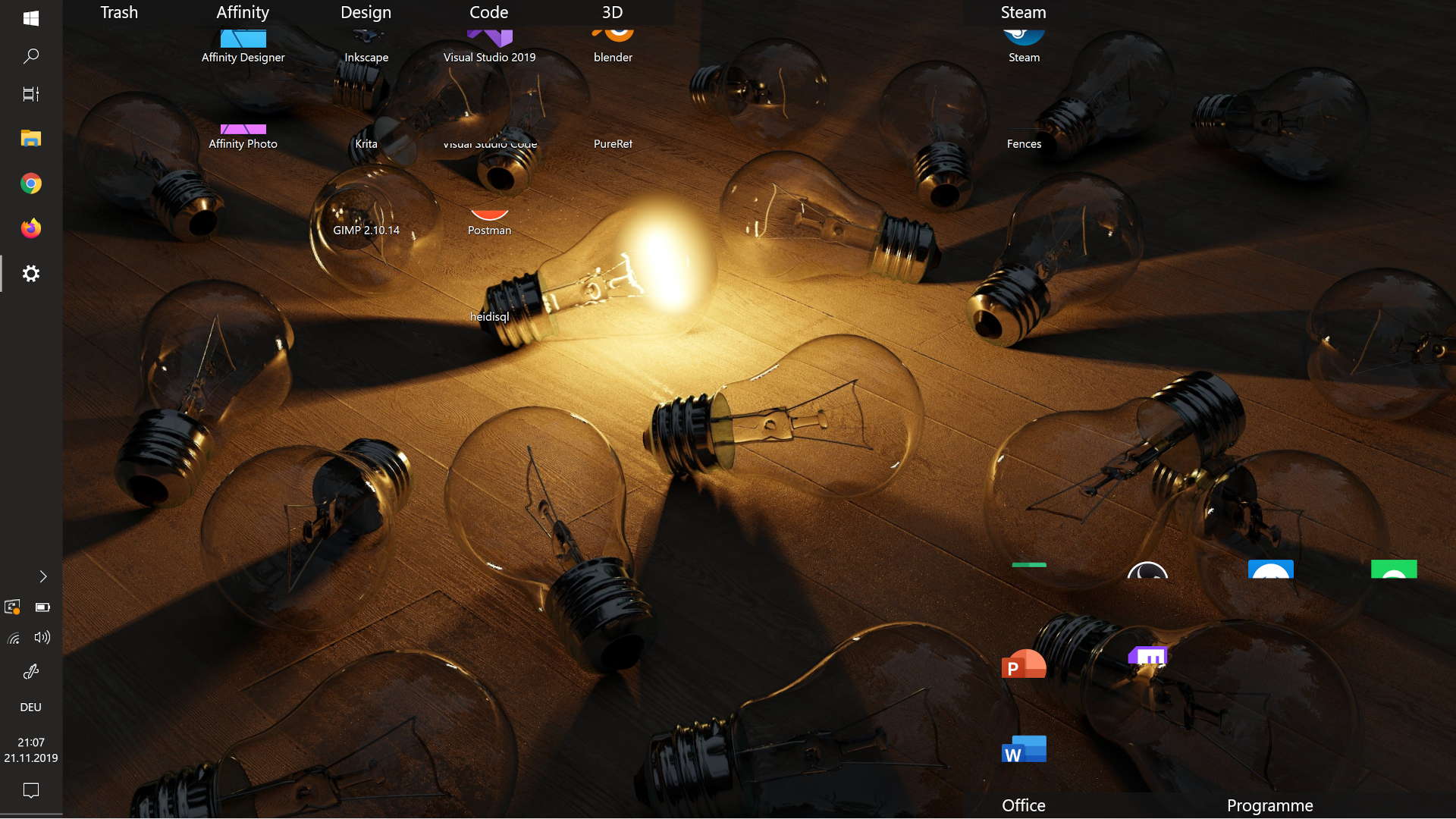
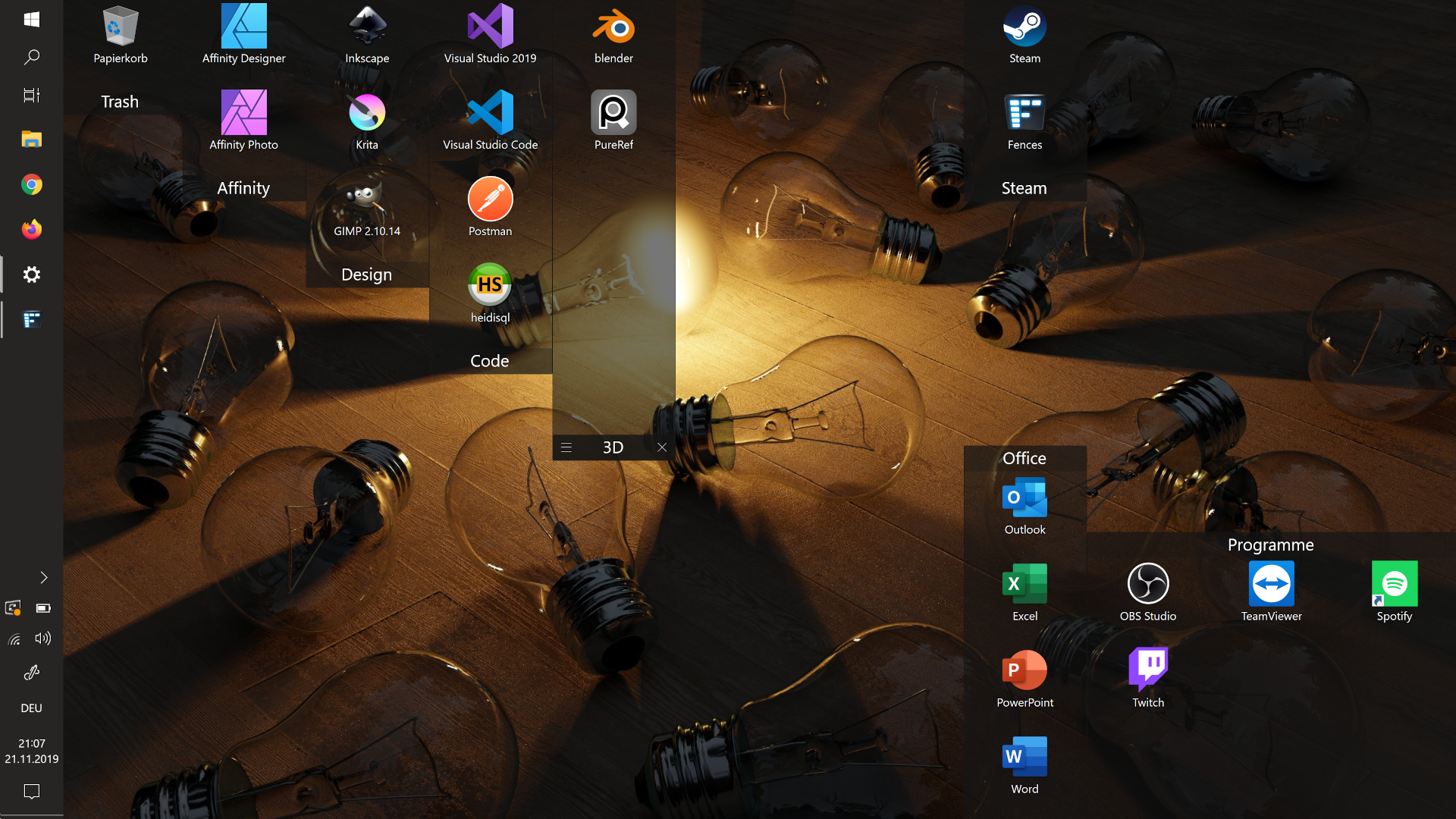
Rollup still displaying part of Icon

I set up my new Laptop and as i added Fences with Rollup this happenscould it be because i have an 4K screen?
on my main computer this never happend (not 4K).


The Windows Version of the Laptop is:
Windows 10 Home 1903, Build 18362.476
8,454 views 10 replies
Reply #1 Top

Hello,

I have forwarded your report to the Stardock support team for their review and recommendations.

Please keep an eye on this thread for any updates.

We really do appreciate your feedback, thanks.

AzDude
Stardock Community Assistant

Reply #2 Top

Hello,
Sorry to hear you are having issues. Need to know more.

1) Windows version. Please use Winver.exe for full version numbers

2) Fences version.

3) Monitor/s setup : Resolution, scaling applied and connection type DVI/DP/HDMI/VGA/USB

4) Icons size setting. And is the issue stays if you change to "Classics icons" size.

Basj,
Stardock Community Assistant.

Reply #3 Top

1) Windows 10 Home 1903, Build 18362.476
2) Fences Version 3.0.9.11
3) 3840 x 2160 Scaling 250%
4) Medium Icons -> Classic does not solve it.

The Problem is the Scaling:
If i reduce the display scaling the problem does not appear.
I testet every Scaling Option the Problem apperas at 250% and higher.

I can work with 225% so for me the Problem is solved

Thank you for your fast support :)

Reply #4 Top

Great, glad it work for you.

Thank you,

Basj
Stardock Community Assistant.

Reply #5 Top

Btw, would like to know more on your laptop brand, CPU and GPU, so that we can look into your issue on 250% scaling.

Thank You,
Basj
Stardock Community Assistant.

Reply #6 Top

It is an Asus ZenBook Flip 15 with an intel Core i7-8565 CPU, and nVidia GeForce GTX 1050 "with Max-Q Design". Using DirectX 12.0 and the latest drivers.

If you need anything else just ask.
At your Service Mike :)

Reply #7 Top

Thank you Mike. Will forward your information to Support Team.

Thank you,

Basj
Stardock Community Assistant.

Reply #8 Top

Just a suggestion to try, if you still interested in it. I too using GTX 1050 but 1050TI on desktop. And I don't see your issue on my system at 300% even on medium Icons size at 4K monitors. Just that on mine I did not install those others program that come with Nvidia experience. I just use its drivers.

You could try just loading Nvidia driver and uninstall those others supporting programs that come with nvidia. Reboot and retest. You can always install those back once you done testing if it required.

Thank you,

Basj
Stardock Community Assistant.

Reply #9 Top

I only had Nvidia GeForce Experience and Nvidia PhysX System Software.
Removed both, restarted and nothing changed :/

best regards Mike

Reply #10 Top

Thank you for testing it out. I have forwarded your finding to the Stardock Support team for their assistance. Please keep an eye on this thread for any updates. We appreciate you feedback and patience.

Thank You,
Basj
Stardock Community Assistant.