Icons Win10

Icons does not dissapear

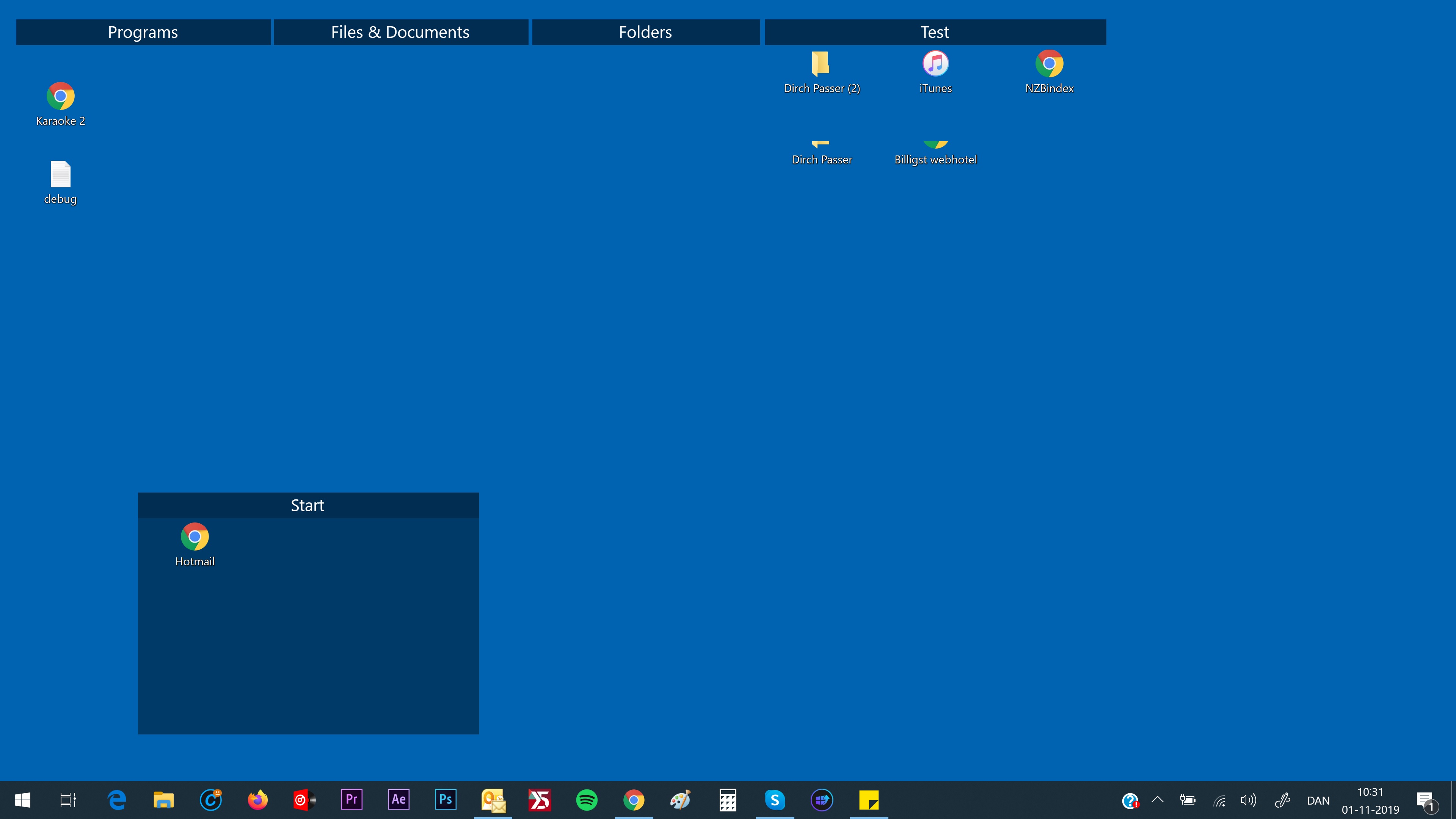
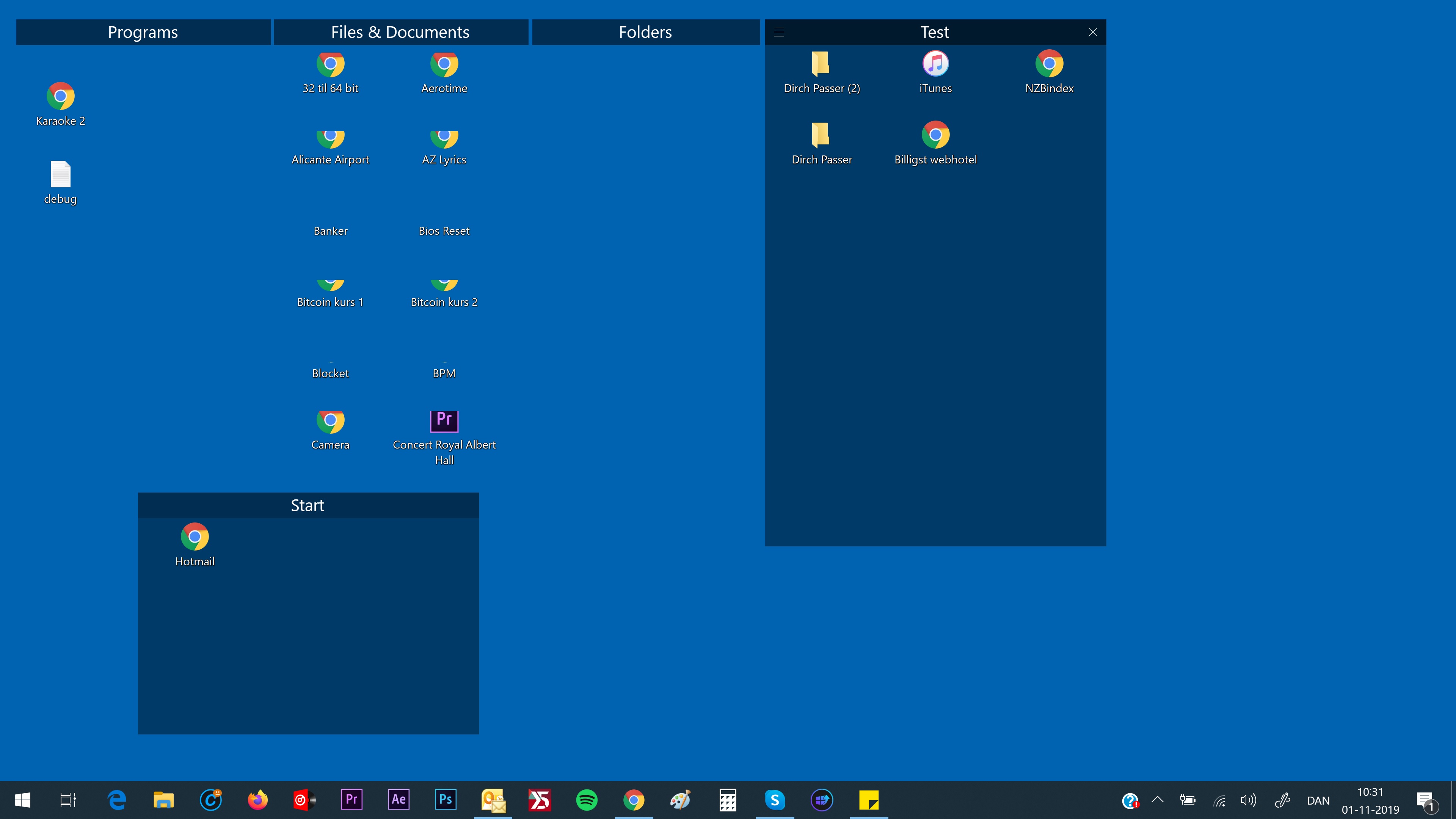
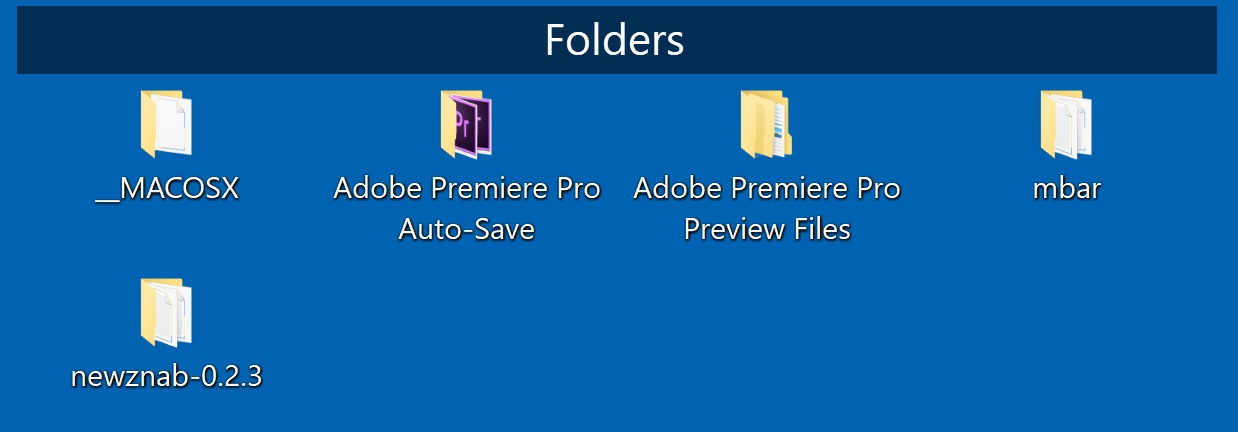
Hi. When creating a fence on the desktop Win10, using Roll Up Fence, my icons just partly dissappear. When placing the mouse over the top bar on the fence, all icons are visible, but when I move the mouse away from the fence, some icons still appear and also some of them is only partly visible. What to do?

22,843 views 23 replies
Reply #1 Top

Hello,
Sorry to hear you are having issues. Please try the purge and reinstall steps : https://forums.stardock.com/486084/fences-support-faq#reinstalling

Just to be sure, re-download the latest version from your account. Reboot after the purge. Reinstall it, reboot again. Retest and report back.

Thanks

Basj,
Stardock Community Assistant.

Reply #3 Top

Hi again.

If I set the resolution down, it works. But I'm not satisfied with this. My PC is HP Envy with 3840 x 2160.

Kind Regards

Stig.


Reply #4 Top

Hello,

I have 4K monitor too, and set my resolution to 4K (3840x2160) with 125% scaling. But I don't have your issue. Have you tried the purge and reinstall steps I suggested above?

Thank you,

Basj
Stardock Community Assistant.

Reply #5 Top

Hi again.

Case is that I have tried, on my HP Envy with 4K screen, to set the resulution to 1920 x 1080. This works. Also the other way around, to make the scaling 125%. This works also. But none of theese solution i satisfactory. The screen either get unclear or show way too small icons.

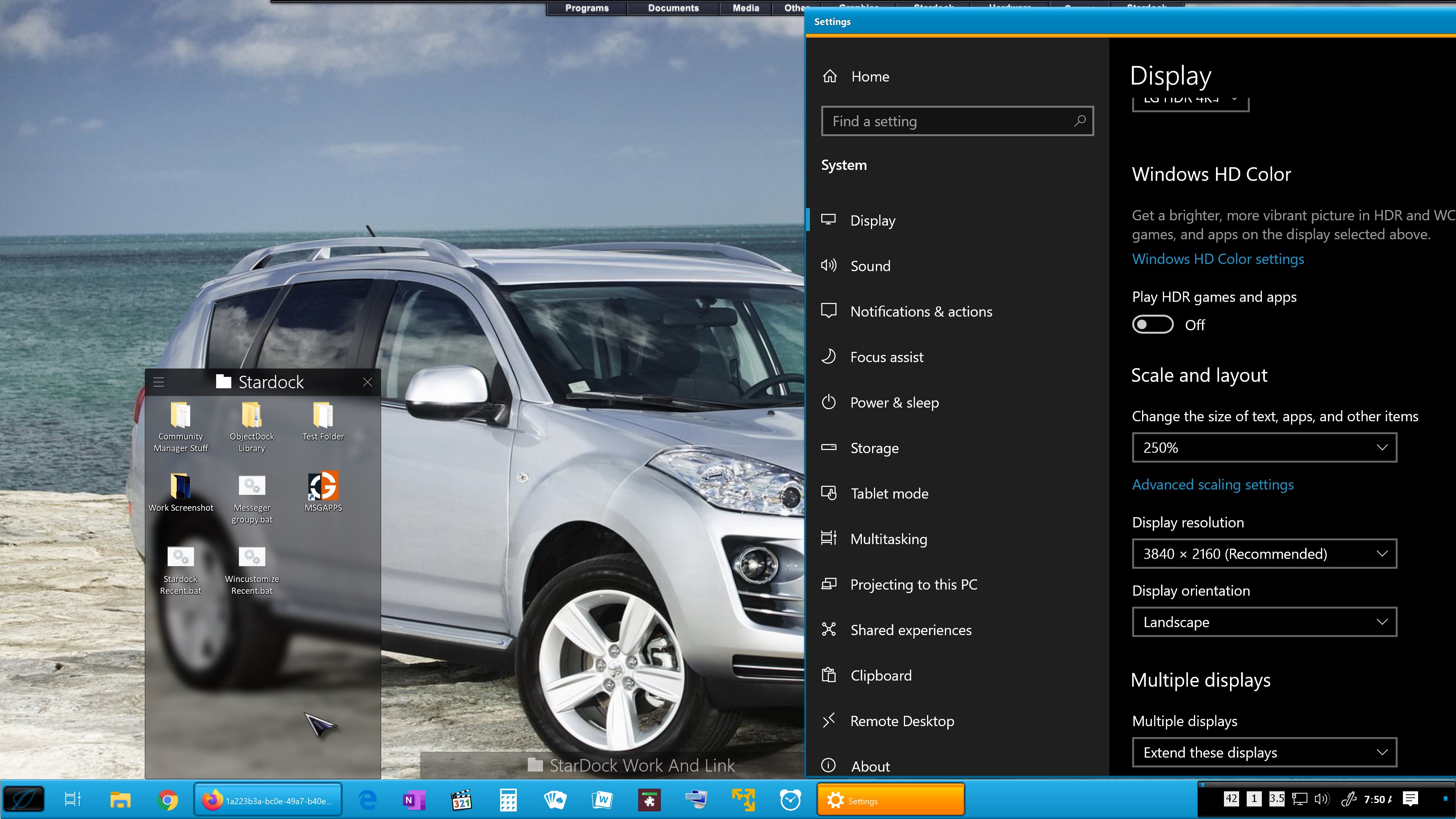
The recomendation from HP says scaling 250% and resolution 3840 x 2160. In this case, icons is still visible partly when using Roll Up function in Fences, which definitely is the reason I have chosen Starbuck.

If this issue cannot be solved, I have to get my money back.

Kind Regards

Stig.

Reply #6 Top

Hello,

I have forwarded your report to the Stardock support team for their review and recommendations.

Please keep an eye on this thread for any updates.

We really do appreciate your feedback, thanks.

AzDude
Stardock Community Assistant

Reply #7 Top

Hello,

Since you did not mentioned that you have 250% scaling, we do not know. Below is screenshot on my system on 250% scaling, still no issue. Again, we ask, have you tried our suggested solution? Purge and reinstall was suggested in reply#1. Please try it first. If it does not work, we can than move on to suggest another solution. We are trying our best to help you help yourself.

Thank you,

Basj
Stardock Community Assistant.

Reply #8 Top

Hi again

I have completely uninstalled the program. Futhermore I have used Advanced System Care to remove any leftovers. Then I installed it again, same issue.

Kind Regards

Stig.


Reply #9 Top

Need to know more.

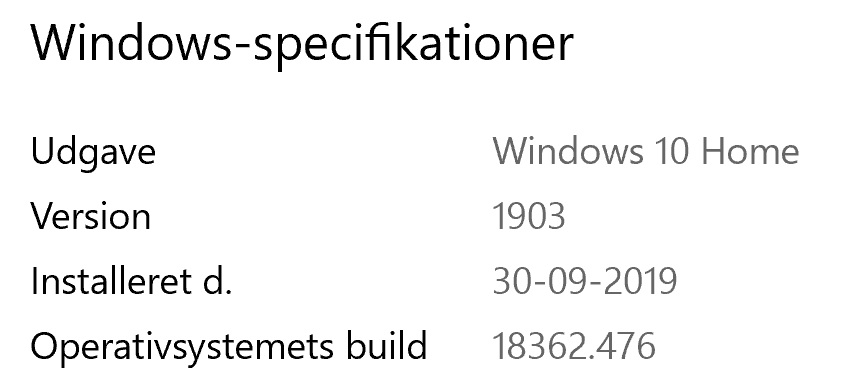
1) Windows version. Please use Winver.exe for full version numbers.

2) Single/Multiple monitor/s resolutions and scaling applied. Connection DVI/HDMI/DP/USB/etc etc

And please try the cleanboot steps : https://forums.stardock.com/486084/fences-support-faq#cleanboot

Try it and report back.

Thank you,

Basj
Stardock Community Assistant.

Reply #10 Top

Hi again.

Windows version is Windows 10, version 1903, build 18362.418.

Only running on my HP laptop

I have now again uninstalled and downloaded again, run as administrator. Icon's disappear after approx. 30 seconds.

Kind Regards

Stig

Reply #13 Top

Hello,
Sorry to hear you are having issues. Still, I can't reproduce your issue on my computer. I have forwarded your questions/problems to the Stardock Support team for their assistance. Please keep an eye on this thread for any updates. We appreciate you feedback and patience.

Thank You,
Basj
Stardock Community Assistant.

Reply #15 Top

Please try the following:

-For Win8/10 Users: Open the Start Screen, and type 'cmd'. Right-click on the search result and select 'Run as administrator' from below.

-For 7 Users: click Start, in the start search field type 'cmd'. Right-click on the search result and select 'Run as administrator'.

-Type: sfc /scannow

-Wait for the scan to complete (this can take several minutes)

Some help on how this looks should you need it:

https://support.microsoft.com/en-us/help/929833/use-the-system-file-checker-tool-to-repair-missing-or-corrupted-system

If the SFC finds errors, but cannot fix them, please also run the following command in the same command prompt window:

dism.exe /online /Cleanup-Image /RestoreHealth

Some help on how this looks should you need it:

https://www.windowscentral.com/how-use-dism-command-line-utility-repair-windows-10-image

The above command should assist with replacing any damaged or problematic system files. Please note, however, since it may require restoring certain files, this process can take some time and you will need to be patient until it has completed.

Please let me know whether this resolves your problem or if you have any additional questions.

Thank you,

Basj
Stardock Community Assistant.

Reply #16 Top

If have the same issue with my laptop running Windows 10 Home 64bit, version 1909 and a 4K touchscreen

I did the "Type: sfc /scannow" and it found and fixed some errors

Then I purged, reboot and reinstalled, reboot but the problem is not solved

Hope you can fix this otherwise I want my money back

Kind regards,

Peter


Reply #17 Top

Quoting plievers, reply 16

If have the same issue with my laptop running Windows 10 Home 64bit, version 1909 and a 4K touchscreen
I did the "Type: sfc /scannow" and it found and fixed some errors
Then I purged, reboot and reinstalled, reboot but the problem is not solved
Hope you can fix this otherwise I want my money back
Kind regards,
Peter
End of plievers's quote

Please try the cleanboot steps mention here in reply#9 and do provide information asked for in that reply.

Thank You,
Basj
Stardock Community Assistant.

Reply #18 Top

Hi again

sfc /scannow did NOT find any issues on my laptop.

I have uninstalled Fences, rebooted, downloaded it again, found file location and run as administrator.

STILL SAME PROBLEM!

It seems to me that Starbuck have a problem. Again, you have to fix it, or I will claim my money back.

Kind Regards

Stig.


Reply #19 Top

Hello,
I have forwarded your questions/problems to the Stardock Support team for their assistance. Please keep an eye on this thread for any updates. We appreciate you feedback and patience.

Thank You,
Basj
Stardock Community Assistant.

Reply #20 Top

Hello,

Sorry to hear you are having trouble.

I too cannot reproduce the issue.

Quoting Stigandersson, reply 18

I have uninstalled Fences, rebooted, downloaded it again,
End of Stigandersson's quote

I understand that you have uninstalled but that is not the same as running the purge:

https://forums.stardock.com/486084/fences-support-faq#reinstalling

Please answer all of the following:

  • The OP is on a laptop, plievers are you?
  • Are either / both of you using a docking station and that is where you see the issue?  If so, and you undock, do you still see the issue?
  • Are either of you using any other multi-monitor software like UltraMon, Actual Multiple Monitors, Nvidia Surround?
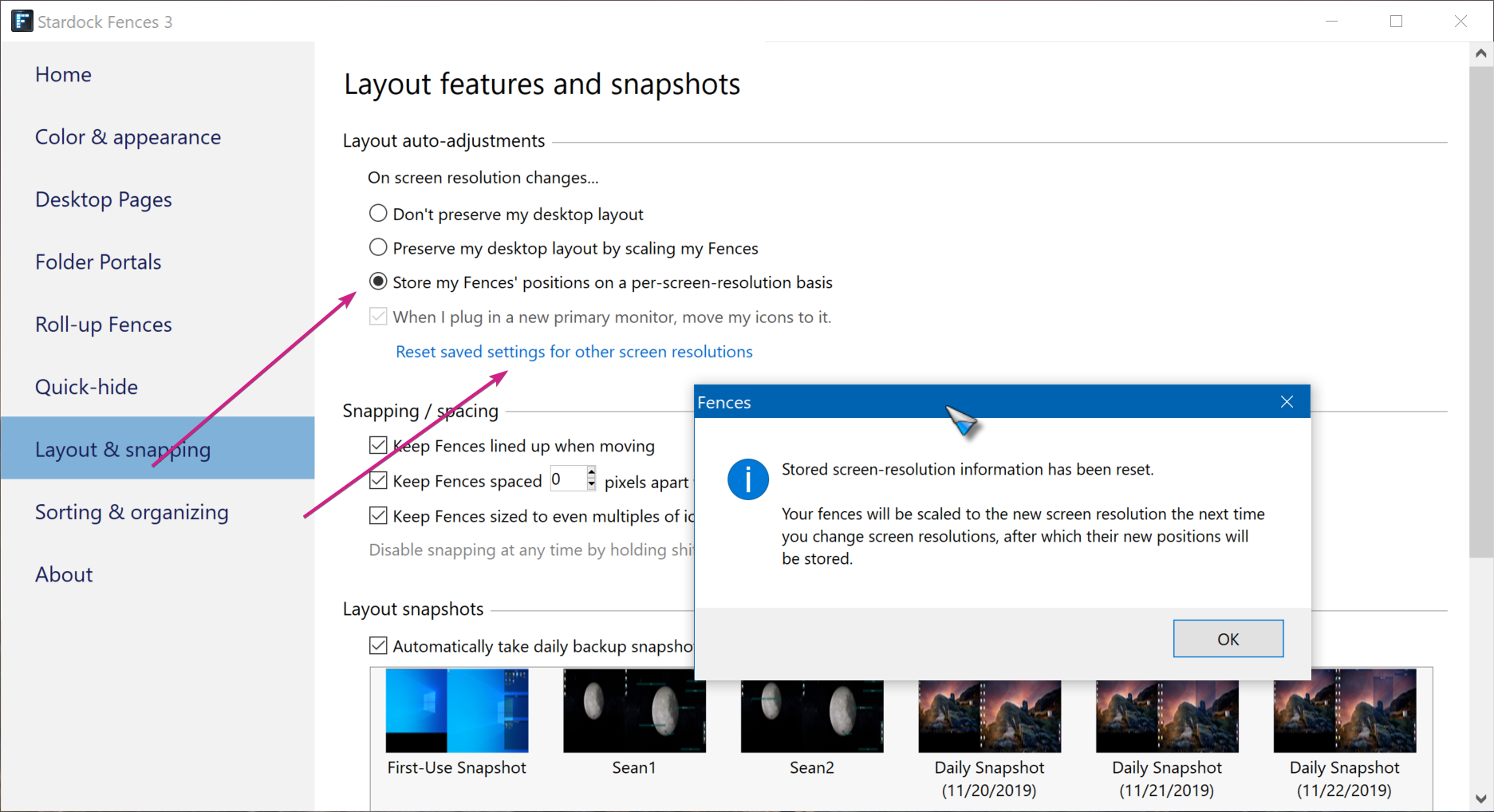
  • Are both of you using this setting and have you reset it:

Sean Drohan
Stardock Support Manager

Reply #21 Top

Btw, would like to know more on your laptop CPU and GPU.

Thank You,
Basj
Stardock Community Assistant.

Reply #22 Top

No docking station, only laptop's own screen.

Settings tryed

Same problem

I allready gave you my laptop specs.

I really have spend a LOT of time on this issue and cannot use any more time, så I would like to have my money back.

Kind Regards
Stig.


Reply #23 Top

Quoting Stigandersson, reply 22

I really have spend a LOT of time on this issue and cannot use any more time, så I would like to have my money back.

Kind Regards
Stig.
End of Stigandersson's quote

You can create a ticket here for that:

https://esupport.stardock.com/index.php?/Tickets/Submit

Cite the thread link, please. 

Sean Drohan
Stardock Support Manager