Auto-added Fences i cannot delete

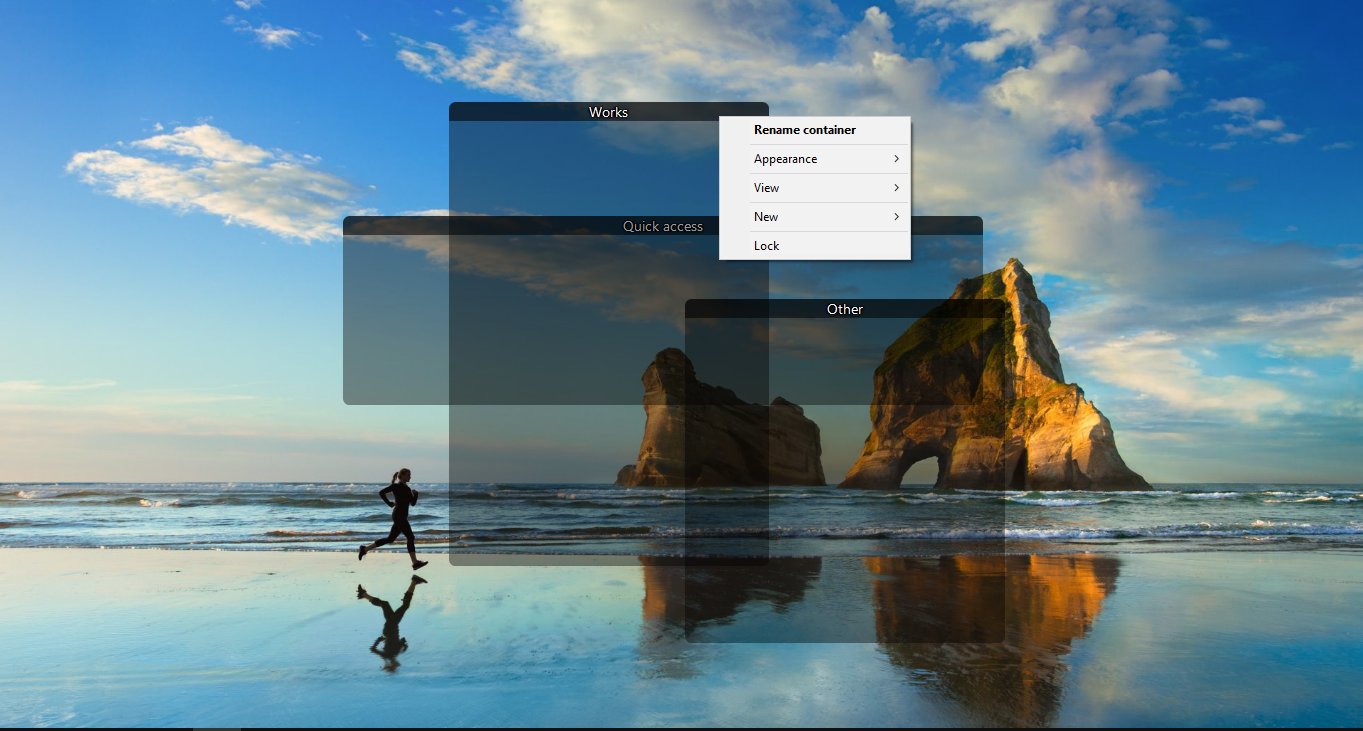
I bought and installed fences a couple days ago and everything was working fine. Today I installed deskscapes and it made me restart to finish the install. When I got booted back up there are 3 new fences on my desktop labeled "Works", "Other", and Quick access". These do not behave the same as my other fences. There is no x when I hover over the title, nor a remove option when I right click. Any ideas?
6,670 views 12 replies
Reply #1 Top

Hello,
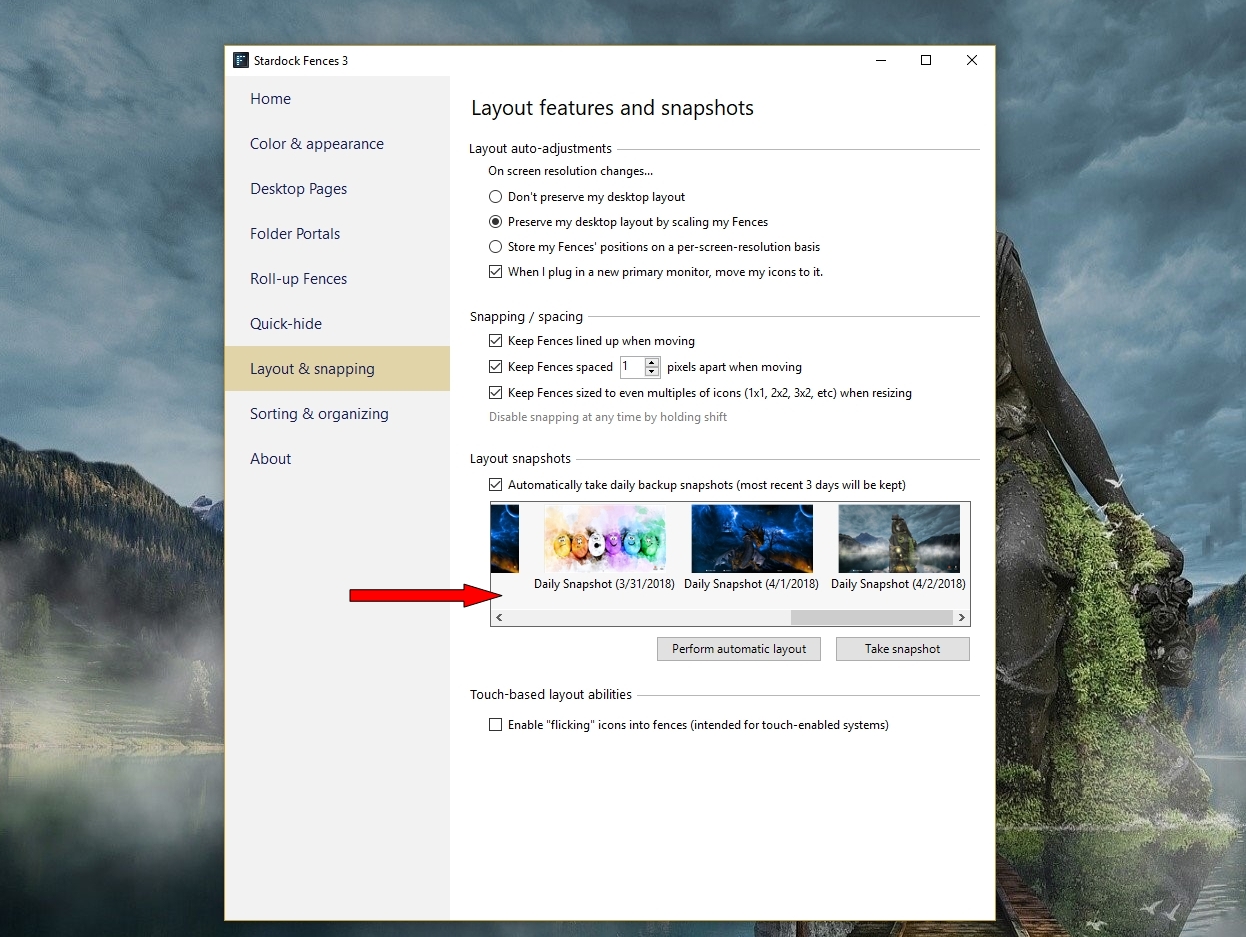
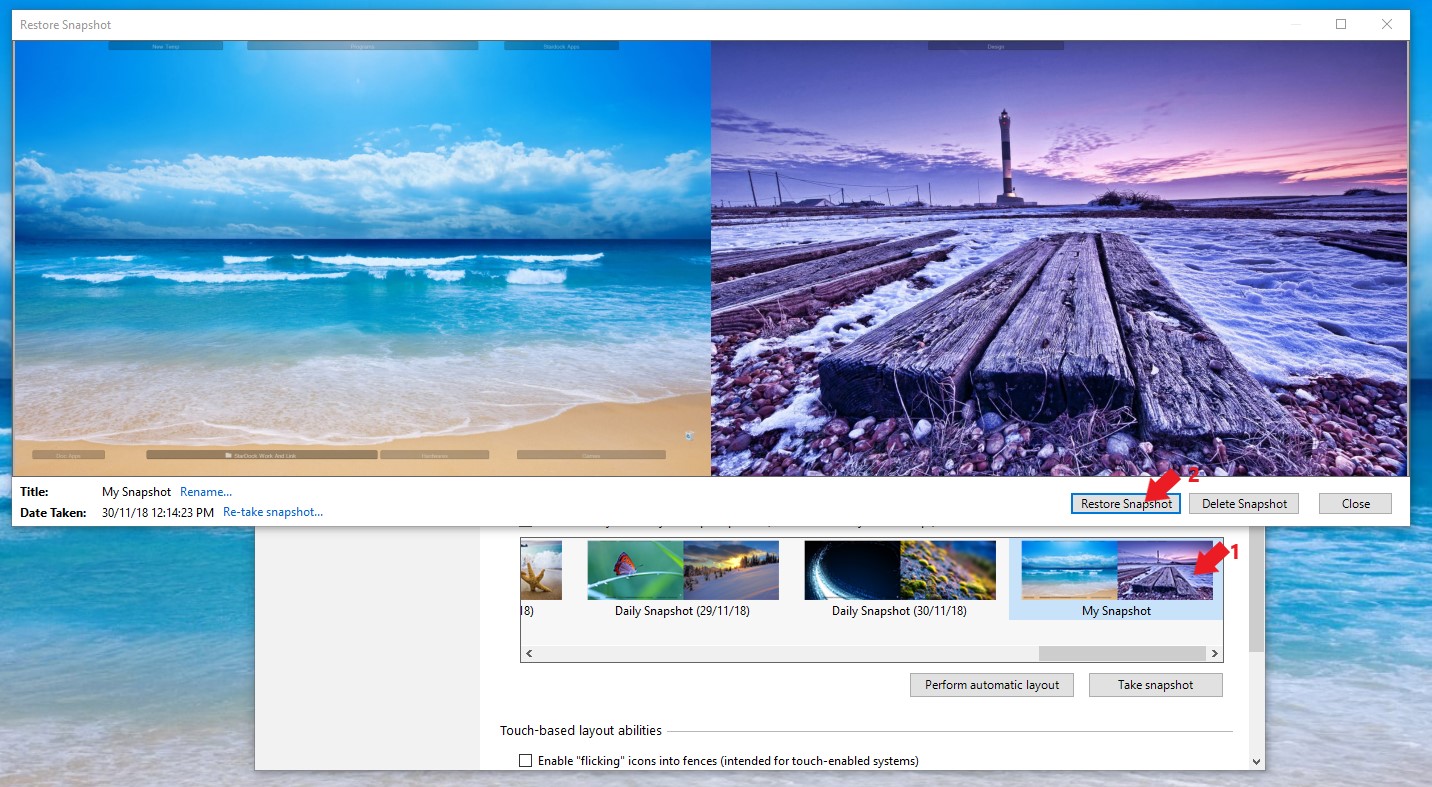
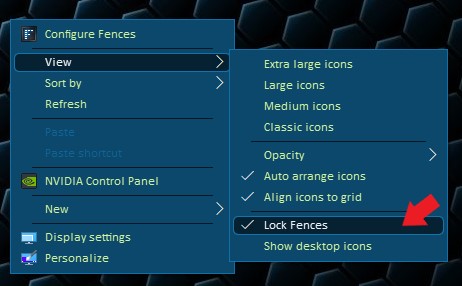
Sorry to hear you are having issues. Not sure what is happening on your desktop. Can  you try the layout snapshot restore and see if it bring back your layout. And also see if you have accidentally locked your fences. Please unlock it to bring back those X on the titlebar.

1) Restore snapshot.

2) Unlock Fences (Right click on desktop -> View -> Lock fences

Basj,
Stardock Community Assistant.

Reply #2 Top

Thanks for the quick reply. 

Restoring the snapshot moved other fences back to where they were, but did not affect the newly added ones at all. Fences are not currently locked. 


Any other ideas?

Reply #3 Top

Try the purge and reinstall steps : https://forums.stardock.com/486084/fences-support-faq#reinstalling

Make sure to re-download the latest version from your account again. Reinstall that after the purge reboot. Reboot again after the installation. Retest and report back.

Thank you,

Basj
Stardock Community Assistant.

Reply #4 Top

Just finished the purge, install and reboot. All my other fences are gone, but the evil 3 remain. Still cannot get rid of them.

Reply #5 Top

Hello,

Sorry to hear you are having issues.

try restoring to a snap shot .


AzDude
Stardock Community Assistant

Reply #7 Top

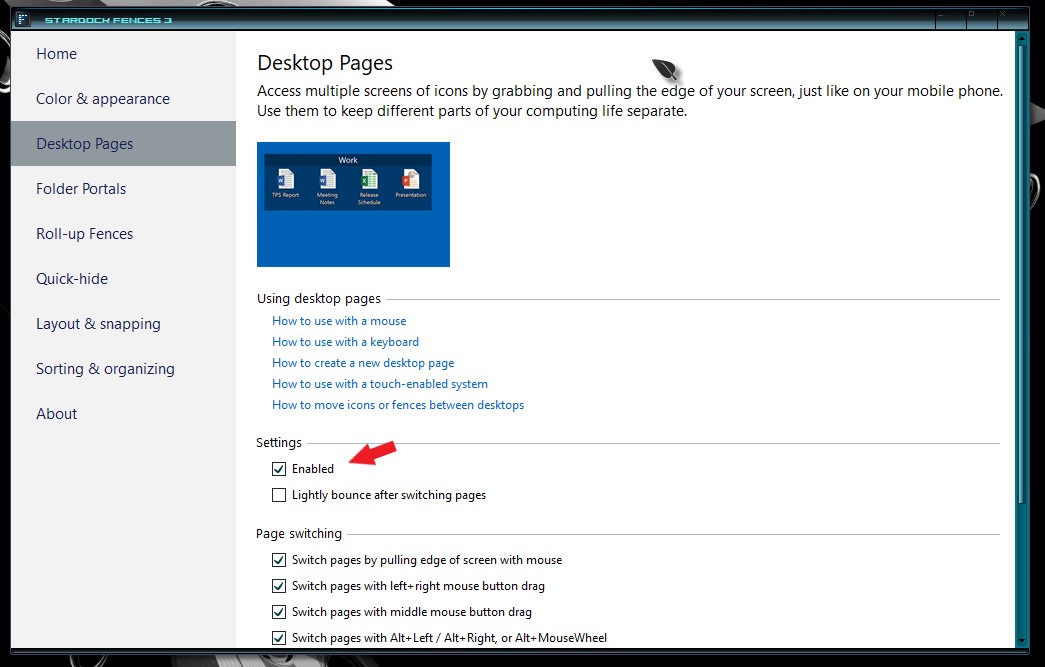
Please try to disable Desktop pages and see if those other fences return.

Thank you,

Basj
Stardock Community Assistant.

Reply #8 Top

I can create the other fences no problem. The issue is that I cannot get rid of the 3 that were auto-created.

Reply #9 Top

Hello,

Sorry to hear you are having issues.

A little more info needed .

1 what version of Windows ( full )  .. use winver.exe for that

2 what version of Fences

3 show us a screenshot of the evil fences .


AzDude
Stardock Community Assistant

Reply #11 Top

Hello,

I have forwarded your report to the Stardock support team for their review and recommendations.

Please keep an eye on this thread for any updates.

We really do appreciate your feedback, thanks.

AzDude
Stardock Community Assistant

Reply #12 Top

Quoting Mossiping, reply 4

Just finished the purge, install and reboot. All my other fences are gone, but the evil 3 remain. Still cannot get rid of them.
End of Mossiping's quote

If you do the purge, and do not reinstall, are the errant Fences there?

Sean Drohan
Stardock Support Manager