Can not unregister Fences3

no internet connection availalble

Hallo

I got a new notebook and want to unregister fences on the old notebook to be able to use the product key on new notebook. Unfortunately it (fences )tells me there  is no internet connection. So I am not able to unregister the product.

I found no instructions in forum. I sent my product key and order information to support team. But support team seams not to support at all. I am always auto-answered to use this forum.

Any suggestion?

Thanks in advance

eu


6,634 views 7 replies
Reply #1 Top

Hello,
Sorry to hear you are having issues. Please try these steps : https://forums.stardock.com/486311/accounts-and-activation-support-faq#deactivatecommandprompt

Please make sure the product and product version accordingly.

Let us know if you still need our assistance.

Note : You can install and activate Fences up to 5 pcs if it for your own computer as mentioned here : https://forums.stardock.com/486311/accounts-and-activation-support-faq#pcinstalls


Basj,
Stardock Community Assistant.

Reply #2 Top

Hallo,

tried as described in URL.

Fences 3:
"C:\Program Files (x86)\Stardock\Fences3\SdDisplay.exe" -deactivate -prodID=2628 -prodName="Fences3" -company="Stardock" -prodVer="2.90"

Execution ends without any messages. Error or not - can not answer.

Fences (on old notebook) tells me now that I have to register Fences, so, I assume it worked.


Now, trying to register product on new notebook (through offline registration process on your activation page) I get error message

"The email address does not match the email on record. (1011)"

Thanks

eu


Reply #3 Top

Hello,
I have forwarded your questions/problems to the Stardock Support team for their assistance. Please keep an eye on this thread for any updates. We appreciate you feedback and patience.

Thank You,
Basj
Stardock Community Assistant.

Reply #4 Top

Hello,

Sorry to hear you are having trouble.

Use your *****.*******[email protected] address - the one you activated under.

Sean Drohan
Stardock Support Manager


Reply #5 Top

In the assumption that it works the same with Fences:

   Future reference:

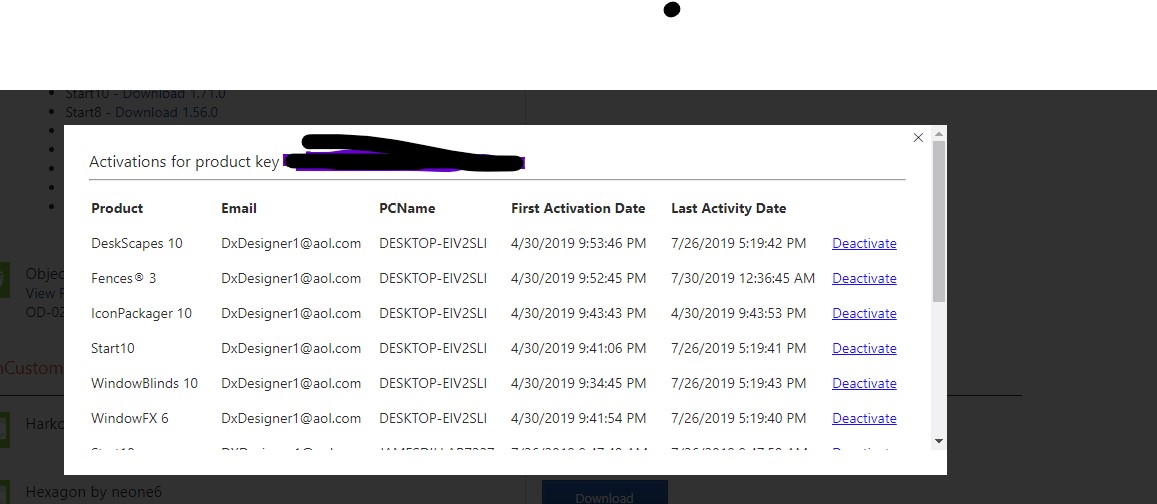
   Deactivation can be accomplished by going to your Stardock account, My Downloads, click on manage at the key, deactivate where needed.  See pics.


Reply #6 Top

Hallo,

problem solved.

1.unregistering - worked the way described in the link (command line unregister).

2. registration did not work, because on very first registration I misspelled my email address. Support team figured this out and corrected the mail.

Thank you

eu

Reply #7 Top

Great, 

Thank you for reporting back.


Basj
Stardock Community Assistant.