
Start 10 Not Replacing Windows Start (button and functionality)

Summary

Within the last week, Start 10 has stopped replacing the Windows Start button and functionality.

Config

Windows 10 Pro 64 (latest build)

Start 10 1.71

Troubleshooting

- completely reinstalled Start 10 using downloaded 1.71 (briefly worked)

- deleted all of Tiny Take's hot key settings

Workaround

- launch Start 10 using "run as admin"


Please help - using Win 10 Start is maddening...
5,031 views 10 replies
Reply #1 Top

Hello,
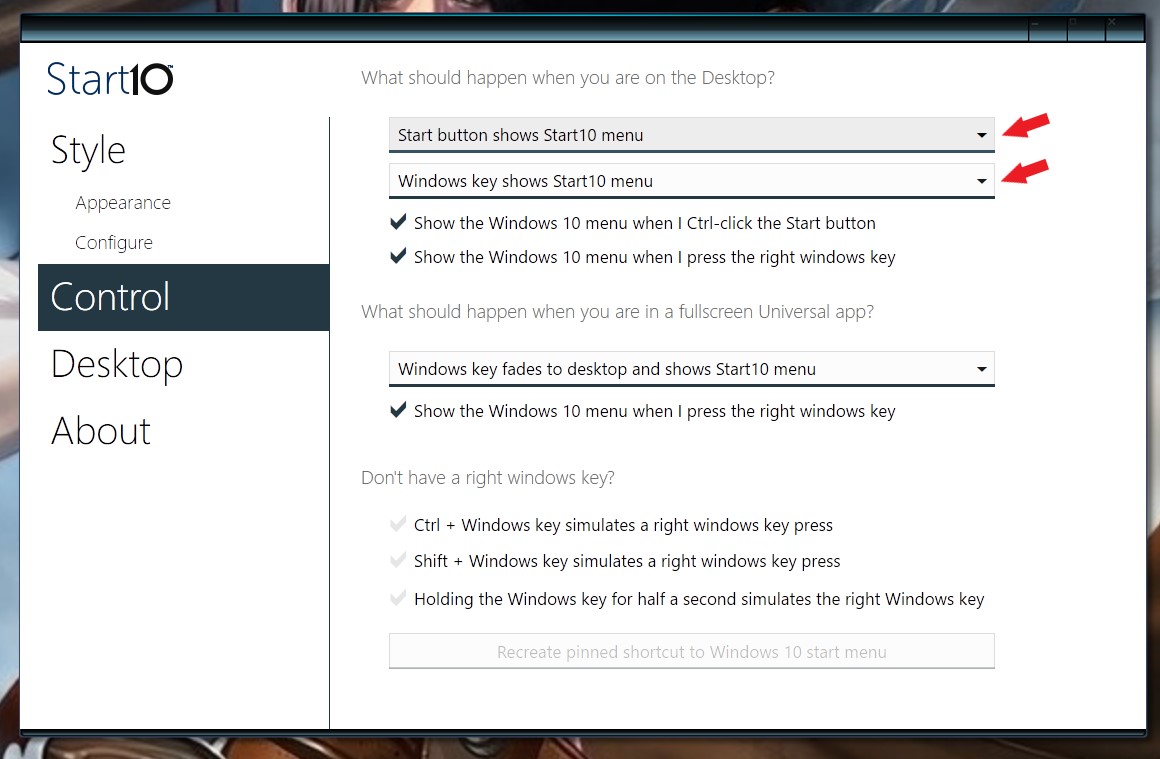
Sorry to hear you are having issues. Need to know what are your setting on this options :


Basj,
Stardock Community Assistant.

Reply #2 Top

Mine are the same as your screenshot. And I haven't changed anything recently. This issue just started spontaneously....

Reply #3 Top

Please try the purge and reinstall steps listed here : https://forums.stardock.com/486022/start10-support-faq#reinstalling

Just make sure to re-download the latest version from you account, Install it. Reboot after the installation. And re-test.

Report back here.

Note: It is best to install it onto your main os drive C:

Thank you,

Basj,
Stardock Community Assistant

Reply #4 Top

I have also been having this problem for about a month now.  I can't even delete the app and reinstall it!  It just gives me the message "failed to load plugin: C:\Program Files (x86)\Stardock\uninstall\encoding.Imd (#1)".  Please let us know how to resolve this!  I despise Win 10 as it is.  It's only saving grace was the ability to use your app to navigate it!  TIA

Reply #6 Top

I don't know if you read my original post, but I already completely uninstalled / reinstalled Start 10 - it worked briefly, then stopped working.

The only way to get Start 10 to work is to manually launch it with run as admin...

Reply #7 Top

Quoting IMTanuki, reply 6

I don't know if you read my original post, but I already completely uninstalled / reinstalled Start 10 - it worked briefly, then stopped working.

The only way to get Start 10 to work is to manually launch it with run as admin...
End of IMTanuki's quote

Did you do the " Purge " different than a regular uninstall ?

Reply #8 Top

I figured out what the problem was: Start 10 was dropped from the Win Startup folder. Note that this occurred before I re-installed Start 10 and I never go near the startup folder, so I'm not sure what caused that to happen. It wouldn't surprise me if that's a Microsoft thing.

Reinstall did not add Start 10 to the startup folder, but to answer your question, I didn't "purge" anything, although I didn't see any option other than uninstall.

What is confusing is that I have Start 10 pinned to my taskbar and, if I launch it from there, currently it doesn't replace the Win Start button (it used to).

So, I manually added Start 1o to the startup folder and now it works.

FWIW, Microsoft really doesn't like products like yours and I believe they made things progressively more and more difficult for Classic Shell, to the point where the s/w developer eventually abandoned that product. I suspect the same thing may be happening with Start 10. If so, you should disclose that - if people are buying a product, even for $5, and there is a known, albeit anti-competitive, compatibility issue, that should be disclosed.

Reply #9 Top

Start10 is not in the startup group, it has a service to start things and that is the correct way to launch it.

It sounds like the service was set to not starting automatically on your computer.  This has probably been caused by an anti virus application 'protecting' you.

Reply #10 Top

a) Start 10 is set to start automatically in Services, but it wasn't replacing the Windows start button.

b) I use Zone Alarm it's not blocking Start 10 nor have I changed any of the firewall settings in months.

c) I tested my workaround (putting Start 10 in the startup folder) and it seemed to work. I'll monitor over the next few days.

I don't know what to tell you. I think there's either a bug in Start 10 or MS is messing with anything that it deems an encroachment on core windows functions.

Again, anytime you override an MS "feature", it's only a matter of time before MS tries to shut you down.