

Icons still hidden after UNinstall of Fences v1
 Stardock Forums
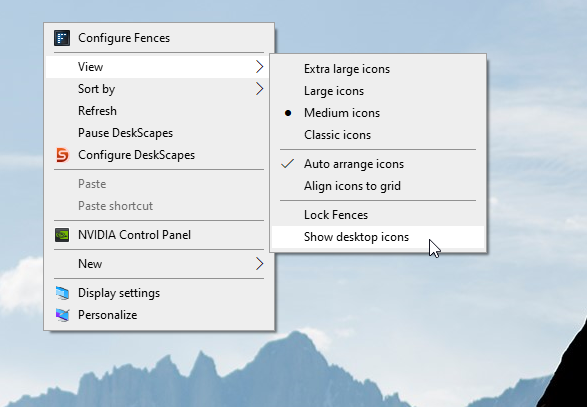
I installed Fences1 on PC1. Set DoubleClick to hide icons. Logged of from domain. Logged in on PC2. That PC did not have Fences. But my icons were gone, so I installed there Fences too. Then, another user (User2) logged in on PC2. Icons disappeared. User2 logged in on PC3 (another PC with no Fences1). There, icons are disappeared. So it must be a setting in the (Windows registry in) roaming profile. We have many PC's. I can't install Fences on all PC's. I will not. So I decided to remove it everywhere.
I'm now testing on PC1. User2: icons hidden. While user2 is logged on: I started appwiz.cpl with local admin rights to remove Fences. At removing, Fences asks to remove all settings. I clicked yes. Restart PC: icons are back (luckily) for user2. Restart PC: local admin: now the icons are gone again... So it must be a setting in the registry for the user 'local admin' itself?
Main question: Which Windows registry setting (must have been set by Fences1) tells Windows to hide the icons?
Roaming profile of user2 seems fine now (at least on PC2); what with other PC's where user2 has been logged on? Should the roaming profile of user2 overrule the hide-icon setting in his profile (on a number of PC's now)?
Maybe it was a bug in Fences1, that icons remain hidden after uninstall (and, ofcourse, after uninstall, users can't UNhide them with doubleclick).
I happily use Fences1 at home (and I don't need settings from newer versions); but on PC's for domain users it seems an unwise thing to do.

 .
.