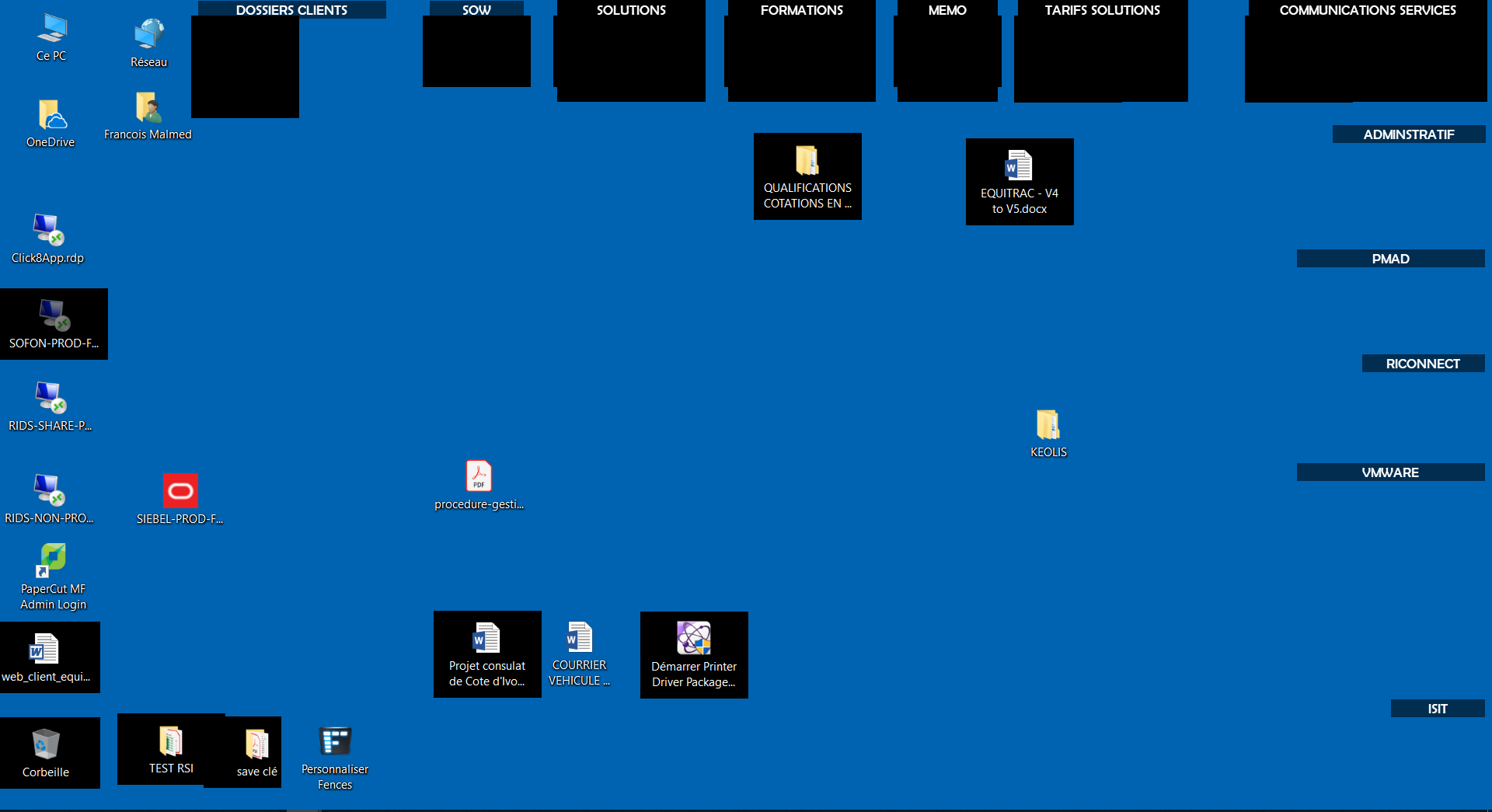
DIsplay bugs with Fence

Display bugs with Stardock fence.

One of the latest microsoft updates, would seem to cause many display bugs with Fence.

The wallpaper loses its original color and turns black when you move the mouse over an icon, or at the click of a mouse.

Does anyone have a solution to propose ?

6,377 views 11 replies
Reply #1 Top

Hello,

Sorry to hear you are having issues. Please try the purge and reinstall steps : https://forums.stardock.com/486084/fences-support-faq#reinstalling . Make sure to re-download the latest version from your account. Reboot after the purge. Reinstall that and reboot again. Retest and report back here.

Thanks

Basj,

Stardock Community Assistant.

Reply #4 Top

Not at all...

I hope we will find an issue because I am pain in my work. thanks again

Reply #5 Top

Hello,

Could you please send us a screen capture of your desktop. Please try using the original Windows 10 wallpaper so we can compare with something we knew.

Reply #7 Top

Please try the following:

-For Win8/10 Users: Open the Start Screen, and type 'cmd'. Right-click on the search result and select 'Run as administrator' from below.

-Type: sfc /scannow

-Wait for the scan to complete (this can take several minutes)

Some help on how this looks should you need it:

https://support.microsoft.com/en-us/help/929833/use-the-system-file-checker-tool-to-repair-missing-or-corrupted-system

If the SFC finds errors, but cannot fix them, please also run the following command in the same command prompt window:

dism.exe /online /Cleanup-Image /RestoreHealth

Some help on how this looks should you need it:

https://www.windowscentral.com/how-use-dism-command-line-utility-repair-windows-10-image

The above command should assist with replacing any damaged or problematic system files. Please note, however, since it may require restoring certain files, this process can take some time and you will need to be patient until it has completed.

Please let me know whether this resolves your problem or if you have any additional questions.

Thank you,


Basj,

Stardock Community Assistant

Reply #8 Top

Hello,

the problem is still here. it is actually caused when using 2 screens, with an extended desktop

Reply #9 Top

What is your connection type on both monitors. : DVI, HDMI, DisplayPort, VGA port or USB?

Thank you,


Basj,

Stardock Community Assistant

Reply #10 Top

I connect in hdmi but in any case it's the same problem that I'm connected in hdmi, vga or dvi