
Locked desktop

Installation of Fences (Win 10) locks my desktop.  Uninstalling unlocks.  Tried rebooting, checking desktop preferences etc.
7,260 views 5 replies
Reply #1 Top

Hello,

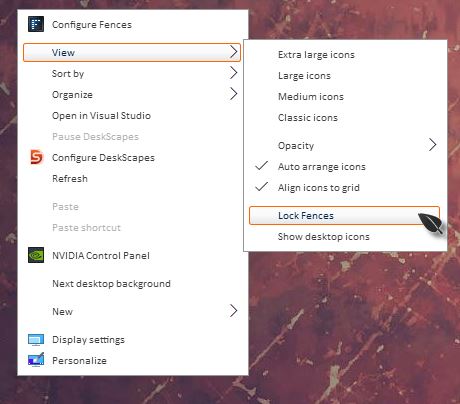
Sorry to hear you are having issues. What do you mean by "Locks my desktop" please elaborate. Might it be you mean, fences was lock and you cannot move icons into and out from it? If so please check if the fences is not locked. Right click anywhere on desktop-> View -> un-check "Lock Fences"

Basj,

Stardock Community Assistant.

Reply #2 Top

Lock fences is not checked. 

All my desktop icons are locked in place (no fences have been added as yet).

Reply #3 Top

Hello,

Please try the purge and reinstall step to see if solve your problem.https://forums.stardock.com/486084/fences-support-faq#reinstalling

Just make sure to re-download the latest version again from your account. Reboot after the purge. Install the new downloaded file and reboot again. Report back here.

Thank you,


Basj,

Stardock Community Assistant

Reply #5 Top

Great, glad it solved. 

Thank you for reporting back.


Basj,

Stardock Community Assistant