windows 10 1803 - Start10_1.70b_setup_sd.exe install errors GetMachineSid.exe
Running the upgrade exe as administrator on windows 10 1803 https://www.screencast.com/t/smrgQ56Ph4

Hello,
I have forwarded your report to the Stardock support team for their review and recommendations.
Please keep an eye on this thread for any updates.
We really do appreciate your feedback, thanks.
AzDude
Stardock Community Assistant
Try redownloading the installer and trying again. If that fails, and you are using native Windows Defender, try turning off Controlled Folder Access:
https://support.microsoft.com/en-us/help/4046851/windows-10-allow-blocked-app-windows-security
----------------
Sean Drohan
Stardock Customer Service Manager
Same error. We are not using Windows defender or controlled folders.
If you create a new Windows Admin account, and install under it, does it work then? If so, is the new version installed under your main account as well?
----------------
Sean Drohan
Stardock Customer Service Manager
Let me try that and get back to you...
even with a new admin user the error persisted.
I just clicked ok to the errors and the installer continued.
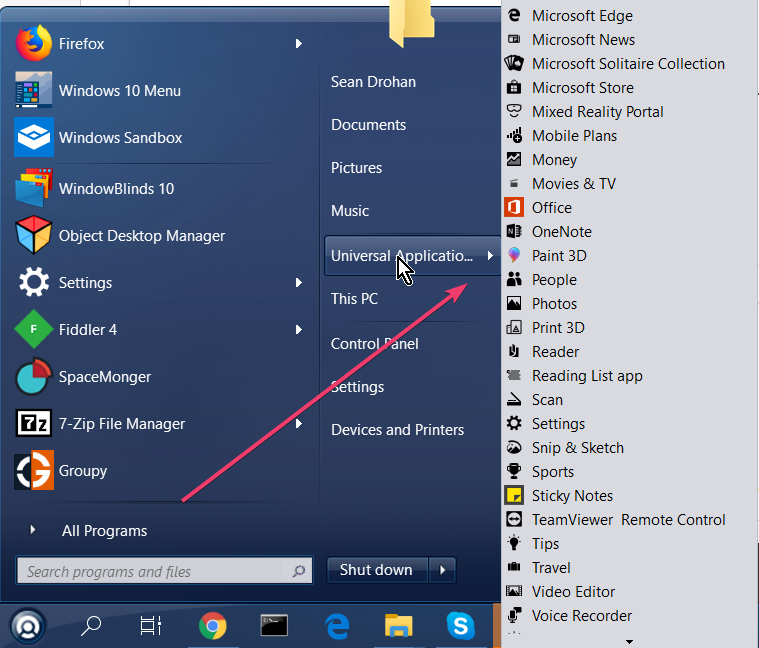
The start10 1.7 is now having issues showing the sub menus on hover.
https://www.screencast.com/t/tmENcXh3
https://www.screencast.com/t/2qTfqH9Ox
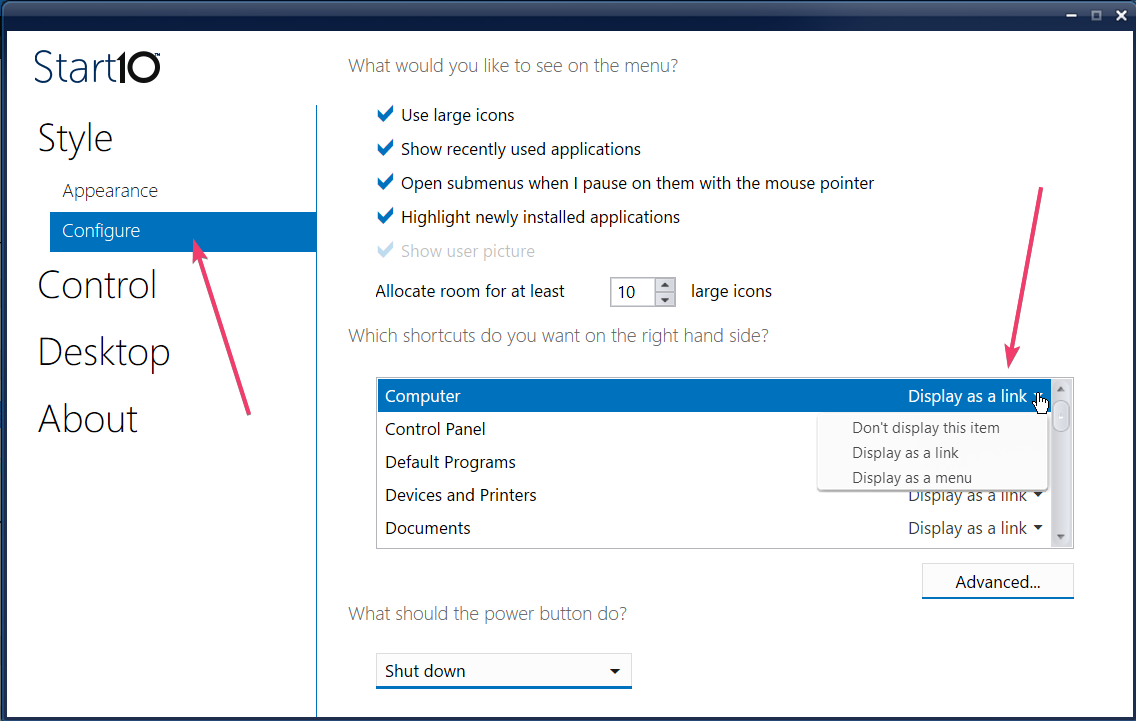
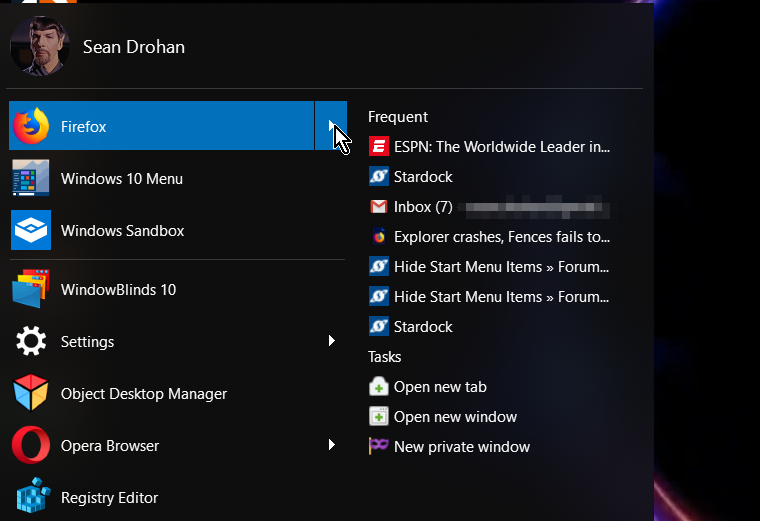
Your second image is not one Start10 would display. The setting menu you pictured controls how this looks in Start10:

----------------
Sean Drohan
Stardock Customer Service Manager
Hello,
I am not sure how you pin those apps into your start10 but for me, I can get it to shows its listed item on the right panel of Start10. And for those apps with recent files opened list. Like Excel, Word, Media player, it will have it on the right also. All link with that white/gray arrow will have something listed on the right panel when your mouse hover over it.

For me, I usually use the "Pin to Start menu (Start10)" with a right click on the program I wanted to pin on it.

Thank you,
Basj,
Stardock Community Assistant
@sean, what setting controls the expanded hover submenus in start 10?
@basj, That is how those pins were created, right click Pin to Start 10. https://www.screencast.com/t/UyszY9oUsFpg
The submenus used to work. They stopped working after the 1.7 update.
Hello,
Could you try unpin that chrome. And re-pin to start10 using that same method I mentioned above and see if it works for Chrome.
Thank you,
Basj,
Stardock Community Assistant

----------------
Sean Drohan
Stardock Customer Service Manager
@sean I don't think you are understanding the problem. When you click on the start10 button to have the menu pull up, you can pin items to the start menu. The items pinned used to show menu options like in @basj photo when hovering over them.
Unpinning and repinning, does not fix the issue. The submenus options still are not displaying.
Unpinned Excel:
https://www.screencast.com/t/jWsiNDKq
https://www.screencast.com/t/o6zTmKw2KV
Re-Pinned Excel:
https://www.screencast.com/t/vMpNntyFc
https://www.screencast.com/t/lSAndnev0w1M
Please try the purge and reinstall steps : https://forums.stardock.com/486022/start10-support-faq#reinstalling
Just make sure to re-download the latest version again from your account. Reboot after the purge. Install it and reboot again. Retest and report back here.
Thank you,
Basj,
Stardock Community Assistant
I see. They still do for us:

See if basj last reply helps - to purge and reinstall.
----------------
Sean Drohan
Stardock Customer Service Manager
I downloaded the batch file, ran it as admin, uninstalled start10, rebooted. installed start10, rebooted.
the hover over submenu options are still not there. I tried unpinning all the items and repinning again.
Do you have this enabled:
----------------
Sean Drohan
Stardock Customer Service Manager
No. I did not.
And now it works...?
----------------
Sean Drohan
Stardock Customer Service Manager
When I enabled it my submenus came back!
Thanks!
A windows update could have toggled that likely. Thank you for all the help guys!
https://www.screencast.com/t/jePB9soqF9M
Welcome Guest! Please take the time to register with us.