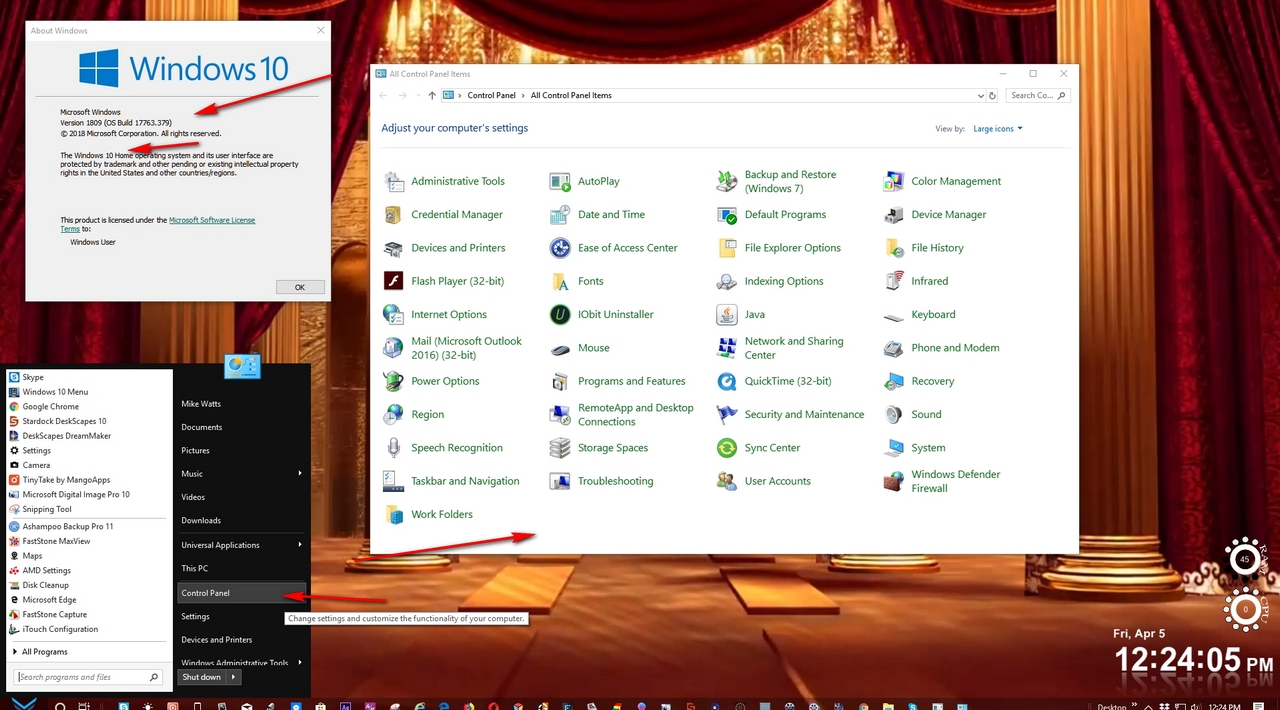
Control Panel Crashes

Updated Windows Today (4/5/19)

I am trying Start10.  I have it installed on Windows Home 10 that was updated today.  When I open the control panel, it opens, then closes on its own and goes back to the desktop.   I would like to know this can get working and I'll buy it.  Is it compatible with the latest Windows release?


Windows 10 Home

Version 1809

Installed 4/5/2019

OS Build 17763.379

2,397 views 6 replies
Reply #1 Top

Hello,

Sorry to hear you are having issues.

I have same latest windows version 1809 Home and Start 10 and all works for me  no crashes.


Try this Purge https://forums.stardock.com/486022/start10-support-faq#reinstalling

REBOOT and reinstall Start 10 Reboot and report back here , please


AzDude
Stardock Community Assistant

Reply #2 Top

That didn't get it.  I think I may know the problem.  I had Classic Shell until the Windows Update blocked it so it kept opening and closing.   I had a setting in Classic Shell to open the Control Panel in Categories View, which it still does now.  I'm wondering if that's what the problem is.

I may have to dig through the registry and get rid of any bits and pieces from Classic Shell.  Unfortunately, even if I reinstall Classic Shell, it wont stay open long enough to turn that option off.  It opens, Windows closes it, it re-opens, windows closes it ........   When that was going on, I was lucky to even be able to uninstall it.

Reply #3 Top

Question:  When I do install the program, it does tell me it has to rebuild the Control Panel at an Elevated level.  Is that a normal part of the installation process?

Reply #4 Top

Quoting crecord1, reply 3

Question:  When I do install the program, it does tell me it has to rebuild the Control Panel at an Elevated level.  Is that a normal part of the installation process?
End of crecord1's quote

Not normal , sounds like an issue with your PC .

 Please try the following:

-For Win8/10 Users: Open the Start Screen, and type 'cmd'. Right-click on the search result and select 'Run as administrator' from below.
For Win7 Users: click Start, in the start search field type 'cmd'. Right-click on the search result and select 'Run as administrator'.
-Type: sfc /scannow
-Wait for the scan to complete (this can take several minutes)

In addition, please also run the following command in the same elevated (Run as Admin) command prompt window:

dism.exe /online /Cleanup-Image /RestoreHealth

The above command should assist with replacing any damaged or problematic system files. Please note, however, since it may require restoring certain files, this process can take some time and you will need to be patient until it has completed.

Please let me know whether this resolves your problem or if you have any additional questions.


AzDude
Stardock Community Assistant

Reply #5 Top

 I found the problem, it seems others have had the same issue as well.  I had to delete IDTNC64.cpl from System 32 folder and sttray.64 from the windows folder.  All is good now.  

It seems it may have been added back by Windows somehow on the last big update.

Reply #6 Top

Quoting crecord1, reply 5

 I found the problem, it seems others have had the same issue as well.  I had to delete IDTNC64.cpl from System 32 folder and sttray.64 from the windows folder.  All is good now.  

It seems it may have been added back by Windows somehow on the last big update.
End of crecord1's quote

Well , good to hear  for now ..