I just bought Windowblinds - it came with Object Desktop

so far, all I was able to do with it is change back to a look that reminded me of XP, . . . none of the other styles work, please Help!

Can someone please explain how I can have a variety of interesting different styles for Windows 7 ?

Thanks in Advance - Jon

8,756 views 12 replies
Reply #1 Top

Hello,

Sorry to hear you are having issues. No, Windowblinds does not come with ObjectDesktop. But ObjectDesktop does come with Windowblinds as one of its software package. Please refer to this : https://www.stardock.com/products/odnt/

And with regards to your question on Windowblinds not applying other styles. Can you tell me more details about your system.

1) Windows version. Please use winver.exe to get the full version numbers.

2) Windowblinds version installed.

3) List of styles that work and that not working.

Thank you,


Basj,

Stardock Community Assistant

Reply #2 Top

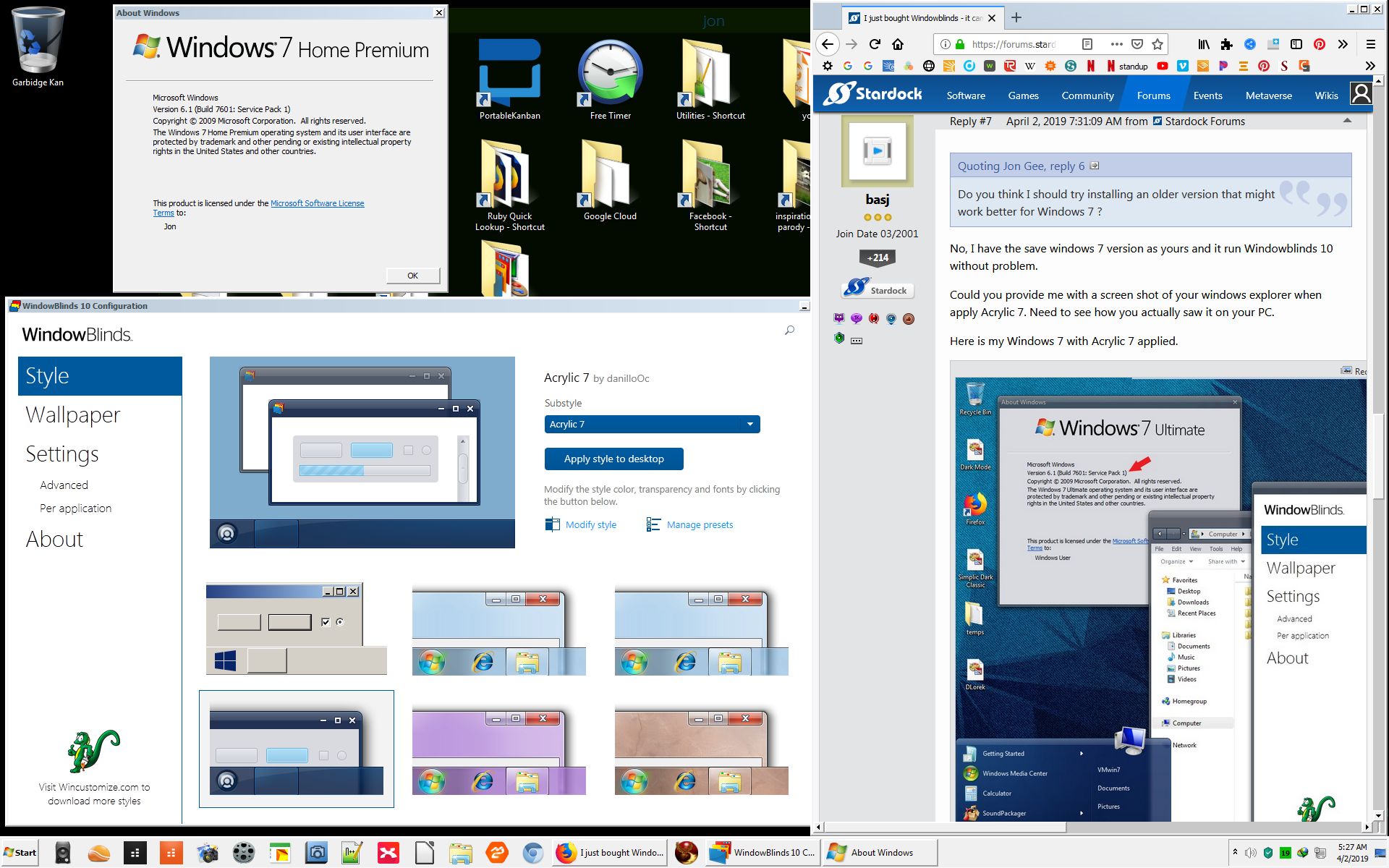
Windows 7 Version 6.1 (Build 7601: Service Pack 1)

Windowblinds version 10

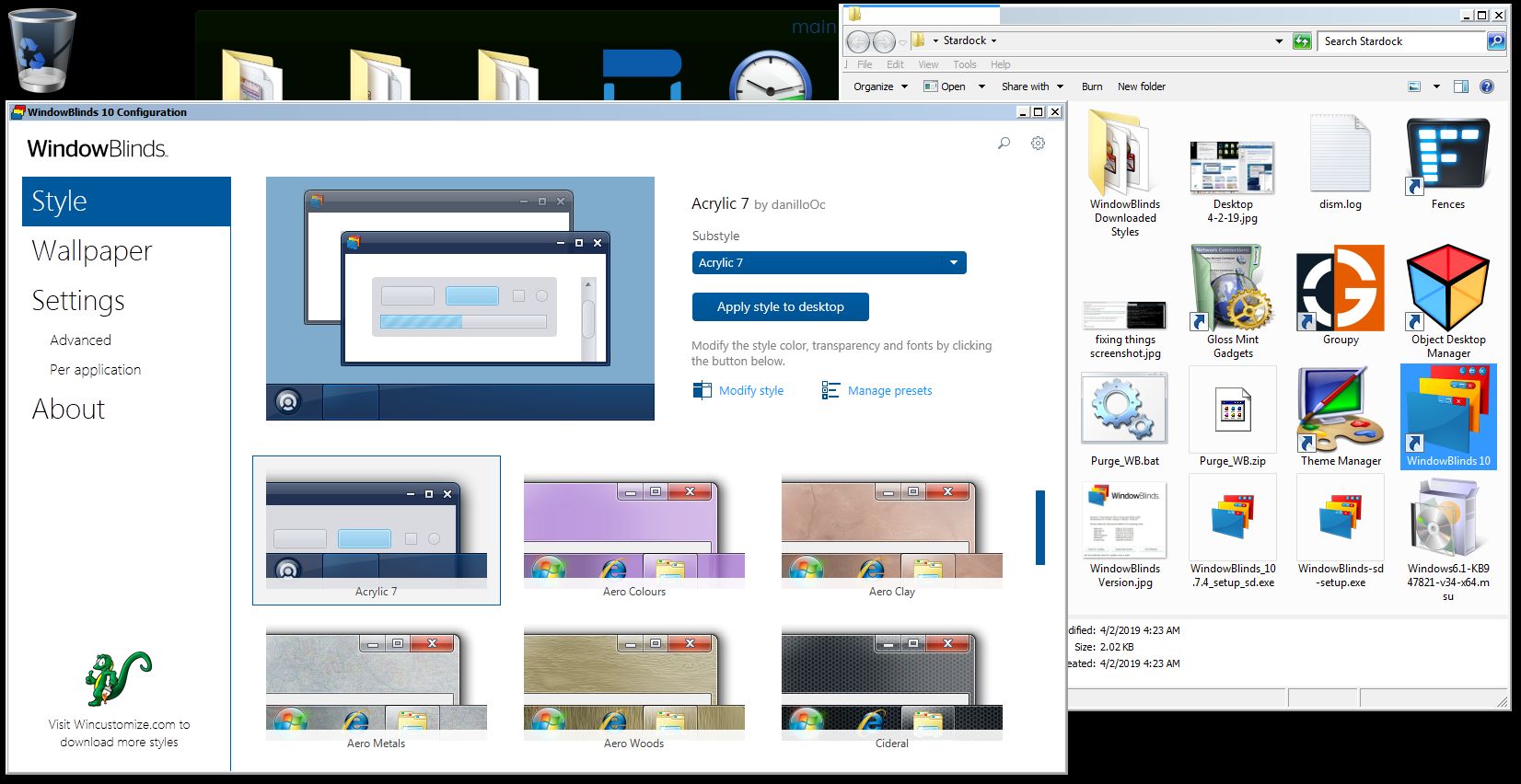
Windows Aero Style Works. None of the other styles work. ( they all look the same - like an old version of windows - imagine XP )

Also, I was wrong. I purchased Object Desktop and it came with Window Blinds and not the other way around.
I have used Window Blinds before, several years ago and it had worked with Windows 7 back then. I hope that I can use more than just Fences with this purchase of Object Desktop.

Thanks - Jon

Reply #3 Top

Please try the purge and reinstall steps mentioned here : https://forums.stardock.com/486023/windowblinds-support-faq#reinstalling

Please make sure to re-download the latest version of Windowblinds from your account. Install that version. Reboot and retest it. Report back here.

Thank you,


Basj,

Stardock Community Assistant

Reply #4 Top

Thanks Basj, I used the BAT file and it removed Window Blinds. The shortcut no longer works and I deleted it.
Where can I find the download link for Window Blinds?

thanks - Jon

Reply #5 Top

You should be able to download all your Object Desktop application, including Windowblinds from your account. : https://store.stardock.com/myaccount/products

Thank you,


Basj,

Stardock Community Assistant

Reply #6 Top

Basj, I uninstalled using the BAT and reinstalled and still get the same results. I can only use Windows Aero Style. The other styles all look the same,. like an old version of windows. Do you think I should try installing an older version that might work better for Windows 7 ? If so, which one?

Thanks, Jon

Reply #7 Top

Quoting Jon, reply 6

Do you think I should try installing an older version that might work better for Windows 7 ?
End of Jon's quote

No, I have the save windows 7 version as yours and it run Windowblinds 10 without problem.

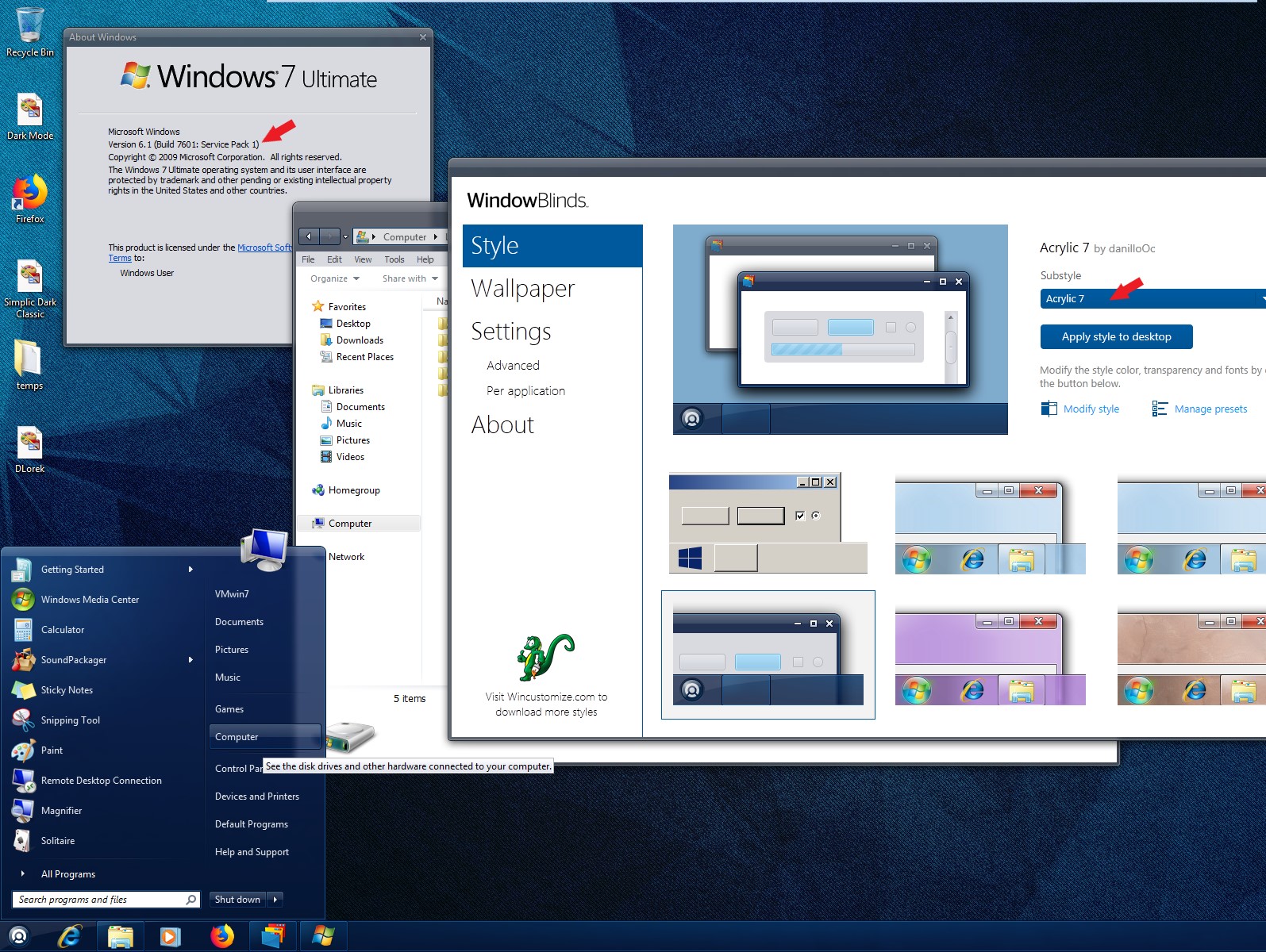
Could you provide me with a screen shot of your windows explorer when apply Acrylic 7. Need to see how you actually saw it on your PC. 

Here is my Windows 7 with Acrylic 7 applied.

Thank you,


Basj,

Stardock Community Assistant

Reply #9 Top

Please try the following:

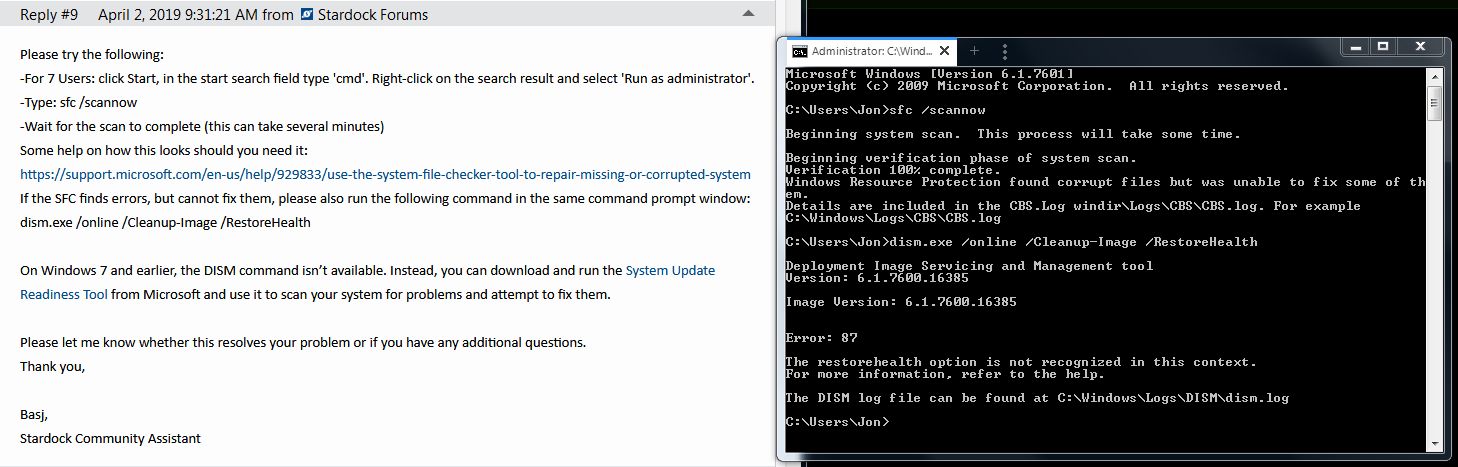
-For 7 Users: click Start, in the start search field type 'cmd'. Right-click on the search result and select 'Run as administrator'.

-Type: sfc /scannow

-Wait for the scan to complete (this can take several minutes)

Some help on how this looks should you need it:

https://support.microsoft.com/en-us/help/929833/use-the-system-file-checker-tool-to-repair-missing-or-corrupted-system

If the SFC finds errors, but cannot fix them, please also run the following command in the same command prompt window:

dism.exe /online /Cleanup-Image /RestoreHealth


On Windows 7 and earlier, the DISM command isn’t available. Instead, you can download and run the System Update Readiness Tool from Microsoft and use it to scan your system for problems and attempt to fix them.


Please let me know whether this resolves your problem or if you have any additional questions.

Thank you,


Basj,

Stardock Community Assistant

Reply #12 Top

I believe this is due to corrupt system files, causing Windowblinds not functioning properly. The only option that I can think off is, since sfc can't repair that corrupt system file, is to do fresh Windows install.

Thank you,


Basj,

Stardock Community Assistant