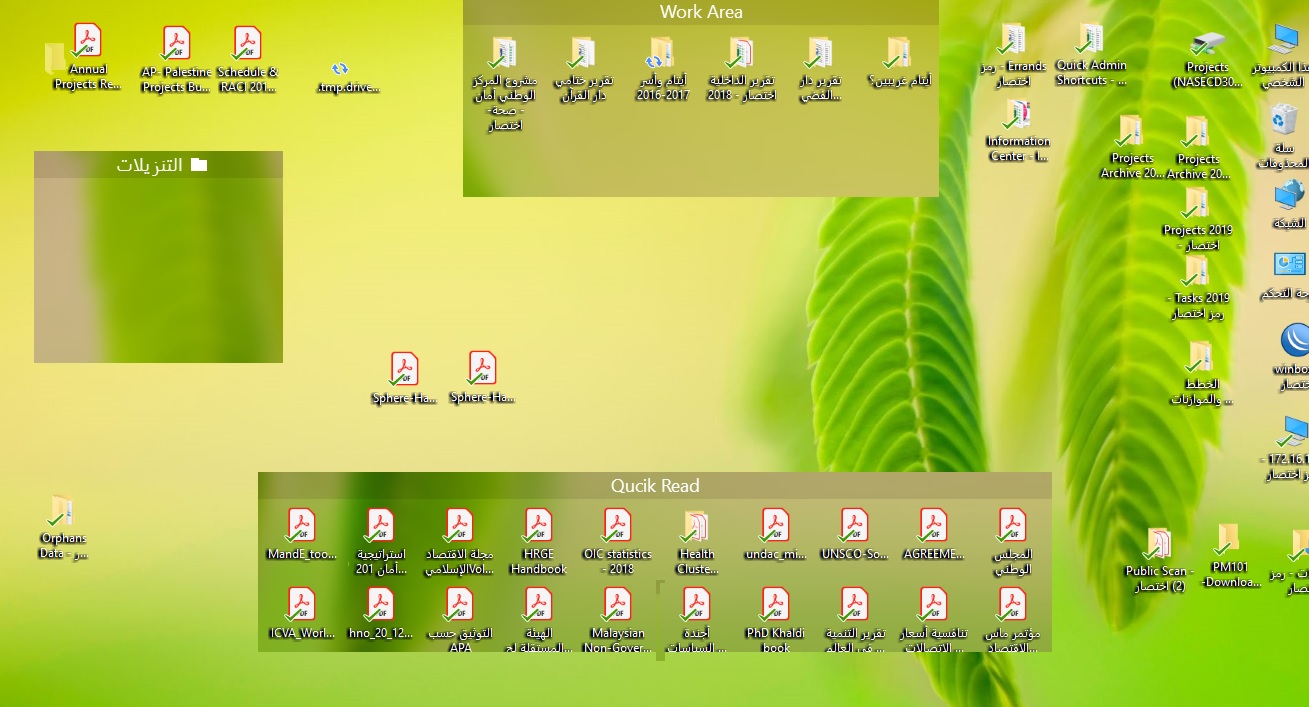
Icons do not appear in folders, Windows 10

Hello,

Regarding Fences, in Windows 10

Why icons in Folders do not appear while in usual fences they do

13,673 views 14 replies
Reply #1 Top

Hello,

Sorry to hear you are having issues. Don't really understand the problem. Could you please explain more and provide some screenshot or video grab of the issues.

Thanks

Basj,

Stardock Community Assistant.

Reply #3 Top

Hello,

Please try the purge and reinstall steps : https://forums.stardock.com/486084/fences-support-faq#reinstalling

make sure to re-download the latest version from your account. And reboot after the installation. Retest and report back here.

Thank you,


Basj,

Stardock Community Assistant

Reply #5 Top

Quoting amanpm101, reply 5

I did this, but unfortunately, the same problem remains
End of amanpm101's quote

Need to know more.

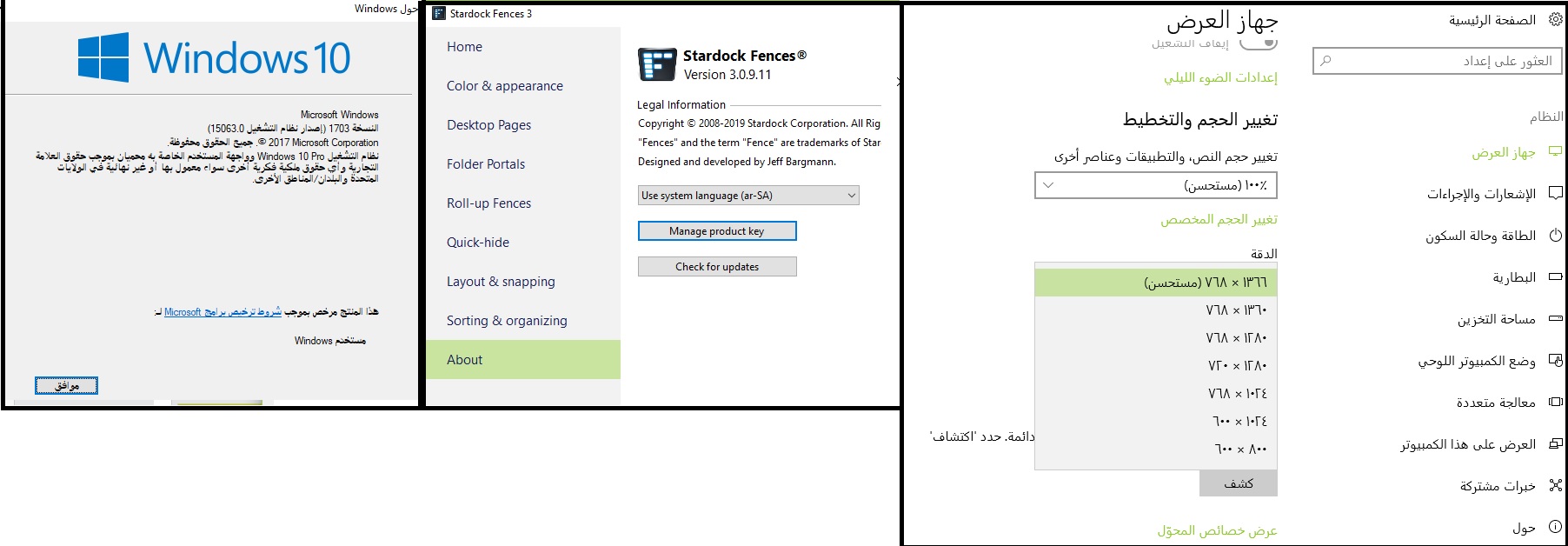
1) Windows version. Use winver.exe for full Windows version numbers.

2) Fences version.

3) Monitor/s setup. Resolution for each monitors and scaling applied to each monitors.

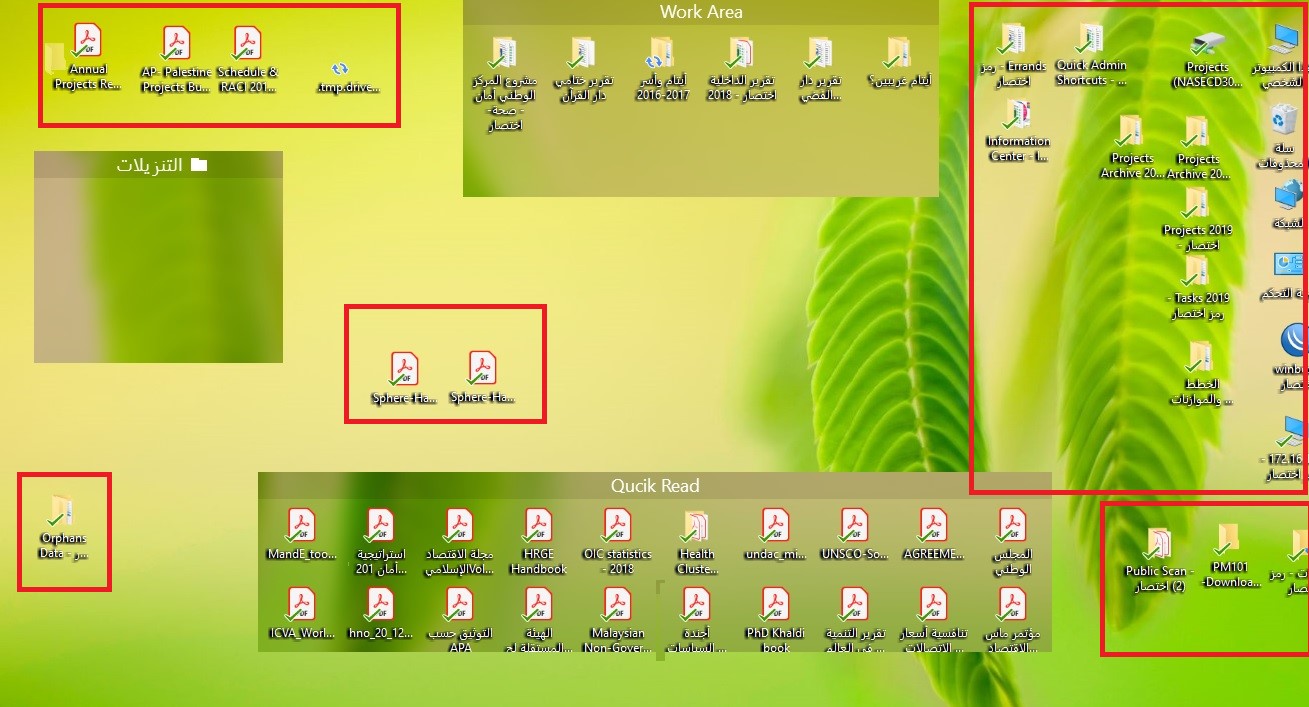
4) Are the icons (inside those red boxes) actually inside an invisible fence or just on the desktop?

Thank you,


Basj,

Stardock Community Assistant

Reply #6 Top

This is photo regarding first three questions

For the fourth question: Yes, those are icons just on the desktop.


Reply #7 Top

1) Any special reason you are not updating your Windows 10? Windows 10 already at V1809 vs yours at V1703?

2) Is your problem with portal Fence not showing files in it? If its a yes. Is the portal fence linked to a network drive or a cloud drive?

Thank you,


Basj,

Stardock Community Assistant

Reply #8 Top

I tried network folders and usual folders,

It is the same problem


But I have noticed something

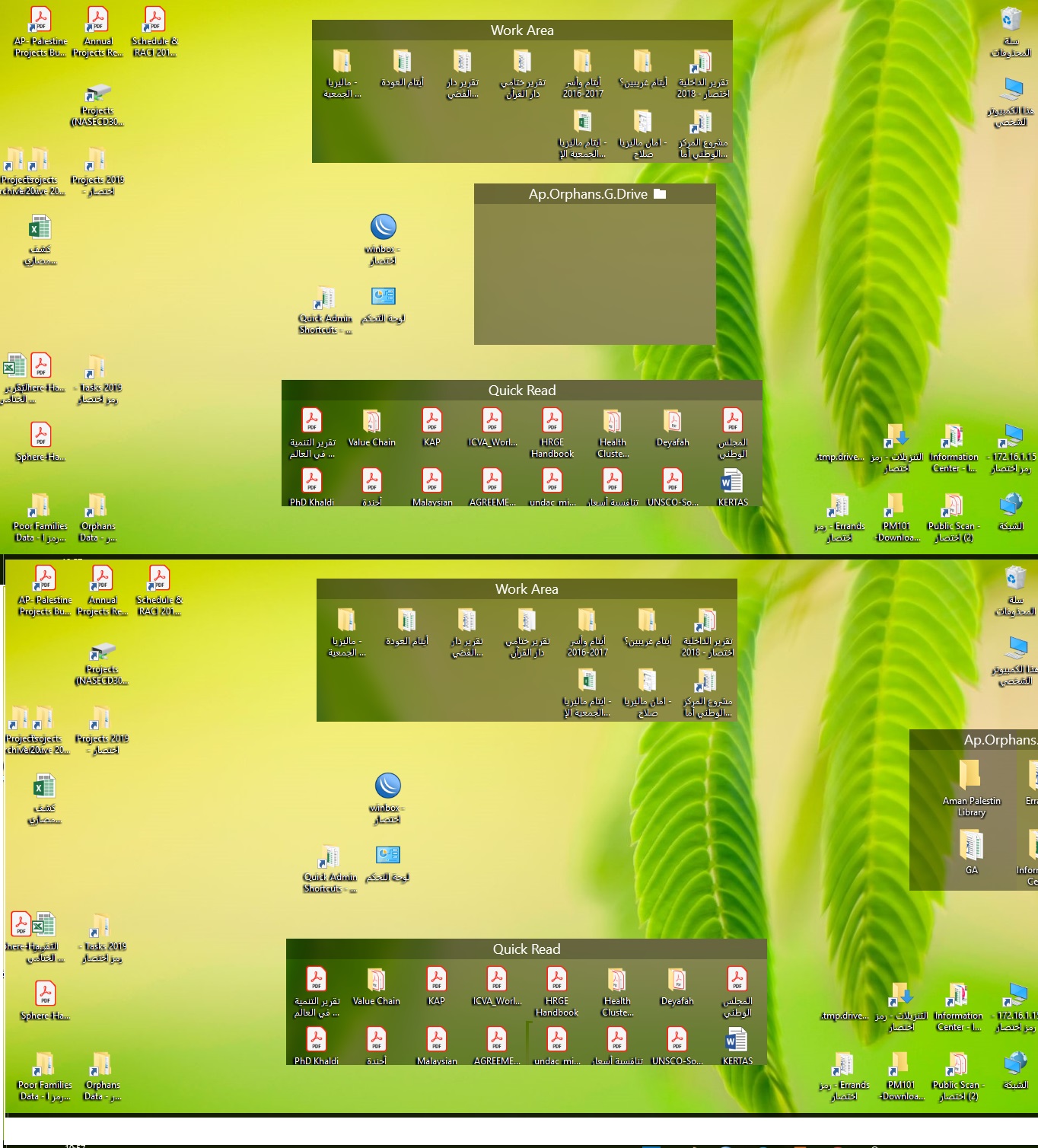
If the fence is in the middle of the screen, no icon appears,

But if I moved it to the edge, the icons appears????


Reply #9 Top

Hello,

Can you tell me more about your system.

1) Monitor configuration. Single or Multiple monitors? Please let us know Monitors resolution and Scaling applied to each monitor.

2) Is the display/GPU driver updated to the latest?

Thank you,


Basj,

Stardock Community Assistant

Reply #10 Top

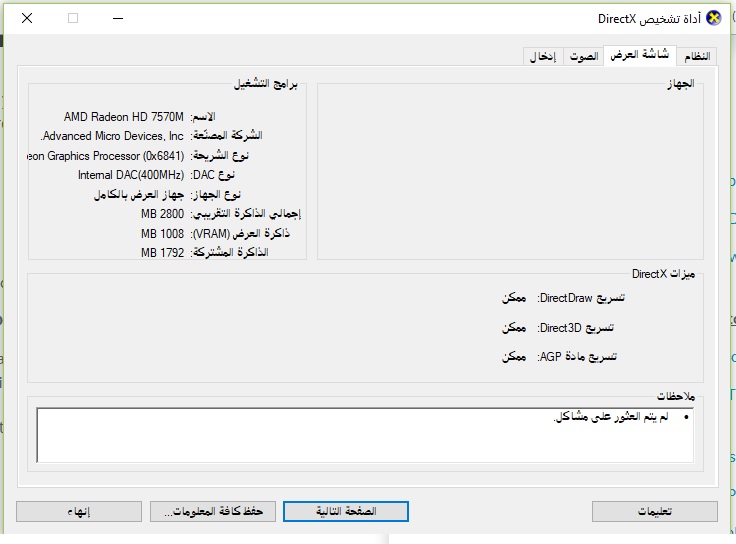
I use single Monitor,

this is the monitor specifications


I suggest using Team viewer, to figure out my problem.

Reply #11 Top

Hello,

We don't use team viewer.

Please try the following:

-For Win8/10 Users: Open the Start Screen, and type 'cmd'. Right-click on the search result and select 'Run as administrator' from below.

-Type: sfc /scannow

-Wait for the scan to complete (this can take several minutes)

Some help on how this looks should you need it:

https://support.microsoft.com/en-us/help/929833/use-the-system-file-checker-tool-to-repair-missing-or-corrupted-system

If the SFC finds errors, but cannot fix them, please also run the following command in the same command prompt window:

dism.exe /online /Cleanup-Image /RestoreHealth

Some help on how this looks should you need it:

https://www.windowscentral.com/how-use-dism-command-line-utility-repair-windows-10-image

The above command should assist with replacing any damaged or problematic system files. Please note, however, since it may require restoring certain files, this process can take some time and you will need to be patient until it has completed.

Please let us know whether this resolves your problem or if you have any additional questions.

Thank you,


Basj,

Stardock Community Assistant