Recent Items not populating

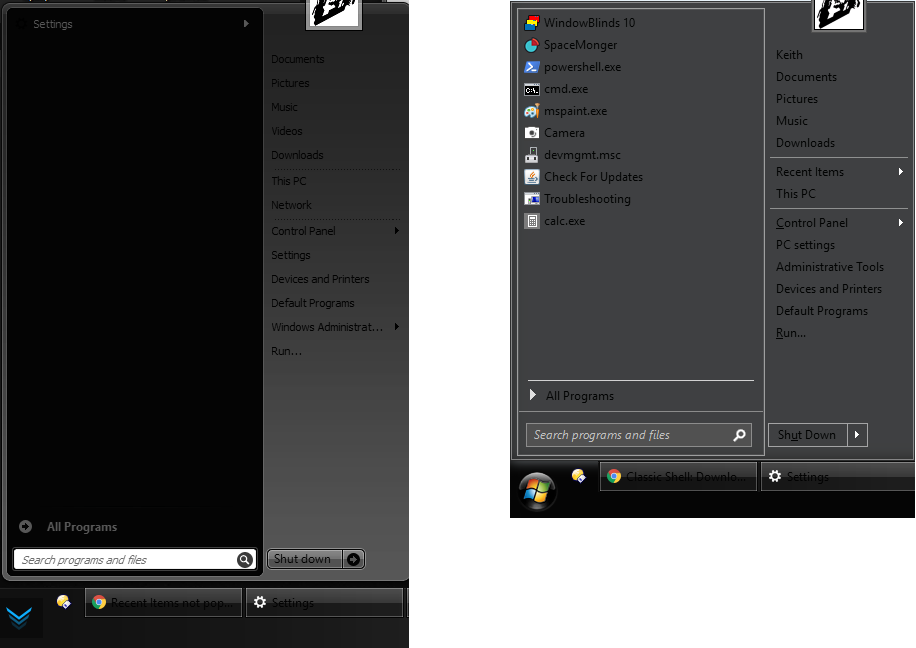
My Start10's recent items setting doesn't work. While checked, it only shows "Settings". When un-checked, it shows nothing.

The default start menu and the classic shell start menu both show a list of recent programs though.
3,495 views 9 replies
Reply #1 Top

Hello,

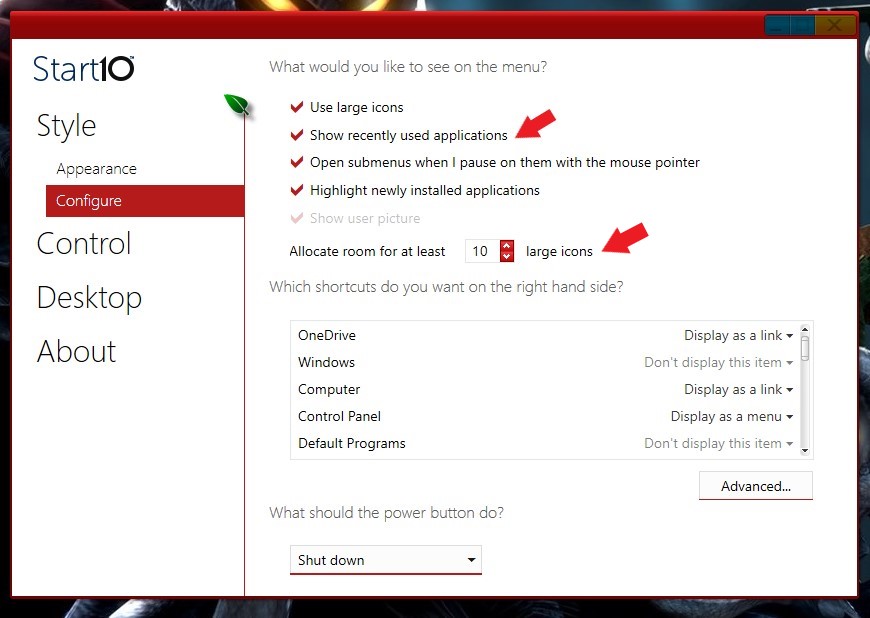
Sorry to hear you are having issues. Is the "Show recently used applications" is selected? And allocate room for it.

Basj,

Stardock Community Assistant.

Reply #3 Top

Please post a screenshot of your problem please.

Thank you,

BTW, need to know, are you running Start10 and Classic Shell Start Menu together?

Basj,

Stardock Community Assistant

Reply #4 Top

No, I have to install/uninstall the 2 programs to get one at a time to demonstrate...

Start10 (Left) | Classic Shell (Right)

Reply #6 Top

Hello,

From the screenshots. On the left is Start10?

You might just accidentally turn off "The Recent items and frequent places" here a link where show us the step to turn it on or off.

https://www.tenforums.com/tutorials/3469-turn-off-recent-items-frequent-places-windows-10-a.html

Thank you,


Basj,

Stardock Community Assistant

Reply #7 Top

Yeah, my Windows setting for this is also enabled. As is the Start10's setting for that feature.

Reply #8 Top

If it still not working please try the purge and reinstall steps : https://forums.stardock.com/486022/start10-support-faq#reinstalling

Make sure to re-download the latest installer and reboot before and after installation. Retest it and report back.

Thank you,


Basj,

Stardock Community Assistant