
How to mask the configuration window which appear on start of the computer
I love Fences but I cannot find How to mask the configuration window which appear on start of the computer
Stardock will be closed for the week starting on Monday, June 29th and we will be returning on Monday, July 6th. We will be monitoring support tickets and forums during this time but expect delays in responses during this time.
I love Fences but I cannot find How to mask the configuration window which appear on start of the computer
Hello,
Sorry to hear you are having issues. But don't really understand your question. Could you explain more clearly. Or better, put in a screenshot of your problem so we understand the issues.
Thanks
Basj,
Stardock Community Assistant.
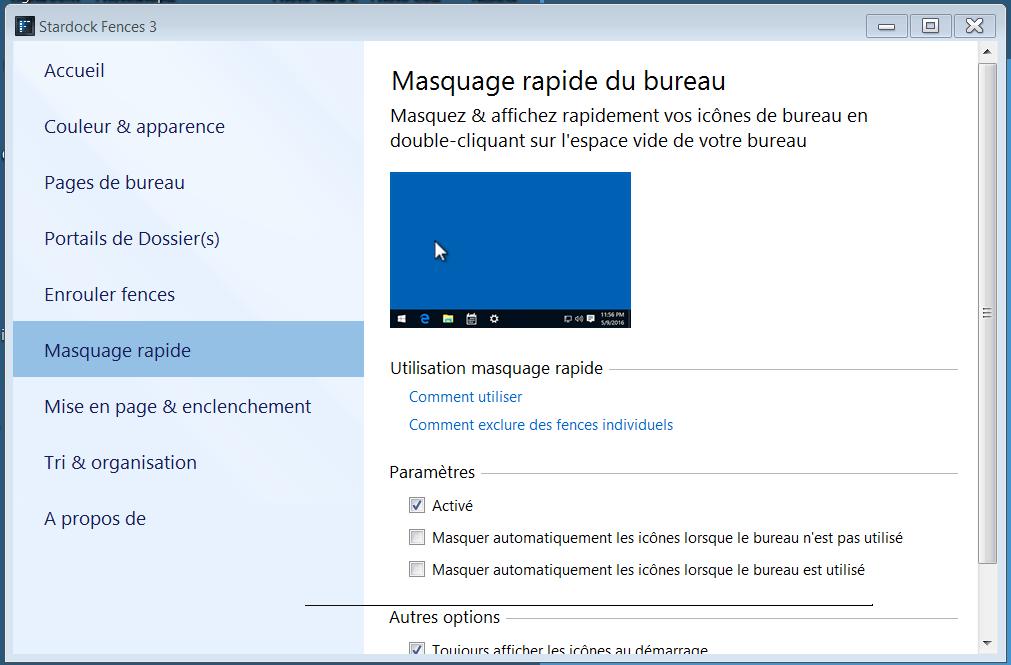
When I start the computer I have a Fences window where you can configure Fences, befoore last week I did not have this boring window I want to know how to configure fences to avoid to have this window opening at each start of the computer
Thanks
Hello,
Please try the purge and reinstall steps : https://forums.stardock.com/486084/fences-support-faq#reinstalling
make sure to download the latest version from your account. Reboot after the purge and reinstall the latest version. Reboot again after the installation complete. And retest.
Report back.
Thank you,
Basj,
Stardock Community Assistant
De-installing Fences, restarting the computer and re-instaling the last version solved the problem
Thanks
Francois
Great, glad you solved it.
Thank you,
Basj,
Stardock Community Assistant
I have the same issue. Whenever Fences starts, manually or on boot, this configuration window appears.
Using the purge.bat file and installing the last version of Fences DIDN'T solve the problem.
Insn't it an option available to stop this behaviour? Would be easier than purging/installing!
Thank you in advance!
Please try this : https://forums.stardock.com/486084/fences-support-faq#cleanboot
and report back please
Thank you,
Basj,
Stardock Community Assistant
Hello,
Thanks for your answer.
I checked your cleanboot page and began by creating a new user.
I stopped after the first step! Too much trouble!
I think I'll stick to the problematic boot sequence until you find a simple solution like a checkbox to click.
Could be included in the next update!
Thanks anyway!
Yves Michel
I have forward your problem/question to Stardock Support Team for their assistance. But since Stardock is currently on summer break, reply from them will take sometimes. The latest will be by 8th July. Please keep an eye on this thread for any updates. We appreciate your feedback and patience.
Basj,
Stardock Community Assistant
Hello,
Sorry for the trouble.
You are not running Fences as admin, are you?
------------
Sean Drohan
Stardock Support Manager
I am the only user on my PC. And I'm an administrator on it.
I never used Fences using the "run as administrator" feature. And, as designed, it runs on boot.
I don't know if the recent Win 10 update to 1903 is the reason of this behaviour, but it never occured before!
Thanks for your attention!
Welcome Guest! Please take the time to register with us.