Deleting A Fence when you cannot see title box
I am trying to delete a Fence that is on my desktop , but I can not see the title box because the fence is bigger than my screen.
Need to find a way to resize or delete.
Stardock will be closed for the week starting on Monday, June 29th and we will be returning on Monday, July 6th. We will be monitoring support tickets and forums during this time but expect delays in responses during this time.
I am trying to delete a Fence that is on my desktop , but I can not see the title box because the fence is bigger than my screen.
Need to find a way to resize or delete.
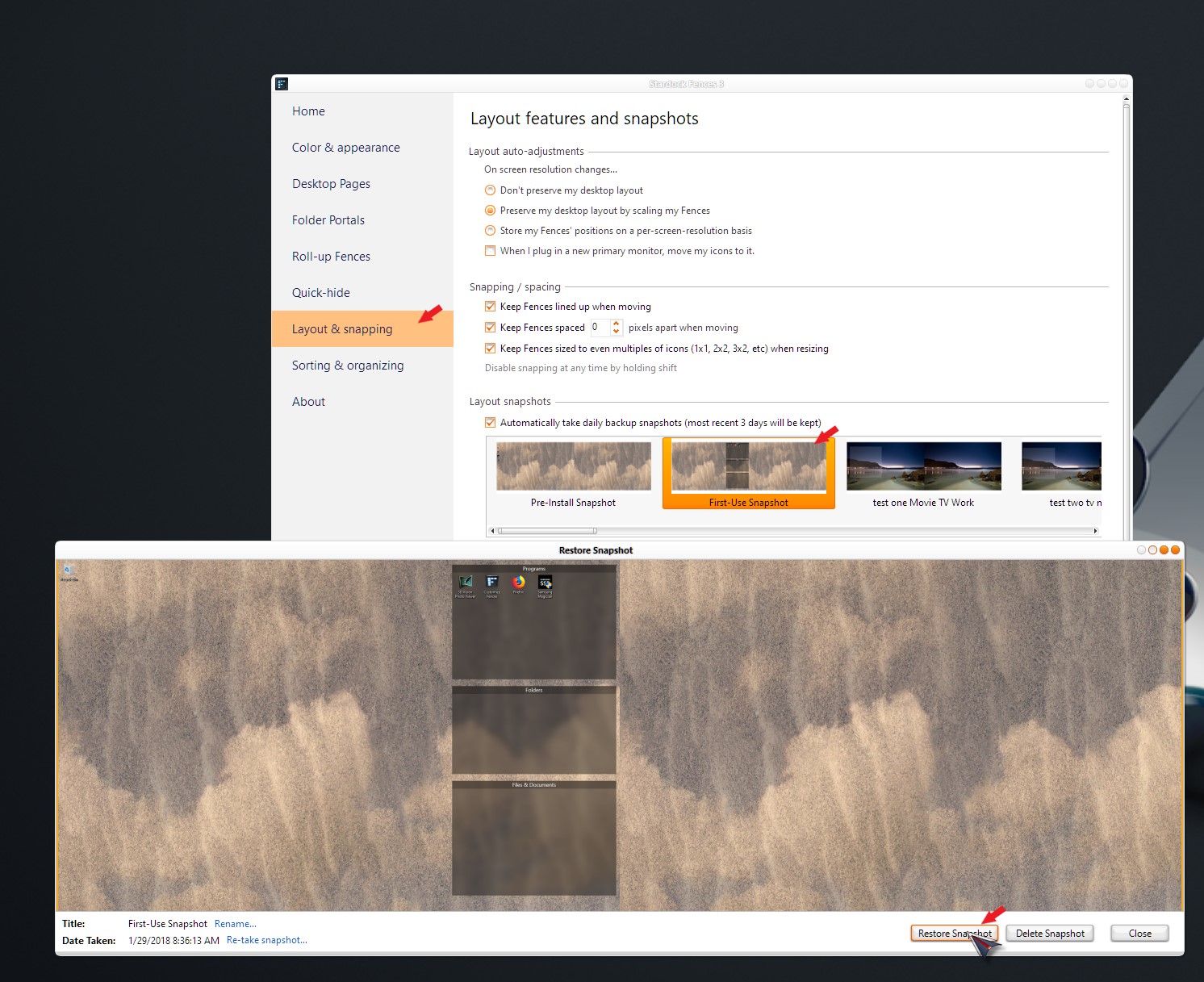
Try restoring an old snapshot:
https://forums.stardock.com/486084/fences-support-faq#snapshots
----------------
Sean Drohan
Stardock Customer Service Manager
Same issue. Titlebar got move out of screen, and lost ability to move or delete.
Please add option to delete in non-title bar area.
I solved by doing a remote desktop from another machine with custom very high resolution.
-steve
Hello,
Sorry to hear you are having issues. But, you should be able to use that 3 days auto snapshot layout saved as point out by Sean in reply#1. Have you try that?
Thanks
Basj,
Stardock Community Assistant.
Yes, and none of the backups were without the bad fence.
This was not my machine, so the user didn't even realize what it was on the corner of the screen, as it turns out they were getting warning to overwrite shortcut because was hidden out of screen.
It would help a lot to have a auto grid option. As a multi-monitor user myself, I often get out of bound fences switching around monitors, or remote desktop in from different size new screens where there's no "backup" since it's a new situation... but I digress
.
Then use the second layout screenshot. That should bring back the initial Fences and rebuild those fences from there. All icon should be back on the desktop.

Thank You,
Basj
Stardock Community Assistant.
The duplicate shortcut issue was easily fixed by going to desktop in explorer and delete icon. Its what led me to the undeletable fence.
Welcome Guest! Please take the time to register with us.