Portal

I have somehow accidentally created a Portal containing some files/folders on my C drive, which appears to duplicate them.


However, when I delete one of the files/folders in the portal it also disappears from the C drive!.


I have tried hitting the "X" in the top right of the portal but nothing happens.


Suggestions please on how to get rid of the portal without removing the files/folders from C drive. 
6,971 views 5 replies
Reply #1 Top

Hello,

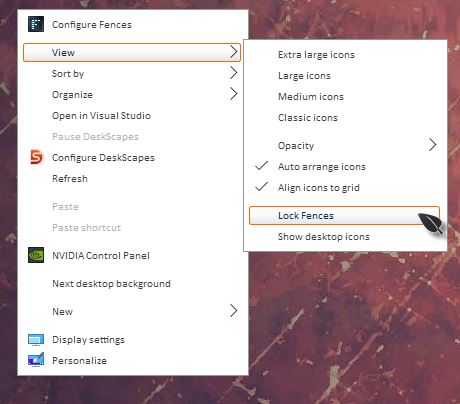
Sorry to hear you are having issues. Please unlock your fences, than you should be able to delete that fence.

Basj,

Stardock Community Assistant.

Reply #2 Top

Thanks for the prompt response.

How do I get that window up?

Tried right clicking on desktop and on a fence but no good...

Reply #3 Top

Hello,

I have forwarded your report to the Stardock support team for their review and recommendations.

Please keep an eye on this thread for any updates.

We really do appreciate your feedback, thanks.


AzDude
Stardock Community Assistant

Reply #4 Top

Hello,

Sorry to hear you are having issues.

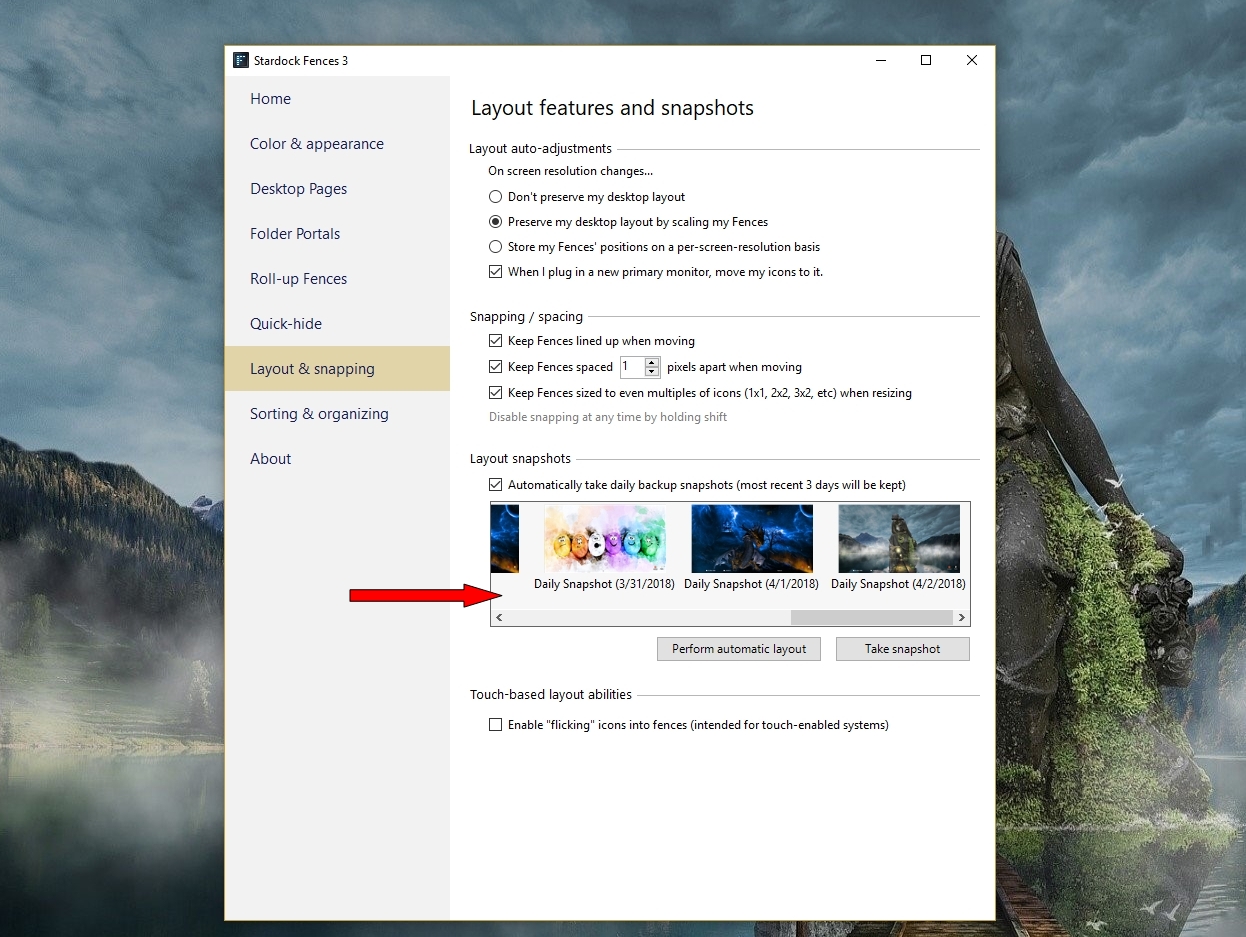
Can you first try to restore your fences with a older snap shot then try it .

and report back here .


AzDude
Stardock Community Assistant

Reply #5 Top


Suggestions please on how to get rid of the portal without removing the files/folders from C drive. 
End of quote
Well, for one, it would seem to me that you could copy or move the files off the C drive, delete the portal, then move your files back to the C Drive.


That may be the long way, but it should work.