Why do I keep getting prompted to enter an activation code?

Why do I keep getting prompted to enter an activation code?

Almost every other time that I launch Windows 10 I get prompted to enter or purchase a product key.  I enter my product key and the same thing happens the next time I launch Windows 10.  The product key I enter is not used on any other of my computers.  What gives? 

19,566 views 33 replies
Reply #1 Top

Hello,

Sorry to hear you are having issues. We need more information.

1. Which Stardock product is asking for key?

2. Where you purchase that Stardock product? Steam's or Direct from Stardock?

Thank you.

Basj,

Stardock Community Assistant.

Reply #2 Top

Product: Start 10

purchased directly from Stardock

Reply #3 Top

Hello,

Please try the purge and reinstall steps : https://forums.stardock.com/486022/start10-support-faq#reinstalling

Please also, re-download the latest version from your account https://store.stardock.com/myaccount

and install it. Reboot and report back here.

Thank you,


Basj,

Stardock Community Assistant

Reply #4 Top

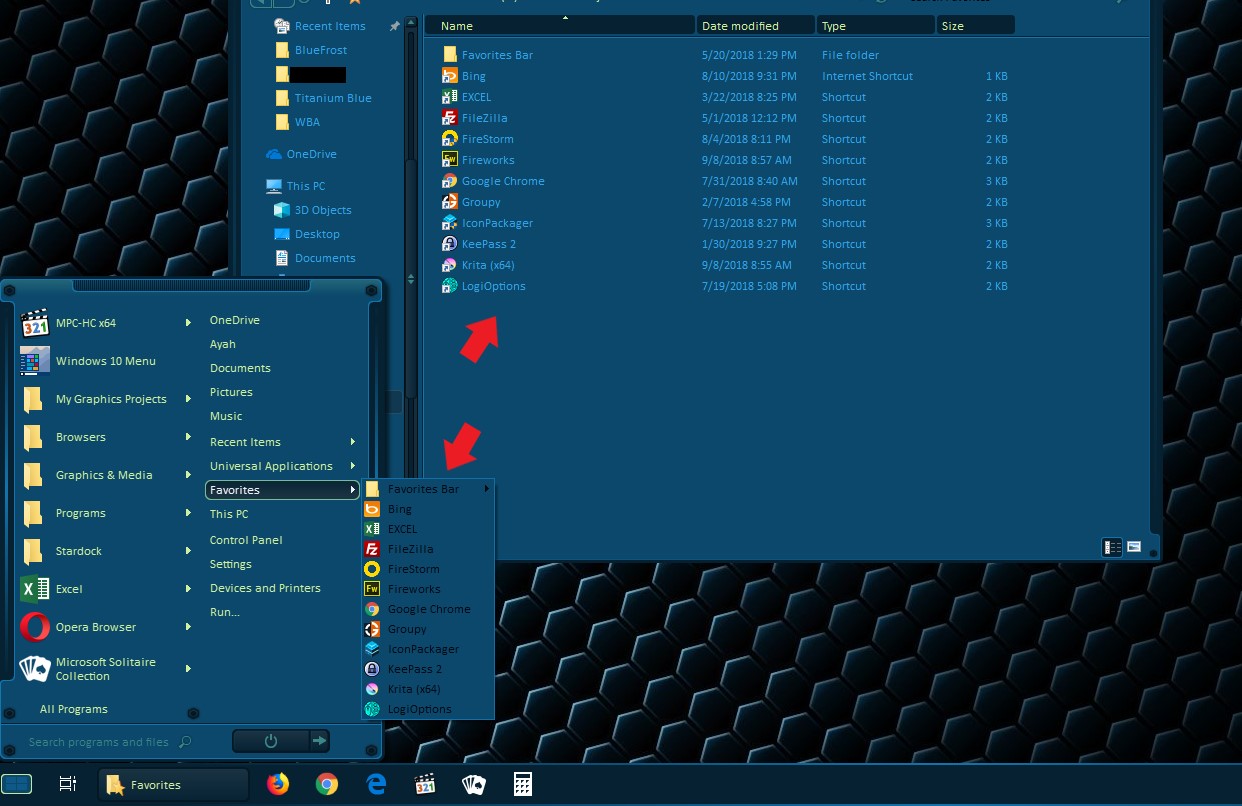
Ok, I ran the purge and re-installed Start 10.  When I click on Favorites now nothing is there?

Reply #5 Top


I nver use Start10 favorites link, but I found my Favorites folder is  at : C:\Users\username\Favorites and If I paste all my shortcut there. It will appear in my Start10 Favorites. Please check if your Favorites is listed inside that Favorites folder.

Basj

Stardock Community Assistant.

Reply #6 Top

I'm sorry.  I am not following.  Paste it where?  How do I tell Start 10 to see my FAVORITES under My User Name / Favorites?

Reply #7 Top

Nevermind.  I found a configuration setting within Start 10 to use IE Favorites as opposed to Edge.  Once I configured that setting my favorites now appear.

Reply #8 Top

Quoting basj, reply 3

Hello,

Please try the purge and reinstall steps : https://forums.stardock.com/486022/start10-support-faq#reinstalling

Please also, re-download the latest version from your account https://store.stardock.com/myaccount

and install it. Reboot and report back here.

Thank you,


Basj,

Stardock Community Assistant
End of basj's quote


I have purged and reinstalled Start 10 and the same thing is happening.  I keep getting prompted to enter my activation code.  How do I make this stop?

Reply #9 Top

Hello,


Please try this steps. Please do the purge again.


After, make sure no Start10 directory exists here:


C:\Program Files (x86)\Stardock


If so, delete it.


After, make sure no Start10 directory exists here:


C:\ProgramData\Stardock (note that that is ProgramData not Program Files (x86) )


If so, delete it as well.


After that, reboot. Reinstall Start10. Reboot again.


And report back.

Thank you,


Basj,

Stardock Community Assistant

Reply #10 Top
Quoting basj, reply 9

Hello,


Please try this steps. Please do the purge again.


After, make sure no Start10 directory exists here:


C:\Program Files (x86)\Stardock


If so, delete it.


After, make sure no Start10 directory exists here:


C:\ProgramData\Stardock (note that that is ProgramData not Program Files (x86) )


If so, delete it as well.


After that, reboot. Reinstall Start10. Reboot again.


And report back.

Thank you,


Basj,

Stardock Community Assistant

End of basj's quote


I followed the steps outlined above and again this morning when launching Windows 10 I get prompted to activate Start 10.  How do I stop this from continually coming up?

Reply #11 Top

Hello,

I have forwarded your problem to Stardock Support team for their assistance. Please keep an eye on this thread for any updates. We appreciate your feedback and patience.


Basj

Stardock Community Assistant.

Reply #12 Top

Quoting tdehan, reply 10

I followed the steps outlined above and again this morning when launching Windows 10 I get prompted to activate Start 10.  How do I stop this from continually coming up?
End of tdehan's quote

When you are prompted, what files are here:

C:\ProgramData\Stardock\Start10

And after you activate, are either of the file dates changed?

----------------
Sean Drohan
Stardock Customer Service Manager

Reply #13 Top

When I'm prompted what?  Where?


Reply #14 Top

Quoting tdehan, reply 13

When I'm prompted what?  Where?
End of tdehan's quote

You said prior:

Quoting sdRohan, reply 12

I followed the steps outlined above and again this morning when launching Windows 10 I get prompted to activate Start 10.
End of sdRohan's quote

Reply #15 Top

Hi,


I have exactly the same problem - every time I start off the Laptop, and click on Start. I get prompted to register it again.

I have uninstalled, reinstalled, I have put the registration code and I have used the "sign into your account" method - I get told "Thank you for activating" and then, next time the laptop is started up, the same thing happens.

It has no gotten worse as ShadowFX has decided to get in on the act and also demand reactivation....


I will follow this thread and see if you guys come up with a resolution - but as with the latest Win10 I read that other programs from Objectdesktop are not always working, I am considering to just let the subscription expire as I do not get any value from it.

Oh and please  - no "can you try this" - I have already tried it and it did not work ;-(


PS - If you need some more info to go on - I have the 1809 Win build (updated to 17763.55) and, if it makes any difference, I have two Windows 10 installs on the same computer - one for office and one for other stuff. I use the same computer name in both installs, as, for all intends and purposes, it is ONE Install on one computer (I cannot use them both at the same time - think two different software configurations).


Hope this helps....

Reply #16 Top

Hello,

I have forwarded your report to the Stardock support team for their review and recommendations.

Please keep an eye on this thread for any updates.

We really do appreciate your feedback, thanks.

AzDude
Stardock Community Assistant

Reply #17 Top

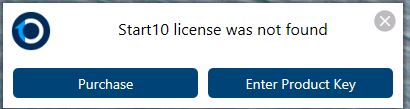
Now I am also getting the following pop up.   This all seems to have started with the latest Start10 update.

Reply #18 Top

Hello,

Sorry to hear you are having trouble.

Quoting GertNone, reply 15

Oh and please  - no "can you try this" - I have already tried it and it did not work ;-(
End of GertNone's quote

Understandably, we have no idea what you have tried other than an uninstall / reinstall.  Please, with some detail, tell us what indeed you have tried - in particular, the below's effectiveness as it overwhelmingly solves this issue for the very few that report it:

https://forums.stardock.com/486311/accounts-and-activation-support-faq#keepsaskingactivation

Quoting GertNone, reply 15

I will follow this thread and see if you guys come up with a resolution -
End of GertNone's quote

If there is one, and that has yet to be determined, we will indeed.  Short of that, we need to know why it is working for millions of other installs but not the few here.

Thank you for you feedback.

----------------
Sean Drohan
Stardock Customer Service Manager

Reply #19 Top

I checked out the instructions from the link you provided:

Error 212

Press the Windows key and "R" at the same time. A "Run" dialog box will pop up, please paste the path below into the "Open" field and press OK.

%ProgramData%\Stardock\

In the folder that pops up, you should see a folder named PRODUCTNAME. Please delete this folder and all of its contents.

After you have deleted that folder, please attempt to activate once again and it should succeed without any errors.

There is no folder named PRODUCTNAME

How do we fix this issue?

Reply #20 Top

Quoting tdehan, reply 19

I checked out the instructions from the link you provided: 

Error 212

Press the Windows key and "R" at the same time. A "Run" dialog box will pop up, please paste the path below into the "Open" field and press OK.

%ProgramData%\Stardock\

In the folder that pops up, you should see a folder named PRODUCTNAME. Please delete this folder and all of its contents. 

After you have deleted that folder, please attempt to activate once again and it should succeed without any errors.

There is no folder named PRODUCTNAME

How do we fix this issue?

End of tdehan's quote

That is meant to mean the product you are having trouble with, tdehan.  If its 'Fences', that is the folder you delete.

----------------
Sean Drohan
Stardock Customer Service Manager

Reply #21 Top

[Moderator removed comment]

Reply #22 Top

Quoting tdehan, reply 21

[Moderator removed comment]
End of tdehan's quote

I would really like to stay on topic and resolve this for you and the few that are having the issue, tdehan. 

Looking forward to your reported results of our latest effort.

----------------
Sean Drohan
Stardock Customer Service Manager

Reply #23 Top

Good job!  You've removed my post again because I'm calling out your lack of support, help and clarity in your responses.  Way to go!!  Why don't you fix this issue and release an update???

Reply #24 Top

Quoting tdehan, reply 23

Good job!  You've removed my post again because I'm calling out your lack of support, help and clarity in your responses.  Way to go!!  Why don't you fix this issue and release an update???
End of tdehan's quote

I have asked you, multiple times, for clarifications or to work through the recommendations we have provided (namely the 212 one).  I need that feedback to continue to help or consider it closed because it worked. 

Furthermore, I can't allow abrasive comments to be your only reply (this will be the last one). Again tdehan, we want to help you - I mean that. 

Please try the recommendations and let me know how they worked.  If they do not, please refer back to this post and reply with what you find:

 https://forums.stardock.com/491097/page/1/#3730193

----------------
Sean Drohan
Stardock Customer Service Manager

Reply #25 Top

Quoting sdRohan, reply 24


Quoting tdehan,

Good job!  You've removed my post again because I'm calling out your lack of support, help and clarity in your responses.  Way to go!!  Why don't you fix this issue and release an update???


I have asked you, multiple times, for clarifications or to work through the recommendations we have provided (namely the 212 one).  I need that feedback to continue to help or consider it closed because it worked. 

Furthermore, I can't allow abrasive comments to be your only reply (this will be the last one). Again tdehan, we want to help you - I mean that. 

Please try the recommendations and let me know how they worked.  If they do not, please refer back to this post and reply with what you find:

 https://forums.stardock.com/491097/page/1/#3730193

----------------
Sean Drohan
Stardock Customer Service Manager

End of sdRohan's quote


I have clarified multiple times.  With that said, following the steps outlined in 212 still does not work after removing the Start10 folder and re-entering he activation code.  Again I get prompted to activate the product.  

How does one fix this?