Start10 Menu Empty

https://i.imgur.com/v4Da2Hs.png

I updated to Start10 1.6.1.

My Start Menu completely emptied out, as shown in the picture.

I've tried reinstalling Start10 1.6.1 and using Start10 1.56 which I had laying around from an old "restore all these programs after a clean install of Windows" folder.

Neither cleared up the empty Start menu.

Even if I haven't used any programs recently (think clean install) Start10 usually populates with default Windows items, at least.  I've never seen it totally blank before.

The only significant change to my system since the behavior started was various Windows updates.  For convenience, I've listed them below by KB.

  • Office 2013 KB4022233
  • Office 2013 KB4092469
  • Skype for Business KB4092457
  • Win10 x64 1803 KB4457128
  • Win10 x64 1803 KB4456655
  • Adobe Flash Win10 1803 x64 KB4457146
  • Excel 2013 KB4092479
  • Win10 x64 1803 KB4457128 (it showing up twice is a known issue)
  • Win10 x64 1803 KB4346783

All other updates were installed in August or earlier, and I've only seen the problem since September.

Based on my recollection of when the problem began, I will attempt to rewind my system to September 9, 2018 and see if that resolves the issue (which, if it does, still implies there's a compatibility problem somewhere).

9,935 views 10 replies
Reply #1 Top

Hello,

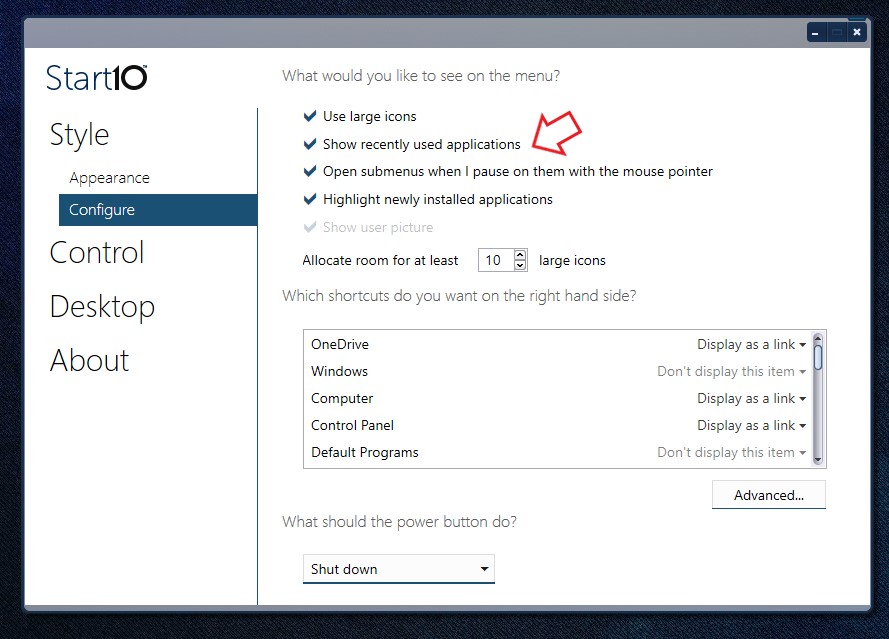
Sorry to hear you having issues, Could please check, if you might just accidentally turn off "The Recent items and frequent places" here a link where show us the steps to turn it on or off.

https://www.tenforums.com/tutorials/3469-turn-off-recent-items-frequent-places-windows-10-a.html

If its turn off and you have just turn it on. It need sometimes to repopulate it.

But if its off please try the purge and reinstall steps as follows : https://forums.stardock.com/486022/start10-support-faq#reinstalling

get the latest version again from your account and reinstall. Please don't forget to reboot. Retest and report back here.

Thank you,

Basj,

Stardock Community Assistant

Reply #2 Top

Recent items/frequent places is turned on.

I re-downloaded, ran the purge program, rebooted, and reinstalled.

Start10 is only populated by "Windows 10 menu" and "Settings" (Windows).  I launched three programs (Word, Excel, and a game).  None of them appeared in Start10.

Reply #3 Top

Hello,

Have you turn it on within Start10?

Thank you,


Basj,

Stardock Community Assistant

Reply #4 Top

Yes.  My computer has even been rebooted in the meantime due to Windows updates.

The Start menu is still devoid of content minus Windows 10 Menu and Windows Settings.

Reply #5 Top

Hello,

I have forwarded your report to the Stardock support team for their review and recommendations.

Please keep an eye on this thread for any updates.

We really do appreciate your feedback, thanks.


AzDude
Stardock Community Assistant

Reply #6 Top

Please try the following:

-For Win10 Users: Open the Start Screen, and type 'cmd'. Right-click on the search result and select 'Run as administrator' from below.

-Type: sfc /scannow

-Wait for the scan to complete (this can take several minutes)


Some help on how this looks should you need it:

https://support.microsoft.com/en-us/help/929833/use-the-system-file-checker-tool-to-repair-missing-or-corrupted-system


If the SFC finds errors, but cannot fix them, please also run the following command in the same command prompt window:

dism.exe /online /Cleanup-Image /RestoreHealth


Some help on how this looks should you need it:

https://www.windowscentral.com/how-use-dism-command-line-utility-repair-windows-10-image

The above command should assist with replacing any damaged or problematic system files. Please note, however, since it may require restoring certain files, this process can take some time and you will need to be patient until it has completed.


Please let me know whether this resolves your problem or if you have any additional questions.


Thank you,


Basj,

Stardock Community Assistant

Reply #7 Top

I've done some more digging.

SFC /SCANNOW "repaired" one thing.


Repairing corrupted file \??\C:\Users\Default\AppData\Roaming\Microsoft\Windows\Start Menu\Programs\\OneDrive.lnk from store


Windows stores "most recent" programs in the Registry--as documented here and this list exists even in Windows 10.  Prove it, you say?  This is what the app at that link spits out on my desktop where the start menu is empty.

Desktop

And this is my laptop with Start10 and no issues with its start menu.

Here's my laptop's start menu.

PasswordSafe, Steam, WindowBlinds, Easy2Sync, Battle.net, Calc, Groupy, Simplify3D--you get the idea.  While it's not a one-to-one match, lots of applications shown by UserAssist also show up in the Start10 menu.  I think some of the more frequently used items (Chrome, Outlook) don't get put on the Start Menu because they're pinned to the taskbar (as shown in the screenshot).

So it appears the reason Start10 is not working on my desktop is because the UserAssist registry key is empty on my desktop.

Computer\HKEY_CURRENT_USER\Software\Microsoft\Windows\CurrentVersion\Explorer\UserAssist

Viewing these keys on my laptop and desktop showed that key {CEBFF5CD-ACE2-4F4F-9178-9926F41749EA} -> Count had significant differences.

On my desktop it's empty--just (Default).

On my laptop...

So something wiped out the "Count" values on my desktop and it's not repopulating.

I'm not sure how much of this is related to Start10 and how much of it is Windows being silly, but if you talk to Microsoft at all you have an exact place to start now.


Reply #8 Top

Hello,

I have forwarded your problem/report to Stardock Support team for their assistance. Please keep an eye on this thread for any updates. We appreciate your feedback and patience.

Basj

Stardock Community Assistant.

Reply #9 Top

Quoting SovereignGFC, reply 7

So something wiped out the "Count" values on my desktop and it's not repopulating.
End of SovereignGFC's quote

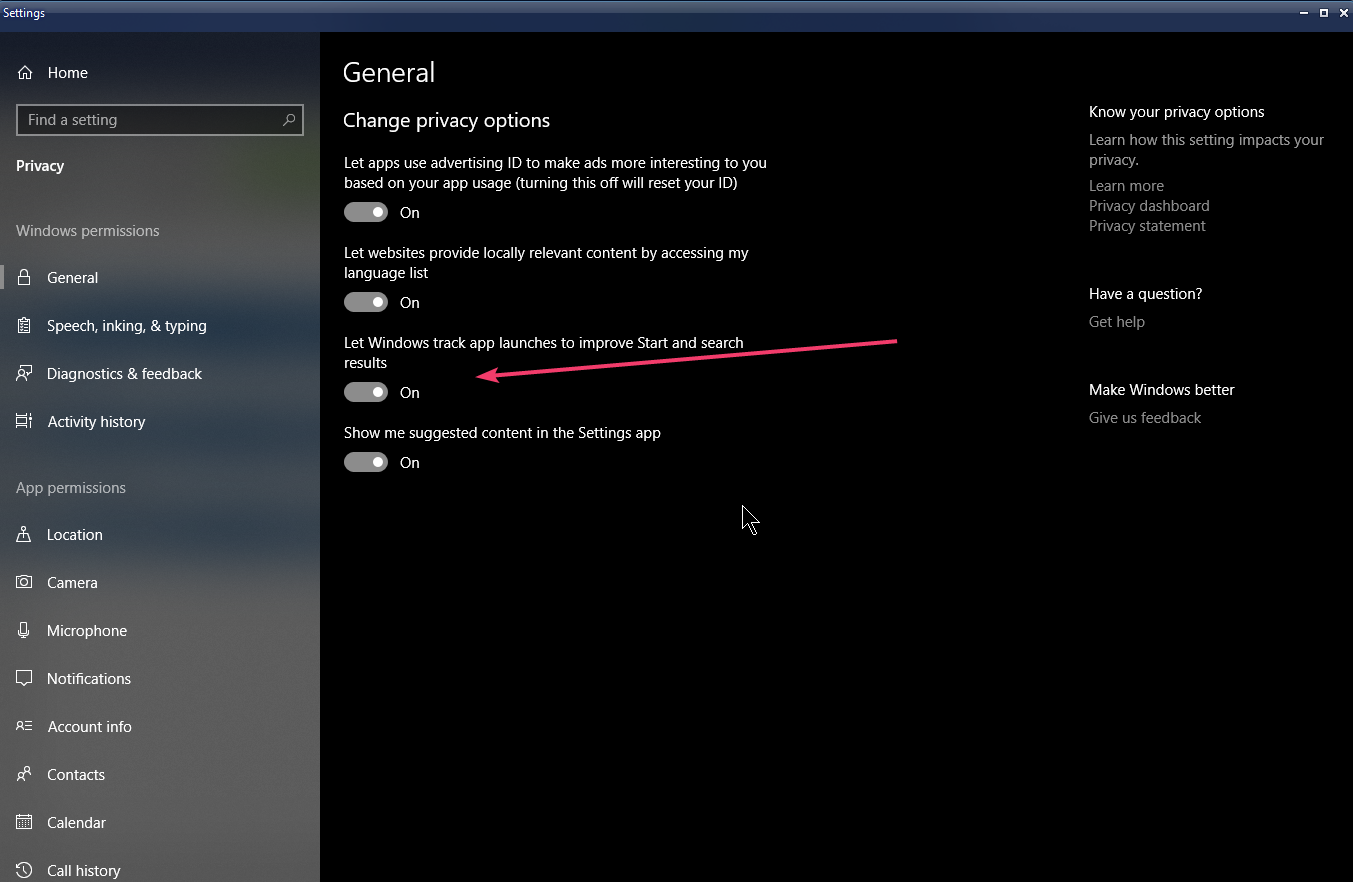
See if this helps for turning UserAssist on / off in your 'Privacy Settings':


Reply #10 Top
Quoting sdRohan, reply 9

See if this helps for turning UserAssist on / off in your 'Privacy Settings':

End of sdRohan's quote

Unbelievably enough, toggling that option in Windows brought back the default contents of the start menu (Tips, Feedback Hub, People, etc). 

It also properly added a random application I launched later.

I have no idea how that got messed up or why turning it off/on fixed it.