
Messed icons after changing HDMI

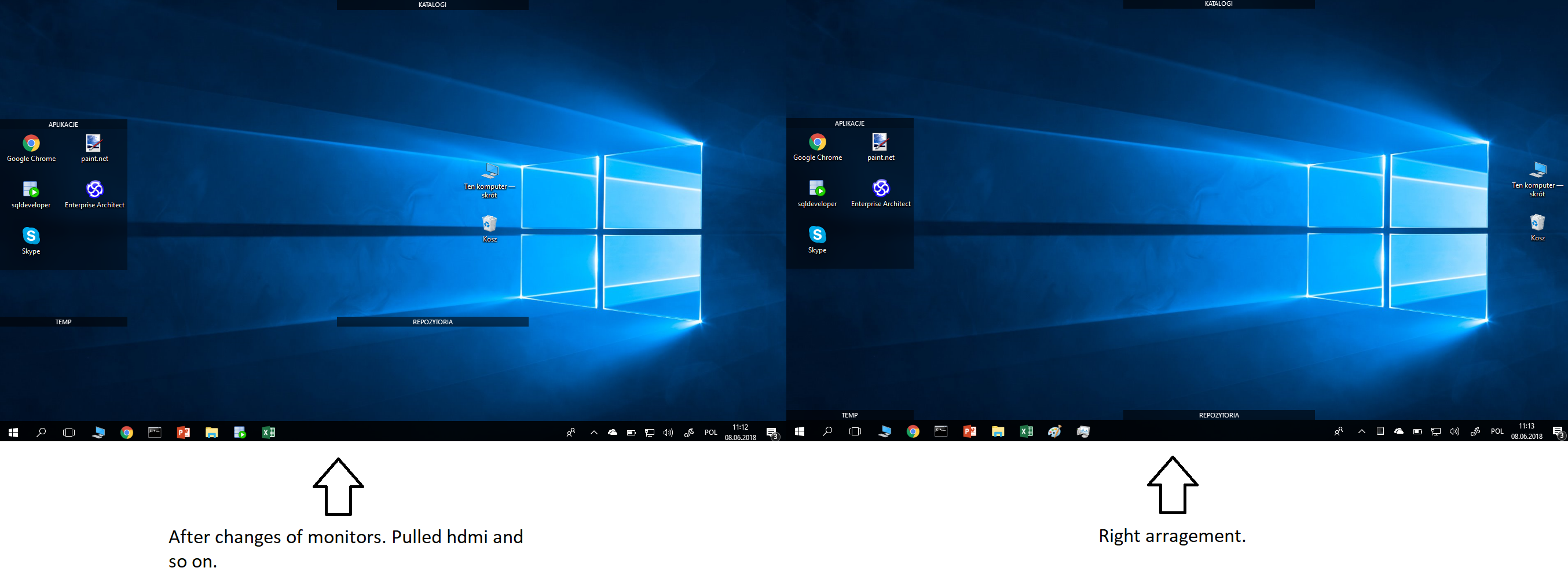
I realized that after HDMI removing my icons are totally messed up and the fields for icons are opened. It is a problem for me because I usually change monitors many times per day and it is annoying.

I am using 3.0.8.1 version, I am attaching screen, please help.
5,844 views 4 replies
Reply #1 Top


I usually change monitors many times per day
End of quote


I would assume that changing monitors a lot means you use a laptop?

If so, upon removing the HDMI, the laptop will naturally revert to it's native resolution, hence moving the fences.

The resulting misarrangement of fences upon reattaching the HDMI would not automatically go back to the larger resolution.

I'm not support, but I don't think there's anything that can be done about it. You can restore a snapshot.


I could be wrong, and support will be along soon.

Reply #2 Top

Hello,

I have forwarded your report to the Stardock support team for their review and recommendations.

Please keep an eye on this thread for any updates.

We really do appreciate your feedback, thanks.

AzDude
Stardock Community Assistant

Reply #4 Top

Hello

Would you Please try this PURGE: https://forums.stardock.com/486084/fences-support-faq#reinstalling

Reboot and ReInstall the latest version 3.0.9.11

Go to your Stardock account for the latest version https://store.stardock.com/myaccount/products/

check and report back here .

If not fixed how many different monitors

and which version of Windows ?

Is Snapshot not working for you ?

Are your icons set on small or classic size ?


AzDude
Stardock Community Assistant