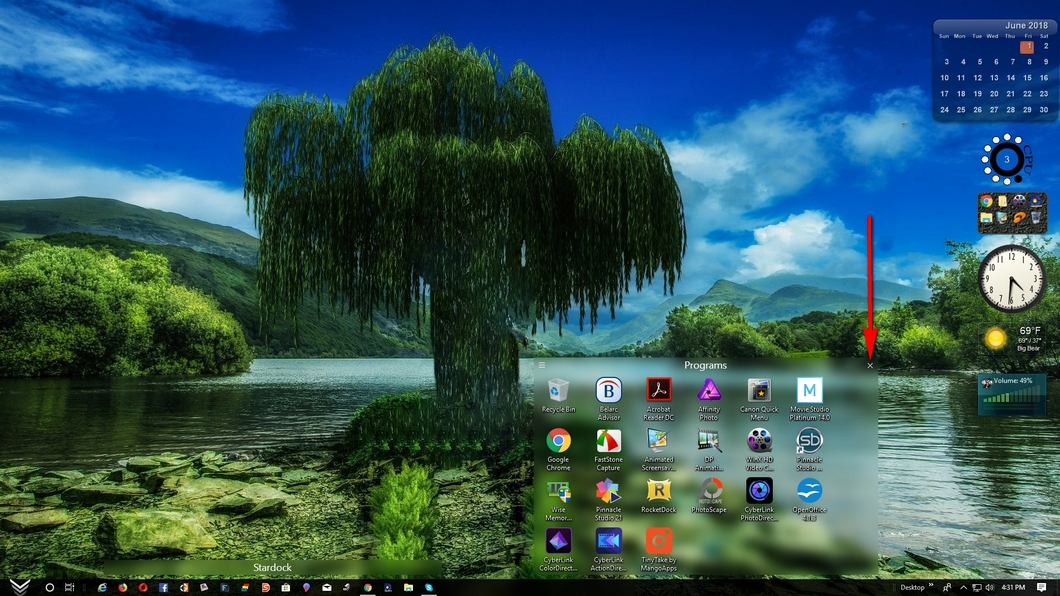
Can't remove Fences

I could sure use some help. I have been trying to remove Fences from my Windows 10/64 bit for several days. No matter what I do soon as I click on the desktop Fences pops up and wants my code. 

I have read through the forum several times and tried what I think is every removal option I found. The first thing after I purge is the Fences window. I have tried the clean reboot of an Admin account to be greeted again by the Fences window. I have gone into Regedit and searched out every reference to Fences and then deleted it and again the Fences Window. The Windows uninstall won't work because it can't find the uninstall file.

If you know of something I can try please let me know.  I am about ready to reinstall Windows itself just so I can move on.

By the way, I love the program but ever since a windows update (forget which one) I have had desktop conflicts that Fences appears to be part of.....

Thanks in advance for your help.

18,795 views 7 replies
Reply #1 Top

Right-Click on desktop and " uncheck " Lock fences and then you can delete them

To Delete Fence Click on " X "


Reply #2 Top

thanks for the reply. My lock fences box is unchecked.

 I noticed that I failed to clearly state that I am trying to remove the program. I do not want the program on my computer when done,

Reply #3 Top

Hello,

Sorry to hear you are having issues. Please try this. :-

1) Reinstall fences.

2) Purge fences using these steps : https://forums.stardock.com/486084/fences-support-faq#reinstalling.

3) Do not reinstall. Reboot and see if the problem go away.

Please report back.

Basj,

Stardock Community Assistant.

Reply #4 Top

Hi. 

The problem did not go away.

I started windows in "Safe Mode" and tried to delete the folder.  Something had already loaded it.  I also edited the registry and removed anything with "fences".

Reply #5 Top

Sorry to hear that. Just to make sure you did run the batch files that come with the instruction for purge step? If you did, I have nothing more to offer other than get assistant from our support team who have more in depth knowledge on Fences.

I have forwarded your problem to Stardock Support team for their assistant. Please keep an eye on this thread for any updates. It's the weekend so it will be on Monday. We appreciate your feedback and patient.

Basj

Stardock Community Assistant.


Reply #6 Top

Basj thanks for your help.  I did solve the problem and deleted Fences.  There are a number of steps and I apparently did them in the correct order this time. The program got the last laugh, when I got it done I looked at my Desktop and all the icons were gone.8O


Thanks again for the help.

I

Reply #7 Top

I had similar issue trying just to update Fences to latest lost all icons couldn't uninstall or get icons bac for 3 hours of trying fixes.  I did a long post on my 3 hour journey that might help others will similar problems but it got immediately nuked.  So much for any Stardock support.