Fences has unstable layout

Hi,

I have currently two problems with Fences:

1) If I download files to the desktop, the files are "hanging" at the upper left corner, under/over my "This PC" Icon. Or a downloaded file moves some Icons away. However, to access the files I have to move my "This PC" Icon and / or to reorganize the Desktop after every download. This is very frustrating.

2) I am using a 2 Monitor + Laptop setup at two locations. In one case the laptop is on the right side, and in the other case it's on the left side. Main Monitor is every time in the middle with same resolution. Sometimes Fences is moving the Desktop Icons to the wrong monitor and it is impossible to move the whole monitor to another, because it breaks the complete Icon-Layout.


Greetings

9,576 views 7 replies
Reply #1 Top

1) Create a new fence give it a name. Download or anything. Click on the 3 bar line menu on that new fence. Organize -> Pick "Send new download to these fence". Than all new download will be send to that fence. But make sure your browser or anywhere that download come from send it to desktop.

2) I think you can utilize the Snapshot for it. Config Fence -> layout & Snapping -> Layout snapshots. Take snapshots on both locations and save it. Give different name for different location. Make sure you arrange the fences as you like before taking the snapshots. And you can just restore that snapshots according to your locations.

Reply #2 Top

Hi,

Thanks for the help, but this does not solve all cases.

I've tried the first approach. It works for some files, but not for all. In example if I try to download a Powerpoint presentation it moves it to the 3rd screen. If I download an executable file it will work.

Greetings

Reply #3 Top

For document add "Send new documents to this fences" to it, And I Think it will also send both to that fences. You can add more rules to it if you wish.

Reply #4 Top

I've tried to get it stable, but currently it is horrible.

If I'm telling Fences to put also Documents into the "fence", I can handle downloads.

For example: If I extract a file on the desktop, the extracted file will be moved to the left upper case over the "This computer" icon...A workaround for this is to not have something there or to extract files somewhere else. Both are not acceptable, because it works with the normal desktop.
Here Fences must check the grid and which positions are "occupied" by any icon/folder something else. It can't be so hard to move new items in a grid into the next free position by checking in first order from top to down and secondly from left to right.

Also if I move a file from an open archive to the desktop with the cursor I want to determine where the file is located on the screen (the point where I drop the item). Currently Fences is showing me the icon for less than a second and then it is also moving to the upper left corner.

Reply #5 Top

I am not sure what your problem now. Would be nice if you can show us your problem with a video grab.

Reply #6 Top

Hi,

sorry for the long response time.

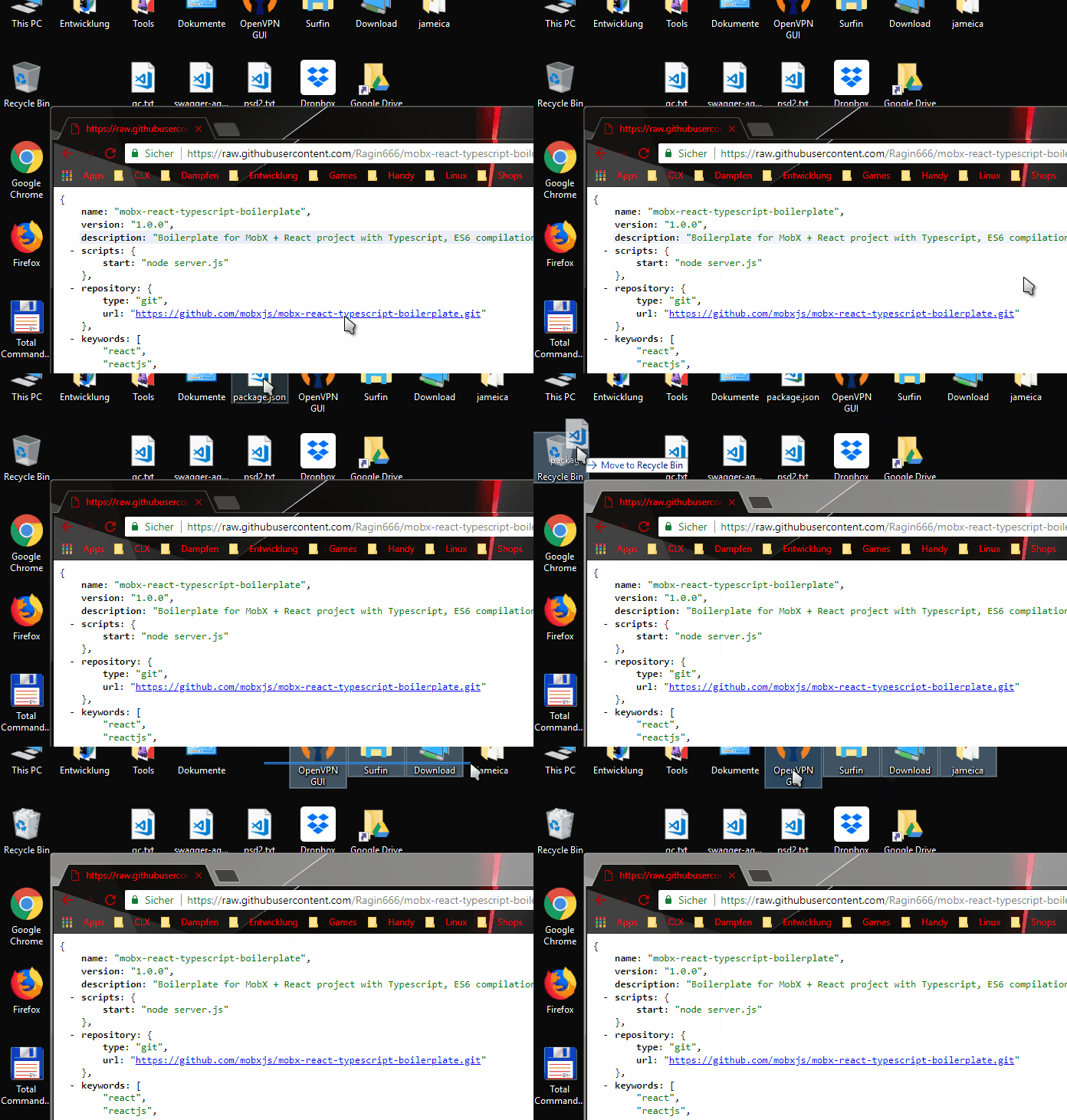
I've recorded the problem as a gif.

Currently my desktop has two fences for Downloads:

  • Downloads
    • New Documents currently go to this fence
    • New Downloads currently go to this fence
  • Images
    • New Images go to this fence

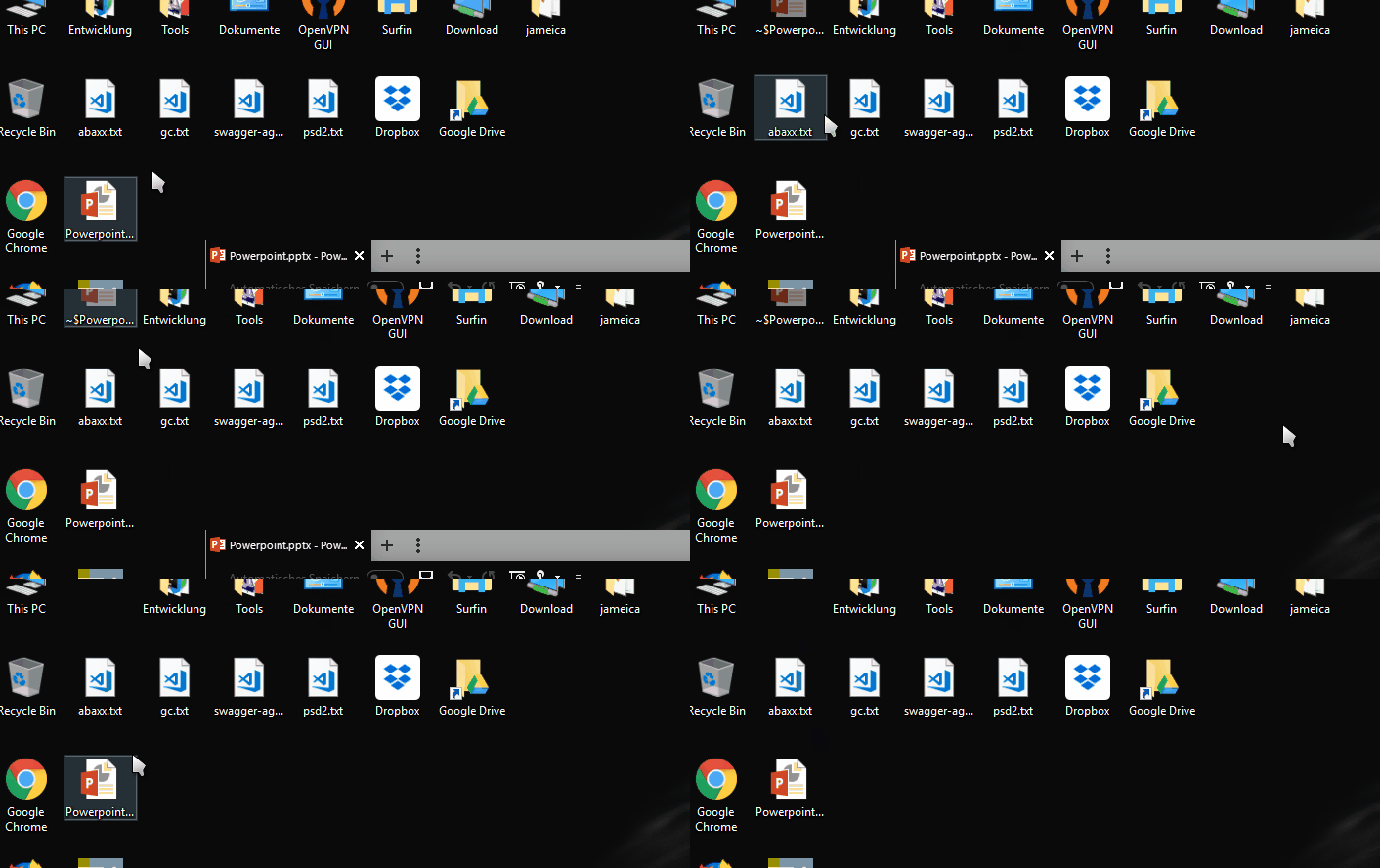
Those two are working great at most time. But some documents are going random to the desktop. In my recorded case the json file goes to somewhere between the other desktop folders and the download changes the order / structure on my desktop. Where the document is placed is mostly random. Sometimes it overlays "This PC", most times the document is moving right of "This PC" and Fences is moving the other icons like in the video (where it places the document after 4 Desktop folders).


And here is another example if I open a PowerPoint file:


Greetings


Reply #7 Top

Hello, I have forwarded your report to the Stardock support team for their review and recommendations. Please keep an eye on this thread for any updates. We really do appreciate your feedback, thanks.