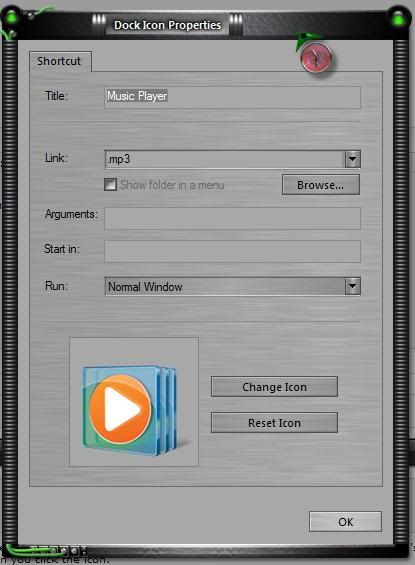

Default Media Player
from  WinCustomize Forums
Starting today, when I click on the Media Player icon in my dock it launches VLC Media Player rather than Windows Media Player. I checked and the default player for mp3 files is WMP, not VLC and yet it keeps launching VLC. I even set WMP under Default Programs to be the default player for all media it supports but still no change.
If I double-click an mp3 it launches WMP. How do I change the doc icon (which simply says mp3) to launch WMP again?